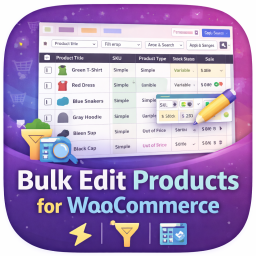
內容簡介
Inline Stock Editor for WooCommerce 是一款專為 WooCommerce 設計的外掛,旨在簡化庫存管理流程。使用者可以在單一表格中快速編輯產品庫存數量,無需進入每個產品頁面,節省大量時間與精力。
【主要功能】
• 單一表格顯示所有產品及庫存狀態
• 內嵌自動儲存功能,無需手動儲存
• 支援變數產品的庫存編輯
• 低庫存閾值編輯,顯示全域預設值
• 類別篩選與名稱或SKU搜尋功能
• 大型目錄的分頁顯示
外掛標籤
開發者團隊
② 後台搜尋「Inline Stock Editor for WooCommerce – Bulk Edit Stock Quantities」→ 直接安裝(推薦)
原文外掛簡介
Updating stock in WooCommerce means opening a product, scrolling to Inventory, typing a number, saving, going back. Twenty products in and you have spent twenty minutes on twenty numbers.
This plugin puts every product in one table. Click a stock field, type, tab to the next. It saves as you go — no bulk-edit screen, no save button, no leaving the page.
Built for the boring jobs: the weekly count, the delivery that just landed, the shelf someone miscounted.
Also works on
Low-stock thresholds in the same table, with the WooCommerce global shown as the placeholder so you can see what you are overriding.
Variable products — flip a product to per-variation stock and the variations expand inline, editable in place.
Large catalogs — category filter, search by name or SKU, pagination.
Features
Single-table overview of all WooCommerce products with current stock and low-stock threshold.
Inline auto-save — click a field, type the new value, tab to the next. Changes save via AJAX with visual confirmation.
Keyboard-first workflow — tab between stock and threshold fields, enter to save and move to next row.
Low-stock threshold editing — see the global default as a placeholder, override per product, clear to fall back to global.
Full variation support — toggle between parent-level stock and per-variation stock with a single checkbox. Variations expand inline, editable directly.
Category filter with hierarchical dropdown for navigating deep product trees.
Search by name or SKU.
Pagination for large catalogs.
Works alongside any stock notification plugin — updates trigger the standard WooCommerce woocommerce_low_stock and woocommerce_no_stock actions.
How it works
Install and activate. Requires WooCommerce.
Go to WooCommerce → Stock Editor.
Edit stock and low-stock thresholds directly in the table. Changes save automatically.