內容簡介
iPages Flipbook 是一個輕量且功能豐富的外掛,能幫助您建立互動式的 HTML5 翻頁書。使用此外掛,您可以輕鬆地在網站上創作媒體書籍,協助出版商和博客作者創作更具吸引力的內容。它的易用性讓您可以輕鬆地將靜態 PDF 文件和圖像集轉換為互動式雜誌、互動式目錄、媒體手冊或小冊子。此外掛易於部署,可在所有現代瀏覽器和行動裝置上運行。
使用 [ipages id=”123″] 短代碼,您可以在 WordPress 站點上的任何頁面或文章中發布翻頁書。
這是官方iPages Flipbook For WordPress外掛的 Lite 版本,該版本具有支援功能,且沒有某些限制。
快速視頻演示
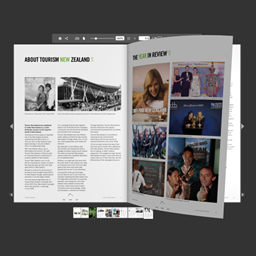
從圖像創建翻頁書的範例
特色
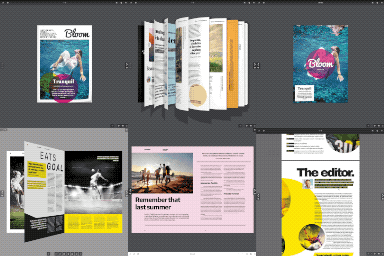
三種渲染書籍模式-兩頁翻轉、單頁翻轉、滑動
兩種數據源-圖像和 PDF 或二者混合使用
標記-添加圖像或文本到任何頁面
縮略圖-側面面板帶有頁面縮影
豎屏和橫屏-不同容器大小唯一外觀
概要-書籤和外部鏈接
鍵盤導航-箭頭可用於書籍導航
多級縮放-縮放書籍頁面以獲得更好的外觀
分享-可與朋友分享連結
全屏幕-您可以從正常狀態切換到全屏狀態,然後切換回來
PDF 下載-下載源 PDF 文件
強大的界面-超過 100 選項
AJAX 保存-無需重新載入頁面即可保存配置
JSON 配置-配置從文件系統而非數據庫中提供,以提高性能
代碼編輯器-使用語法突顯添加額外的 CSS 样式或 Javascript 代码
自定義-創建自己的主題
外掛標籤
開發者團隊
② 後台搜尋「iPages – FlipBook Image & PDF Viewer」→ 直接安裝(推薦)
原文外掛簡介
iPages Flipbook is a lightweight and rich-feature plugin helps you create great interactive digital HTML5 flipbooks. With this plugin you are able to easily make media books for your site that empower publishers and bloggers to create more engaging content. It provides an easy way for you to convert static PDF documents and image sets into the online magazine, interactive catalogs, media brochures or booklets in seconds. The plugin can be deployed easily and runs on all modern browsers and mobile devices.
Using [ipages id=”123″] shortcode, you can publish a flipbook on any Page or Post in your WordPress sites.
This is the LITE version of the official iPages Flipbook For WordPress plugin which comes with support and doesn’t have some limitations.
Quick Video Demo
The sample of how to create a flipbook from images
Features
3 Render Book Modes – two & one page flip, swipe
2 Data Sources – images and PDF or you can mix them together
Markers – add image or text to any page
Thumbnails – the side panel with page miniatures
Portrait & Landscape – unique look for different container sizes
Outline – bookmarks and external links
Keyboard Navigation – arrows can be used for the book navigation
Multilevel Zoom – zoom books pages to make better look
Share – share a link with friends
Fullscreen – you can toggle from the normal state to fullscreen and back
PDF download – download source PDF file
Powerful Interface – over 100 options
AJAX saving – save your config without page reloading
JSON config – the config is served from the filesystem instead of the database for better performance
Code editors – add extra css styles or js code with syntax highlighting
Customization – create you own theme