
外掛標籤
開發者團隊
原文外掛簡介
Instant Chat Checkout adds WhatsApp checkout for WooCommerce stores while still creating normal WooCommerce orders. Customers can start an order from a product page or checkout, send the order details to your WhatsApp number, and leave you with a trackable WooCommerce order in the admin.
Use it when your store sells through WhatsApp, phone follow-up, local delivery, pickup, or cash-on-delivery workflows and you want more structure than a basic chat button.
Key features:
WhatsApp checkout payment gateway for WooCommerce.
Product-page “Order on WhatsApp” button and quick order modal.
Customer name, phone, email, country, region, address, quantity, and shipping fields.
Shipping-aware order estimates that follow WooCommerce shipping setup.
Team routing modes: single, round robin, and region/state routing.
Free-shipping area controls driven by WooCommerce country/state settings.
Google Analytics compatible tracking (gtag and/or dataLayer).
Thank-you page WhatsApp handoff link.
Admin dashboard snapshot for WhatsApp order activity.
Good fit for:
Fashion, beauty, food, grocery, pharmacy, and local retail stores.
Stores that confirm availability, delivery fees, or payment manually before dispatch.
Stores that use WhatsApp as the main sales conversation channel.
Cash-on-delivery, bank transfer, mobile money, local pickup, and assisted checkout flows.
Teams that need to route orders to different WhatsApp numbers by region or rotation.
Why use this instead of a normal WhatsApp chat button?
A normal chat button starts a conversation but does not structure the order.
Instant Chat Checkout collects customer and delivery details before the WhatsApp handoff.
The plugin creates a WooCommerce order, so store admins can still track order status, totals, and customer details.
The WhatsApp message includes the order summary, customer details, and destination number.
This plugin is distributed under GPLv2 or later.
Quick Setup
Install and activate WooCommerce.
Install and activate Instant Chat Checkout.
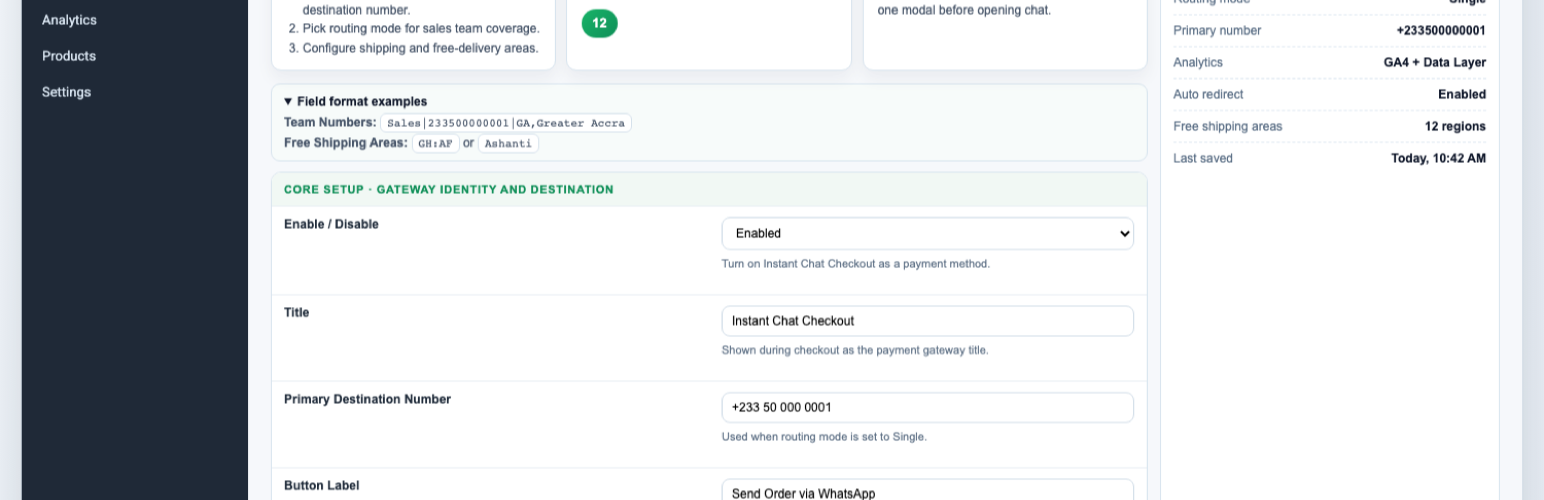
Open WooCommerce > Settings > Payments > WhatsApp Order.
Enable the WhatsApp Order gateway.
Enter your WhatsApp number in international format, for example 233501234567.
Save settings and test a simple product order.
Optional: configure team routing, free-shipping areas, button text, analytics, and thank-you page behavior.














