內容簡介
總結:Elementor Image Ticker Carousel是一個靈活且輕量的自定義Elementor小工具,讓您可以創建一個視覺上吸引人的、持續滾動的圖像輪播。可用於展示標誌、贊助商、特色項目或任何一組圖像,以無縫水平循環的方式呈現。設計易於使用,具有Elementor原生的拖放界面和豐富的自定義選項。查看實時演示:https://wordpress.creavi.dk/ticker/
**問題與答案:**
1. 這個 Elementor Image Ticker Carousel 主要用途是什麼?
- 主要用途是創建一個持續滾動的圖像輪播,可用於展示標誌、贊助商、特色項目或任何一組圖像。
2. 這個小工具支援多少張圖片?
- 可輕鬆上傳並添加多張圖像到輪播中,每張圖像還可選擇加上連結。
3. 使用者可以調整什麼設置來自訂圖像輪播的效果?
- 使用者可以控制滾動速度、啟用或停用無限循環滾動、選擇圖像背景色、設定圓角、調整圖像尺寸、調整圖像之間的間距、控制圖像的內邊距等。
4. 如何讓使用者更好地控制圖像輪播的操作?
- 使用者可以選擇滾動方向、在滑鼠懸停在圖像上時暫停輪播,提升互動性和使用者體驗。
外掛標籤
開發者團隊
② 後台搜尋「Image Ticker Carousel | by Creavi」→ 直接安裝(推薦)
原文外掛簡介
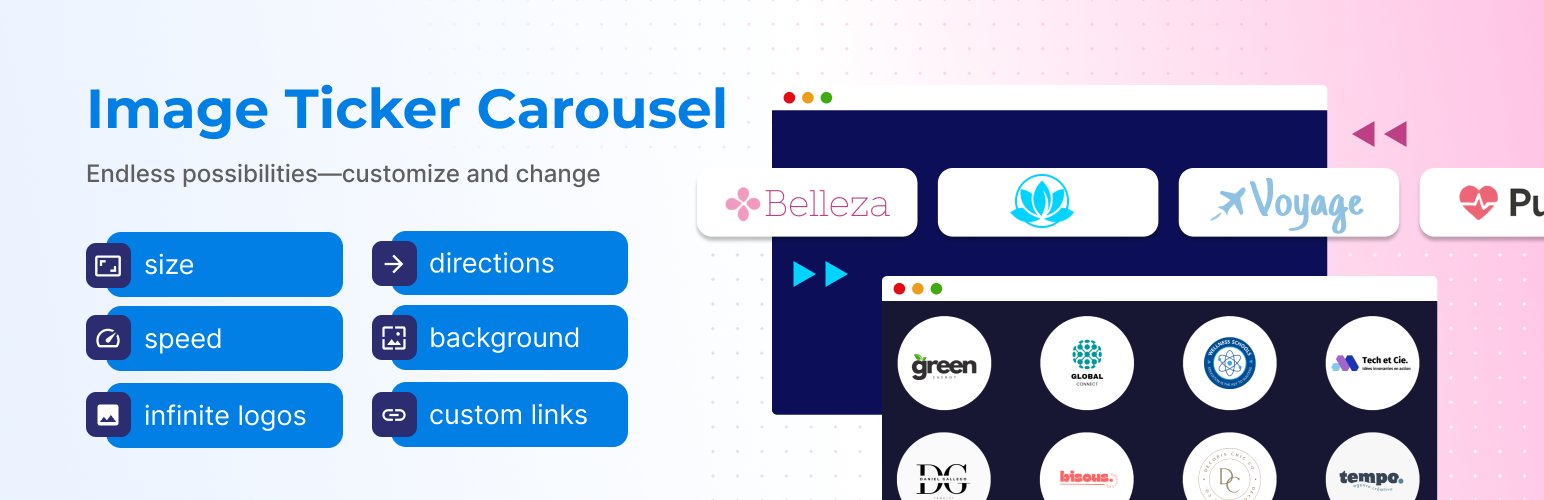
Elementor Image Ticker Carousel is a flexible and lightweight custom Elementor widget that lets you create a visually appealing, continuously scrolling ticker of images.
Use it to display logos, sponsors, featured items, or any set of images in a seamless horizontal loop. Designed to be easy to use with Elementor’s native drag-and-drop interface and tons of customization options.
Check out the live demo: https://wordpress.creavi.dk/image-ticker-carousel-elementor/
We’re open to any suggestions! Feel free to reach out via the support forum — we’re happy to hear your ideas and may implement them in future updates.
Key Features
Multiple Image Support
Easily upload and add multiple images to the carousel with optional links for each image.
Customizable Scroll Speed
Control the scroll speed in milliseconds to fit your site’s design and user experience.
Infinite Looping Option
Enable or disable infinite looping for seamless, continuous scrolling.
Background Color Customization
Choose a background color for each image to match your site’s theme.
Customizable Border Radius
Apply rounded corners to images with adjustable border radius for a softer, more modern look.
Adjustable Image Dimensions
Set custom width and height for images with flexible units (px, %, etc.), allowing full control over image sizes.
Spacing Between Images
Adjust the spacing between images with a simple slider, ensuring a clean and organized layout.
Inner Padding for Images
Control the inner padding (top, right, bottom, left) for each image to fine-tune the look and feel.
Scroll Direction Control
Choose the scroll direction: left to right or right to left, based on your design preferences.
Pause on Hover
Allow users to pause the carousel while hovering over an image, enhancing interactivity and user experience.