內容簡介
Image Split 是一款輕量級的外掛,讓使用者能夠輕鬆展示前後對比照片、產品比較或改造效果,並提供可拖動的滑桿,提升訪客的互動體驗。
【主要功能】
• 支援 Gutenberg 區塊和短碼使用
• 可選擇水平或垂直比較
• 多種尺規樣式可自訂顏色和寬度
• 標籤可自訂位置、顏色和字型大小
• 設定全域預設值以節省時間
• 具備無障礙功能,支援鍵盤導航
外掛標籤
開發者團隊
② 後台搜尋「Image Split – Before/After Image Comparison Slider」→ 直接安裝(推薦)
原文外掛簡介
Image Split is a friendly, lightweight way to show before and after photos, product comparisons, or makeovers — all with a smooth draggable slider visitors can move with a mouse, touch, or keyboard.
Unlike clunky embeds or heavy page builders, Image Split:
🧩 Fits your workflow — Drop in a block (in posts or under Appearance → Widgets), or paste a shortcode.
🎨 Looks polished — Horizontal or vertical layout, ruler styles (line, bar, circle), and labels you can style to match your brand.
♿ Stays accessible — Keyboard navigation and ARIA support so more people can use your comparisons.
⚙️ Saves time — Set global defaults under Settings → Image Split so new comparisons start with your look.
Need product pages or Elementor? Premium adds WooCommerce and Elementor, plus deeper per-item customization.
Image Split official website | Plugin documentation
✨ Free features ✨
Gutenberg block — Pick Before and After images, tune the ruler, and place labels without leaving the editor.
Shortcode — Use [image_split] anywhere shortcodes run, with optional attributes for layout and styling.
Widget areas — Add the same Image Split block under Appearance → Widgets (block-based widget editor).
Orientation — Horizontal or vertical comparison.
Ruler styles — Line, bar, or circle; custom color and width.
Labels — Before/After text with position, color, background, and font size.
Global defaults — Settings → Image Split for site-wide starting values.
Responsive & touch-friendly — Works on phones and tablets.
Lazy-loading friendly — Plays nicely with common lazy-load setups.
Accessibility — Keyboard and ARIA support.
⚜️ Premium features ⚜️
WooCommerce — Enable Image Split per product on the single product page, using gallery images or custom attachment IDs.
Elementor widget — Drop Image Split into Elementor-built layouts.
Full customization — More options to override defaults per block, shortcode, or product.
Unlock product pages, Elementor, and advanced controls — upgrade when you’re ready.
Explore the Premium version here.
How does Image Split work?
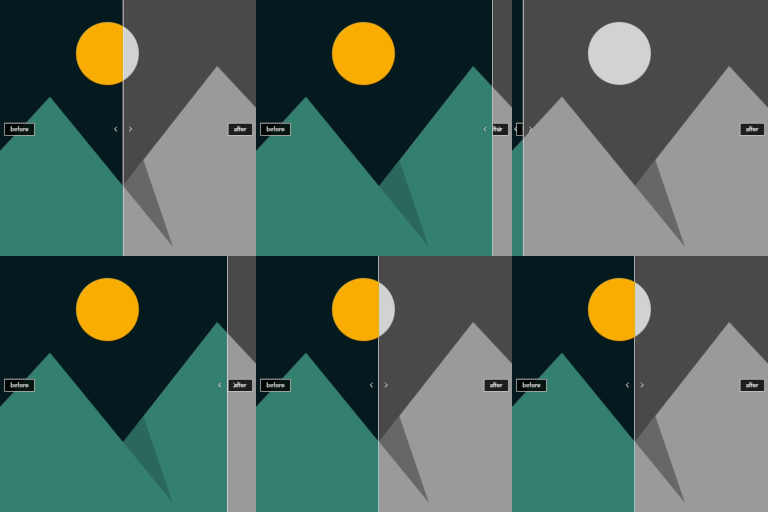
You choose two images (before and after). Image Split renders them as one comparison with a movable divider. The free plugin ships the block (for content and widget areas), shortcode, and global defaults; Premium adds WooCommerce and Elementor integrations built for stores and visual builders.
Full documentation is available here.
Shortcode
[image_split before="123" after="456" orientation="horizontal" offset="0.5" ruler_style="line" ruler_color="#ffffff" ruler_width="4" label_before="Before" label_after="After" label_position="bottom-left" label_color="#ffffff" label_bg_color="rgba(0,0,0,0.5)" label_font_size="14"]
before, after — attachment IDs (required)
orientation — horizontal | vertical
offset — 0 to 1 (default 0.5)
ruler_style — line | bar | circle
ruler_color, ruler_width — color and width in px
label_before, label_after — text
label_position — Before label: top-left, top-right, bottom-left, bottom-right, center-left, center-right
label_after_position — After label (same options)
label_color, label_bg_color, label_font_size
WooCommerce (Premium)
On the product edit screen, under Product data → gallery / Image Split options:
Enable Image Split — Show the slider instead of the main product image on the product page.
Before/After image ID — Use 0 to take the first two gallery images automatically.