內容簡介
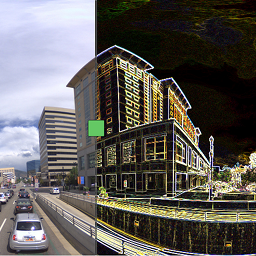
VisualCompare – Before & After Slider 外掛幫助用戶清晰展示視覺變化,適用於翻新、設計修訂、美容結果等。透過互動式比較滑桿,無需編寫自訂程式碼,輕鬆創建和重用前後對比。
【主要功能】
• 使用 WordPress 原生區塊添加前後對比圖像
• 在 Elementor 中構建即時預覽的滑桿
• 保存可重用的比較於管理區域
• 嵌入已保存的比較使用短碼
• 支援滑動、點擊、觸控和鍵盤互動
• 自訂標籤、顏色、大小及比例
外掛標籤
開發者團隊
② 後台搜尋「VisualCompare – Before & After Slider」→ 直接安裝(推薦)
原文外掛簡介
VisualCompare – Before & After Slider helps you show visual changes clearly: renovations, design revisions, retouching, medical or beauty results, product updates, restoration work, and any other before-and-after image comparison.
Instead of placing two separate images side by side, you can add an interactive comparison slider that works with mouse, touch, keyboard, responsive images, and a no-JavaScript fallback. The same comparison can be created once, reused across pages, inserted with the WordPress block editor, added in Elementor, or embedded with a shortcode.
Why use VisualCompare?
Create polished before-and-after sliders without writing custom code.
Reuse saved comparisons across posts, pages, templates, and shortcodes.
Keep comparisons usable for visitors who navigate with a keyboard or assistive technology.
Configure new comparison defaults once so editors start from consistent settings.
Show both images when JavaScript is unavailable instead of hiding important content.
Features
Add before-and-after image comparisons with a native WordPress block.
Build sliders in Elementor with live preview controls.
Save reusable comparisons in the Visual Comparisons admin area.
Embed saved comparisons with [visual_compare id="123"].
Embed inline comparisons with [visual_compare before="123" after="456"].
Choose horizontal or vertical slider orientation.
Set the starting divider position for each comparison.
Enable drag, click, touch, and keyboard interaction.
Customize labels, divider color, divider width, handle size, corner radius, aspect ratio, image fit, and object position.
Use responsive WordPress image markup from the Media Library.
Display a stacked fallback when JavaScript is disabled or cannot mount.
Warn editors when selected images have different aspect ratios and may be cropped.
Duplicate reusable comparisons to speed up repeated layouts.
Import and export comparison settings as JSON.
Preserve saved content on deactivation and remove data only when uninstall cleanup is explicitly enabled.
Load frontend assets only when a comparison is rendered or detected.
Support RTL layouts and translation files.
Common use cases
Compare room renovations, landscaping projects, repairs, and construction progress.
Present photo retouching, color grading, illustration, and design revisions.
Show beauty, wellness, dental, cosmetic, or treatment progress where before-and-after images are appropriate.
Demonstrate product improvements, UI redesigns, restoration work, cleaning services, and visual audits.
Reuse the same comparison in a case study, landing page, and template without rebuilding it.
Integrations
Use the Visual Comparison block in the WordPress block editor.
Use the Visual Comparison widget in Elementor when Elementor is active.
Use the [visual_compare] shortcode in classic content, widgets, templates, and builders that render WordPress shortcodes.
VisualCompare does not claim official partnership with WordPress or Elementor. Dedicated Bricks and Divi modules are not included in this version, but shortcode embeds can be used in areas where those builders support WordPress shortcodes.
Accessibility and performance
VisualCompare uses progressive enhancement. The HTML output includes both images first, then the frontend script enhances the comparison into an interactive slider when possible. Keyboard support, range input semantics, visible labels, screen-reader instructions, unique instance IDs, and no-JavaScript fallback behavior are built into the renderer.
Frontend CSS and JavaScript are registered globally but enqueued only when the plugin can detect or render a comparison. This keeps pages without before-and-after sliders free from unnecessary VisualCompare assets.
Privacy
VisualCompare – Before & After Slider does not collect analytics, track visitors, or transmit data to external services. Comparison settings and WordPress media references are stored in the site’s own WordPress database. Admin previews use authenticated same-origin requests to the site’s own WordPress installation.