內容簡介
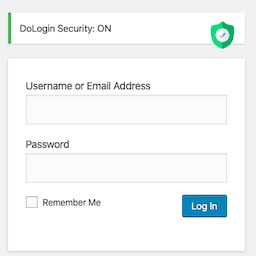
IC Security Guard 是一款輕量級的全方位安全強化外掛,能有效保護您的 WordPress 網站免受暴力登入攻擊、REST API 濫用及 XML-RPC 擴增攻擊,並在攻擊被阻擋時即時通知網站擁有者。
【主要功能】
• 隱藏預設登入頁面
• 限制登入嘗試次數及鎖定
• 電子郵件一次性密碼雙重驗證
• REST API 與 XML-RPC 暴力攻擊保護
• 即時電子郵件警報
外掛標籤
開發者團隊
原文外掛簡介
IC Security Guard is a lightweight, all-in-one security hardening plugin that protects your WordPress site from brute force login attacks, REST API abuse, and XML-RPC amplification attacks — and keeps your site owner informed in real time when an attack is blocked.
Instead of leaving wp-login.php, /wp-admin, xmlrpc.php, and the REST API open for anyone to probe, IC Security Guard lets you move your login page to a custom secret URL, lock out anyone who fails to log in too many times, require a one-time email code before login completes, shut down common XML-RPC and REST API attack vectors, and get emailed the moment something is blocked.
Special Features
Hide Default Login Page
Hide the default wp-login.php and /wp-admin login pages from unauthenticated visitors
Serve the login form only on a custom, secret URL that you choose
Redirect anyone hitting the default login URL to a page of your choice, or a plain 404
Logged-in users always pass through untouched — no impact on legitimate access
Login Attempt Limiting & Lockout
Limit failed login attempts with a configurable maximum
Automatic lockout for a configurable duration after too many failed attempts
Live countdown timer shown on the login form while locked out
Lockout state persists across page reloads and resets automatically once it expires
Correct credentials are still rejected while a lockout is active
Email OTP Two-Factor Authentication
Optional two-factor authentication using a one-time code sent by email
After a correct username and password, the user is redirected to a dedicated verification page
A 6-digit code is emailed to the account’s registered email address and must be entered to complete login
Configurable code expiry, limited verification attempts, and a resend cooldown to prevent abuse
Automatically skipped for REST API and XML-RPC requests so API clients and integrations are not broken
**Note: **Ensure your website’s SMTP/email configuration is working before enabling this feature. Otherwise, OTP verification emails may not be delivered, and users will be unable to complete the login process.
REST API & XML-RPC Brute Force Protection
Optionally disable XML-RPC entirely, closing off system.multicall-based amplification attacks that let attackers test hundreds of password combinations in a single request
Optionally block unauthenticated REST API user enumeration (/wp-json/wp/v2/users) so attackers cannot harvest valid usernames
Failed REST API and XML-RPC authentication attempts share the same per-IP lockout as the login form, so an attacker locked out on one entry point is locked out everywhere
Real-time Email Alerts
Get notified by email the moment a security event is blocked: a login lockout, a blocked XML-RPC request, or a blocked REST API user-enumeration attempt
Each alert includes the event type, the offending IP address, and the time it occurred
A configurable cooldown period per alert type keeps a sustained attack from flooding your inbox
Alerts are sent to your site’s admin email address and are fully optional