外掛標籤
開發者團隊
原文外掛簡介
You change a sentence in the page editor, save, refresh, and the old sentence is still there. It lives somewhere else: a template file, a widget, a menu, a shortcode, a synced pattern or a theme setting.
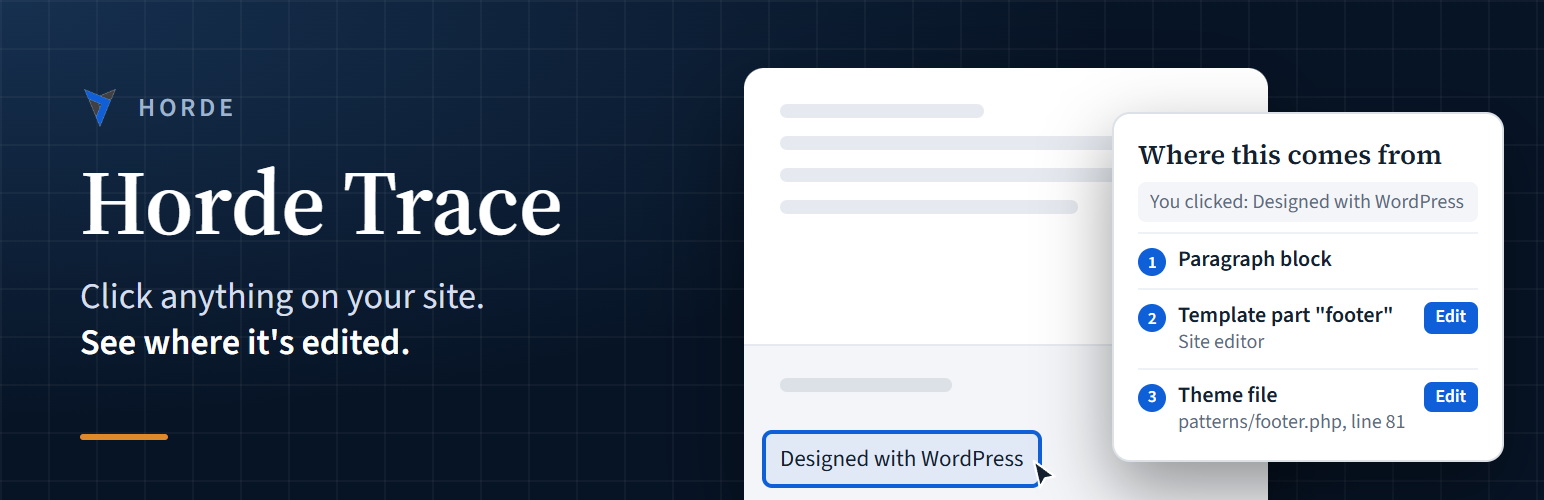
Horde Trace finds it. Switch Trace on from the admin bar, click the thing you want to change, and Trace shows where it comes from, with a link straight to the screen where you can edit it.
What Trace can find
Blocks, and the page, post or synced pattern they’re saved in
Site editor template parts and navigation menus (block themes)
Widgets, and the widget area they’re in
Classic menus, by menu and item
Shortcodes, and the plugin or theme that registered them
Text hardcoded in theme files, with the file name and line number
Site title, tagline, Customizer settings and other stored settings
Text saved in custom fields and page builder layouts
Built to stay out of the way
Only administrators who switch it on see anything. Visitors never load any of it.
Read-only. Trace never changes, moves or deletes anything.
Nothing is sent anywhere. Everything runs on your own site.