內容簡介
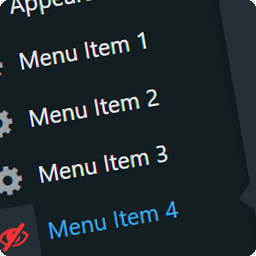
HideAway Admin 是一款專為網站擁有者設計的外掛,能根據使用者角色隱藏不必要的管理選單與子選單,確保客戶在使用網站時不會接觸到不該看的內容,提升使用體驗與安全性。
【主要功能】
• 根據角色隱藏選單與子選單
• 隱藏的畫面無法透過網址訪問
• 實時預覽不同角色的選單顯示
• 暫時解鎖功能,方便管理者查看
• 整潔的工具列,隱藏快捷方式
• 一鍵隱藏常見的管理項目
外掛標籤
開發者團隊
原文外掛簡介
Handing a site over to a client? HideAway Admin hides every admin menu and submenu they don’t need, role by role, and makes sure the hidden screens stay closed: typing the address or using an old bookmark shows a clear “you don’t have access” message instead of the screen.
What it does
Hide menus and submenus by role. The list is your real dashboard menu, in its real order, including everything your theme and plugins add.
Hidden really means closed. Hidden screens can’t be opened by typing their address, and neither can the loose screens of a hidden plugin.
Live preview. See exactly how the menu will look for each role before you save, taking each role’s permissions into account.
Temporary unlock, just for you. Bring everything back into view for a while on your own account. Nobody else notices, and it hides itself again.
A tidy toolbar. Shortcuts to hidden screens disappear from the admin bar too.
A starter template. Hide the usual suspects (Tools, Settings, Plugins, Appearance, Users, Updates) in one click, and see what it will tick before applying it.
You choose where the plugin lives. In the Settings menu, in the toolbar, or both.
A dark theme, and ready for translation at translate.wordpress.org.
No tracking unless you opt in. See “External services” below.
HideAway Admin Pro
For agencies and freelancers who build client sites for a living:
Drag menus and submenus into the order you want.
Hide things from one specific person, not just a whole role.
Hide dashboard boxes and the Help and Screen Options tabs.
Send each role to its own screen when they log in.
More templates, and save your own.
Export your setup and import it on another site, reviewing what it brings before applying it.
An activity log that shows exactly what changed, and lets you undo it.
White label, and a lock so only your account can change the plugin.
WP-CLI commands and multisite support.
12 ready-made translations, with a language switcher just for this plugin.
Try Pro free for 14 days, no credit card required: start the trial from the plugin’s own screen, in Settings > HideAway Admin.
External services
HideAway Admin uses the Freemius SDK to offer the free trial and the Pro upgrade, and to manage Pro licenses and updates.
When you activate the plugin, Freemius may ask whether you want to share some basic data with it. If you skip it, nothing is sent.
If you opt in, start the trial, buy Pro or activate a license, the plugin sends Freemius basic data such as your name and email, your site’s address, and your WordPress, PHP and plugin versions, so that licenses and updates can work.
Freemius: terms of service, privacy policy and data practices.