內容簡介
Turbo Header Footer Builder for Elementor 是一款免費的外掛,讓使用者可以輕鬆設計和自訂網站的標頭和頁尾,無需撰寫任何程式碼。無論是商業網站、電子商務商店或個人部落格,這款外掛都能提供完整的設計控制。
【主要功能】
• 自訂標頭和頁尾範本
• 進階顯示條件設定
• 支援 Elementor 免費版與專業版
• 多種小工具支援
• 實時編輯與預覽功能
外掛標籤
開發者團隊
② 後台搜尋「Header Footer Builder for Elementor」→ 直接安裝(推薦)
📦 歷史版本下載
原文外掛簡介
Looking for the easiest way to create custom header and footer in Elementor?
Turbo Header Footer Builder for Elementor is the ultimate free solution to design, customize, and control your website’s header and footer without touching a single line of code.
Get Advanced Features for Modern Website Design — Explore Turbo Addons For Elementor
Whether you’re building a business site, eCommerce store, or personal blog, this plugin gives you complete control over your header and footer designs — directly inside Elementor’s drag-and-drop editor.
Why Choose Turbo Header Footer Builder For Elementor?
User-Friendly: Designed for beginners and advanced users alike
No coding required — design entirely in Elementor
Works with both Elementor Free and Elementor Pro
Advanced conditional display rules for different pages.
Lightweight, SEO-friendly, and performance optimized
Key Features
**Essential Elementor Widgets for Header and Elementor Footer Builder**
Navigation Menu Widget – Build fully customizable menus with dropdowns, hover effects, and responsive controls.
Site Logo Widget – Display dynamic site logo with custom link, width controls, and responsive options.
Icon Button Widget – Create modern icon-based buttons with full styling controls.
Top Bar Widget – Add contact info, social icons, announcements, or custom text in a stylish top bar.
Copyright Widget – Add footer copyright text with dynamic year, company name, and full typography & styling options.
**Header Builder**
Customizable Header Templates: Design fully customizable headers using Elementor’s drag-and-drop interface.
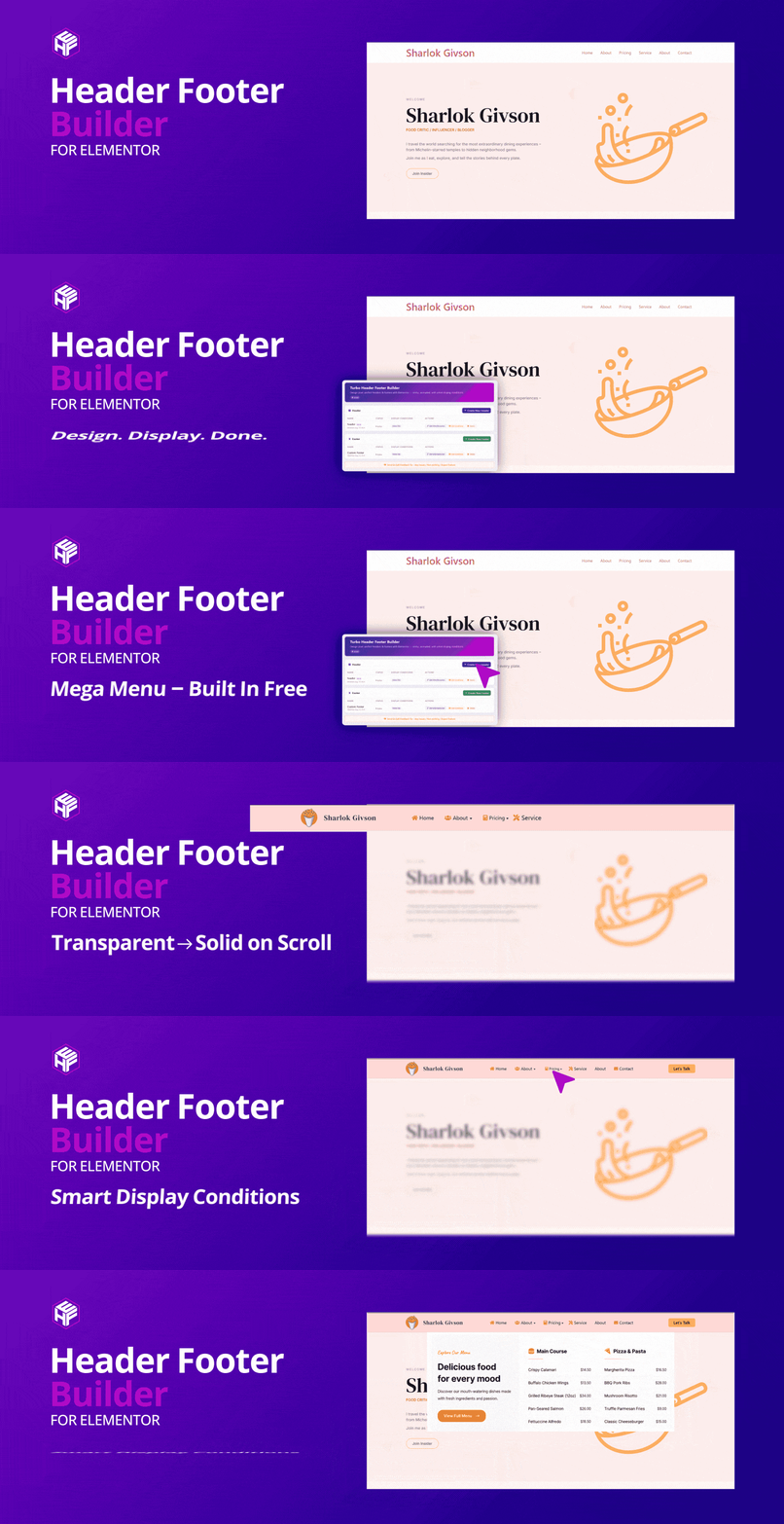
Display Conditions: Define when and where your header should appear on different pages, posts, or custom post types.
Global or Page-Specific Headers: Set headers globally across the site or assign them to specific pages.
Header Style Options: Customize the header style, including background color, fonts, spacing, and more.
Live Editing and Preview: Use Elementor’s live preview to make real-time changes to your header.
Exclude Header from Specific Pages: Choose pages where the header should not appear, giving you granular control over your site’s design.
Sticky Header: Make your Elementor sticky header remain at the top of the page when scrolling.
Scroll Animation: Add animation effects to headers that stay at the top while scrolling.
Edit Display Conditions: After creating the header template, you can easily edit the display conditions from the template list by clicking the Edit Condition button.
**Header Effects**
Transparent to Solid on Scroll: Start with a transparent header that smoothly transitions into a solid background as visitors scroll down the page.
Configurable Scroll Distance: Set exactly when the effect kicks in with a custom scroll distance.
Custom Solid Background Color: Choose the solid background color your header changes to after scrolling.
Bottom Shadow: Add a subtle bottom shadow for a polished, sticky look.
Editor-Integrated Panel: Configure everything right inside the Elementor editor — no code needed. Open any Section or Container in a header template, go to the Advanced tab, and find the Header Effects panel.
**Mega Menu**
Assign Elementor Templates: Turn any top-level menu item into an Elementor mega menu by assigning an Elementor template to it — right from Appearance → Menus.
Hover or Click Trigger: Open the mega panel on hover or on click, and close it by clicking outside.
Full-Width, Custom & Default Widths: Give each menu item a full-width (100vw), custom-width, or default-width panel.
Panel Width & Alignment Controls: Responsive panel width (px, %, vw) plus left / center / right alignment relative to the screen.
Responsive Mobile Menu: A hamburger toggle with a scrollable, accordion-style mobile menu and full-width dropdown.
Complete Styling: Typography, color, background, border, shadow, divider, and hover/active styling for menu items, dropdowns, and the panel.
AJAX Loading: Load large Elementor mega menu content on demand for better performance.
**Footer Builder**
Customizable Footer Templates: Create fully customizable footer layouts using Elementor’s drag-and-drop interface.
Conditional Display Rules: Define when and where your footer should appear, including options to target specific pages, posts, or user roles.
Multiple Footer Layouts: Choose from various footer layouts to quickly set up your footer or create one from scratch.
Global and Page-Specific Footers: Easily set footers globally or assign them to specific pages, post types, or custom post types.
Preview and Live Editing: Use Elementor’s live preview feature to make adjustments and see changes in real-time.
The Footer Builder gives you complete control over your footer’s design, layout, and visibility, all from within the intuitive Elementor interface.
Visual Dashboard Features (Based on Plugin UI)
Your Elementor header footer builder managed in a simple modal-based interface directly inside WordPress:
Quick Create Modals — Create headers or footers without leaving the template list screen.
Include Pages Selector — Choose individual pages or “Select All” for global use.
Display Conditions Dropdown — Choose where the header/footer appears:
Entire Site
All Blog Posts
All Archive Pages
All WooCommerce Products (only appear when woocommerce installed)
All WooCommerce Pages (only appear when woocommerce installed)
Exclude Pages Selector — Exclude specific pages where the design shouldn’t appear.
Header Style Options:
Make Header Sticky
Enable Scroll Animation
Inline Editing — Update conditions instantly from the “Edit Conditions” modal without rebuilding templates.
This visual system ensures fast setup and easy customization for all WordPress users — even beginners.
Benefits of Using Elementor Header Footer Builder
Completely Free: Unlock all advanced features completely free
Save Time: Quickly create custom header and footer in Elementor without coding.
Boost Performance: Optimized for speed and minimal resource usage
SEO Friendly: Clean, semantic HTML output for better search rankings
Responsive Design: Looks great on all devices
Regular Updates: Continuous improvements and new features
Active Support: Get help from our dedicated support team
Extensive Documentation: Comprehensive guides and tutorials available
Installation Steps
Log into your WordPress admin dashboard
Navigate to Plugins > Add New
In the search bar, type “Header Footer Builder for Elementor”
Click Install Now next to the plugin
After installation, click Activate to enable the plugin
How to Create Custom Header and Footer in Elementor
Creating a Custom Header
Go to Turbo H&F Builder > Header Templates
Click Add New Header Template
Enter a name for your header template.
Select the page if the header is for a specific page, or leave it if it applies globally.
Set display conditions for pages or post types.
Select pages to Exclude the header from if needed, or leave it blank to apply globally.
Mark the checkbox to Set the Header Style for Sticky or Scroll Animation you can select both
Click the Create button; you will be redirected to the Elementor editor
Use Elementor’s drag-and-drop interface to create your header template
Creating a Custom Footer
Go to Turbo H&F Builder > Footer Templates
Click Add New Footer Template
Enter a name for your Footer template.
Select the page if the footer is for a specific page, or leave it if it applies globally.
Set display conditions for pages or post types.
Select pages to Exclude the footer from if needed, or leave it blank to apply globally.
Click the Create button; you will be redirected to the Elementor editor
Use Elementor’s drag-and-drop interface to create your footer template
Conditional Display Rules
Set up smart display rules for your headers and footers:
Page Types: Home, Blog, Single Post, Archive, etc.
Custom Post Types: Specific headers for products, services, etc.
Device Types: Mobile-specific or desktop-specific designs
Date/Time: Seasonal or time-based header changes
Performance & Compatibility
Optimized for Speed: Minimal CSS/JS, clean HTML output
Compatible With:
Elementor (Free & Pro)
WooCommerce
All major WordPress themes
WPML & Polylang
Getting Help:
Documentation: Visit our comprehensive documentation
Support Forum: Get help from our community
Email Support: Contact our support team directly
Video Tutorials: Step-by-step video guides
License
Turbo Header Footer Builder for Elementor is licensed under the GNU General Public License v3 or later.
Credits
Developed by TurboAddons team with contributions from the WordPress community.
Transform your website’s header and footer with Turbo Header Footer Builder for Elementor – the ultimate solution for custom header and footer design!