
內容簡介
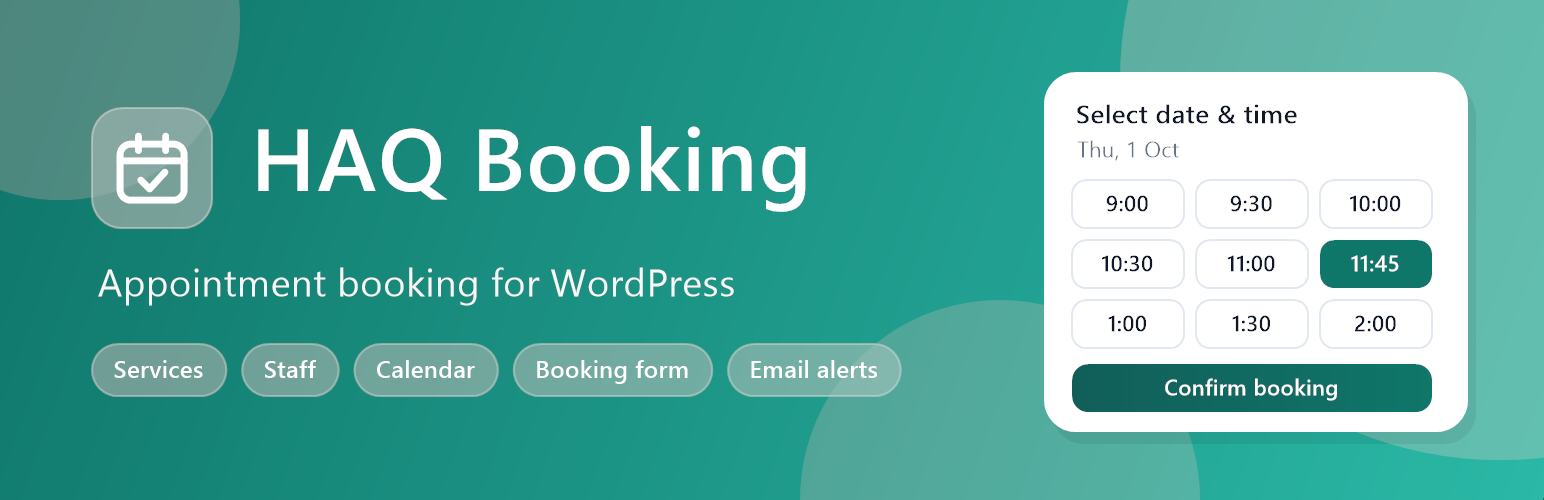
HAQ Booking 將您的 WordPress 網站轉變為一個完整的預約系統,無需依賴佈景主題或其他外掛,提供簡單易用的預約管理功能。
【主要功能】
• 創建服務,包括時長、價格和狀態
• 管理員工、工作時間和休息時間
• 客戶記錄及預約歷史
• 行事曆顯示預約列表
• 行動友好的預約表單
• 電子郵件確認及取消通知
外掛標籤
開發者團隊
原文外掛簡介
HAQ Booking turns your WordPress site into an appointment booking system. Everything runs inside this plugin — no theme dependency and no required companion plugins.
Features
Create services with duration, price and status
Manage staff, working hours, breaks and assigned services
Customer records with booking history
Appointment list and admin calendar
Availability engine with open time slots
Mobile-friendly booking form via shortcode [haq_booking] or Gutenberg block
Email confirmation, cancellation and reschedule notices
Customer cancel and reschedule via secure token links
GDPR export / erase personal data support
Admin screens
All screens live under the HAQ Booking menu and require the manage_haq_booking capability (granted to administrators on activation).
Dashboard – today’s totals (confirmed, pending, cancelled), the next upcoming appointments, a setup checklist with progress bar and quick links.
Appointments – book on behalf of a customer (existing customers are matched by email), edit staff, time, status and notes, delete, and filter by status.
Calendar – month view with previous / next / today navigation, colour-coded by status; click any appointment to edit it.
Services – name, description, duration in minutes, price and active / inactive status.
Staff – name, email, phone, active switch, services offered and weekly working hours with work and break rows. New staff start with Monday–Friday, 9:00–17:00.
Customers – searchable list with booking counters (total, completed, cancelled, no-show), WhatsApp number, messaging opt-in and private notes.
Settings – business details, booking rules, email sender, currency and date/time formats with live preview, and the booking page.
WordPress dashboard widget – today’s appointment counts at a glance.
Booking form
Four steps: service → staff → date and time → your details, followed by a confirmation screen with the booking code.
Optional “Any available staff” choice that picks a free staff member automatically.
Name and email are required; phone and notes are optional.
Works with any theme, uses no jQuery, and loads its assets only on pages that contain the form.
Falls back to ?rest_route= automatically if pretty REST URLs are unavailable.
How available times are calculated
For the chosen service, date and staff member, the plugin:
Takes the staff member’s working blocks for that weekday.
Removes the staff member’s break rows.
Steps through the day using the Slot interval setting and keeps start times where the whole service duration fits.
Removes times that overlap existing appointments (cancelled appointments free the slot).
Removes times sooner than the Minimum notice and dates beyond the Booking window.
Appointment statuses
pending, `confirmed`, `completed`, `cancelled` and `no_show`. Choose **Pending** as the default status in Settings if you want to approve each booking manually.
Email notifications
Plain-text emails are sent with wp_mail() from the sender name and address set in Settings.
New booking – to the customer (with a manage link), the admin notification email and the assigned staff member.
Cancellation – to the customer and the admin.
Reschedule – to the customer and the admin.
Customer self-service
Each booking gets a unique booking code and a secret manage token. The link in the customer’s email opens the booking page with ?haqb_manage=TOKEN, where the customer can cancel or pick a new time. Select your booking page in Settings so these links point to the right page.
Settings reference
Business name and Admin notification email
Slot interval (default 15 minutes), Minimum notice (default 1 hour), Booking window (default 60 days)
Default booking status (confirmed or pending) and Any available staff on/off
From name and From address for emails
Currency code, currency symbol, date format and time format
Booking page used for manage links
Shortcode
Place this shortcode on any page:
[haq_booking]
Or insert the HAQ Booking block in the editor.
For developers
REST API (namespace haq-booking/v1):
GET /services – active services
GET /staff?service_id= – staff who offer a service
GET /slots?service_id=&staff_id=&date=YYYY-MM-DD – available start times
POST /book – create a booking (requires the wp_rest nonce)
GET /manage/{token} and POST /manage/{token} – view, cancel or reschedule a booking
Actions:
haqb_appointment_created, haqb_appointment_confirmed, haqb_appointment_cancelled, haqb_appointment_completed – receive the appointment object
haqb_appointment_rescheduled – receives the updated and previous appointment
haqb_booking_after_submit – after a booking made through the public form
haqb_booking_form_fields – output extra fields in the details step
haqb_enqueue_booking_assets – enqueue extra scripts with the form
haqb_daily_maintenance_run – daily maintenance cron
Filters:
haqb_can_book – allow or reject a booking (return true, false or a WP_Error)
haqb_available_slots – modify the list of available times
haqb_booking_response – modify the public booking API response
haqb_notification_recipients – change an email recipient per notification type and role
haqb_booking_form_fields_allowed_html – allowed HTML for extra form fields
haqb_show_whatsapp_fields – show or hide the WhatsApp number and opt-in fields
JavaScript: the form dispatches a haqb:bookingSuccess event on document with { root, booking } in event.detail.
Optional extensions
An optional commercial add-on can extend HAQ Booking with messaging, payments and calendar sync. The free plugin works fully on its own.
Privacy
The plugin stores customer name, email, phone, optional messaging number, appointment details and related notes in your WordPress database. The free plugin does not send data to third-party APIs.
Data is kept in these custom tables: haqb_services, haqb_staff, haqb_staff_services, haqb_staff_availability, haqb_holidays, haqb_customers and haqb_appointments. Settings are stored in the haqb_settings option.
The plugin registers with the WordPress Export Personal Data and Erase Personal Data tools. Erasing anonymises the customer record and clears appointment notes while keeping the appointment history for your records. Suggested text is added to the privacy policy guide.
Deactivating the plugin keeps all data. Deleting the plugin from the Plugins screen removes its tables, settings and capability.














