外掛標籤
開發者團隊
原文外掛簡介
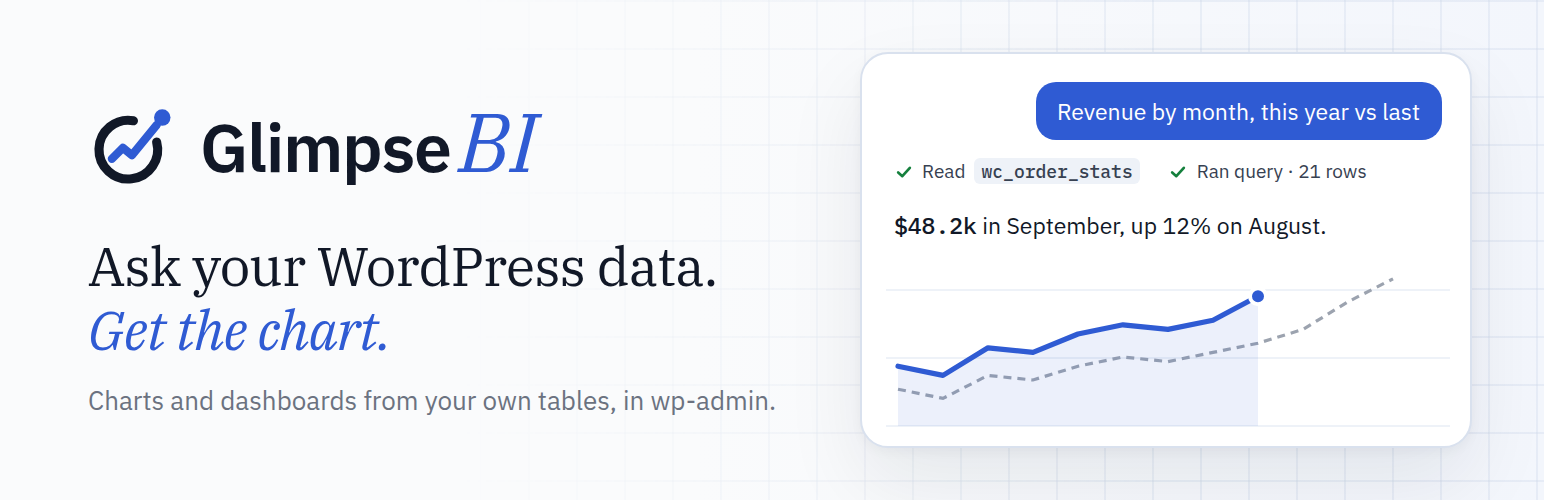
Glimpse BI turns your WordPress database into charts and dashboards inside wp-admin. Build them three ways: a no-code builder, safe read-only SQL, or Ask, which answers plain-English questions with a chart and shows the query it ran. Use your own posts, users, WooCommerce orders, KiviCare appointments, or any other table, without exporting data to a third party.
Every dashboard tile reads through a stale-while-revalidate cache, so multiple admins viewing the same dashboard share one query roundtrip per TTL window. SQL-mode charts pass through an AST-level validator (read-only SELECT/WITH ... SELECT only) before execution, so power users can write hand-tuned queries without giving up safety.
Features:
Ask (optional) — ask questions about your data in plain language and get charts, numbers and tables back, with the query that produced them. Ask is a service: it needs a Glimpse account and runs on Glimpse credits (new accounts include trial credits). It is off until an administrator connects the site and accepts the privacy notice, and every query still runs on your own database. See “External services” below.
No-code chart builder (GUI mode) — pick a table, measure, dimensions, and filters
SQL mode for hand-written queries — validated server-side, read-only, parameterized
React-based dashboard grid with 12-column responsive layout (react-grid-layout)
Runtime parameters per chart (search boxes, date ranges, dropdowns) backed by wpdb->prepare
Public embed iframes with token auth, rate limiting, and CSV / JSON export
Built-in dashboard presets — install ready-made dashboards for plugins like KiviCare in one click
ApexCharts visualizations with a shared design-token theme (KPI, line, bar, pie, table, heatmap, funnel)
CSV / JSON exports per chart and per dashboard
Schema introspection with a 1-hour cache and manual refresh
Designed to be polite to your database: query timeouts, row limits (configurable, default 10K), regen-stampede locks, and persistent-object-cache support (auto-detected — uses wp_cache_* when available, transients otherwise).
External services
Glimpse BI works entirely inside your site. The one exception is Ask, an optional feature that uses the Glimpse AI service. Nothing is sent anywhere until an administrator has connected the site to a Glimpse account (Glimpse BI → Ask → Connect to Glimpse) and accepted the Ask privacy notice. Without both, Glimpse BI makes no outbound requests for Ask, and every other feature (charts, dashboards, SQL mode, embeds, exports) works the same whether or not a site ever connects.
Glimpse relay (api.glimpsebi.com), operated by Glimpse BI. The relay chooses the AI model, adds the instructions, runs the model and bills the account’s Glimpse credits. The plugin contacts it:
When an administrator connects the site: the browser is sent to glimpsebi.com/app/connect with the site address (home URL), a random site ID generated by the plugin, the address of this site’s Ask page and a one-time security token. After the administrator approves, the plugin exchanges a one-time code for a connection key (POST /connect/exchange, sending the code and the site ID). When an administrator disconnects, the plugin asks the relay to revoke that key (POST /connect/revoke).
When a user with access asks a question (POST /ai/step, once per step of an answer) and to show the credit balance (GET /ai/balance). Each request carries the connection key and the site ID.
What a question sends:
The question and the earlier messages of the same conversation, including the AI’s previous replies and short summaries of the steps it took.
The names of the tables and columns Ask is allowed to see, their column types, column counts and approximate row counts. Tables marked private and hidden columns (by default anything that looks like an email, password, token, secret, API key, IP address or phone number, plus the users, usermeta and options tables) are never sent.
Glossary terms an administrator added, and on dashboards and in the chart builder the titles and definitions of the charts in view.
The site’s language, time zone and currency, and the current time.
Only at the data levels an administrator chooses in Ask settings: short lists of distinct column values (for example order statuses; “Schema + values”), or up to 200 result rows of the queries Ask ran (“Full results”). The default, “Schema only”, sends no values or rows from your tables.
The queries themselves run on your own database; the relay never receives database credentials and never runs queries. The relay keeps no copy of questions, conversations or results; it records usage (time, model, token counts and credits) for billing.
Cloudflare Workers AI, operated by Cloudflare, Inc., runs the model for the relay, through Cloudflare AI Gateway, whenever a question is asked. The relay forwards the data listed above. The models are DeepSeek models (DeepSeek V4) hosted on Cloudflare’s infrastructure; nothing is sent to DeepSeek’s own service. Your site never contacts Cloudflare or DeepSeek itself.
Glimpse Terms of Use: https://glimpsebi.com/terms
Glimpse Privacy Policy: https://glimpsebi.com/privacy
Glimpse Data Processing Addendum: https://glimpsebi.com/dpa
Cloudflare Website and Online Services Terms of Use: https://www.cloudflare.com/website-terms/
Cloudflare Privacy Policy: https://www.cloudflare.com/privacypolicy/