
內容簡介
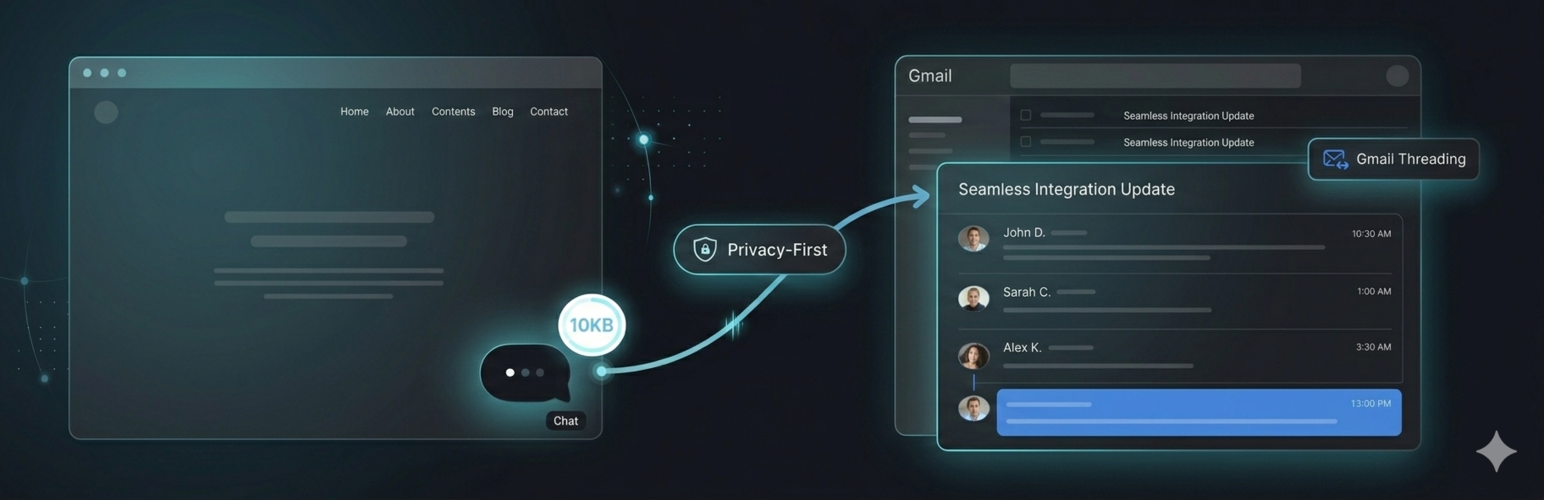
GhostChat 是一款輕量級、注重隱私的即時聊天小工具,專為 WordPress 設計。使用者可選擇透過 Gmail、行動 PWA 或控制台回覆訊息,提供快速且安全的客戶服務體驗。
【主要功能】
• 輕量級小工具,僅約 10KB
• 零追蹤、零 Cookie,無需同意橫幅
• WooCommerce 自動整合,提供即時頁面上下文
• 實時訊息,快速回覆客戶
• 內建 CRM 功能,管理聯絡人與對話歷史
• 簡易設置,僅需 30 秒即可完成
外掛標籤
開發者團隊
原文外掛簡介
GhostChat is a lightweight, privacy-focused live chat widget for WordPress. Reply from Gmail, the mobile PWA, or the dashboard — your choice.
Why GhostChat?
~10KB widget – 20-35x smaller than tawk.to, Crisp, Tidio, LiveChat
Zero tracking, zero cookies – No cookie banners needed
15-30ms latency – Edge-powered global delivery
Gmail threading – Reply from your inbox, conversations stay in sync
WooCommerce auto-integration – Page context on all plans, cart context on Pro & Business
Real-time messaging – Instant customer replies
CRM Lite – Built-in contacts, conversation history, and notes
Team support – Invite agents, assign conversations (Business plan)
Webhooks – Integrate with your stack (Business plan)
Canned responses – Save time with pre-written replies
Mobile PWA dashboard – Reply from your phone like WhatsApp
GDPR-friendly – No cookies, no tracking, no consent banner needed
Easy setup – Takes 30 seconds to configure
How it works:
Sign up free at GhostChat
Create a site and get your Site ID
Enter your Site ID in the plugin settings
The chat widget appears on your site automatically
Pricing:
Free (forever): 1 site, 30-day history, unlimited canned responses, no credit card required
Pro ($9/mo): 3 sites, 1-year history, hide branding, visitor context, page journey
Business ($25/mo): 10 sites, unlimited history, webhooks, team (up to 5 agents), auto-translate, priority support
Perfect for:
Small businesses
Freelancers
E-commerce stores
Support teams
Anyone who values privacy and performance
WooCommerce Integration:
Running a WooCommerce store? The plugin auto-detects WooCommerce and sends your agents real-time context — zero configuration required. Your agents see:
Page type, product name, cart items, total, and item count — Pro & Business
Custom data via GhostChat.setContext() — Pro & Business
Updates in real-time on AJAX cart changes
Privacy Policy
GhostChat does not collect, store, or transmit any personal data from your WordPress site. The plugin only:
Stores your Site ID in your WordPress database (wp_options table)
Loads the chat widget script from api.ghostchat.dev
When WooCommerce is active, sends page context and cart data (page type, product name, items, total, count) on Pro and Business plans, and custom setContext() data on Pro and Business plans
Does not set any cookies
Does not track visitors
Does not send any data to third parties besides the GhostChat service
Chat conversations are handled by GhostChat service. Please review GhostChat’s privacy policy at https://ghostchat.dev/privacy for details on how chat data is handled.
Support
Need help? We’re here for you:
Email: [email protected]
WordPress Setup Guide: https://ghostchat.dev/chat-widget-for-wordpress
Dashboard: https://app.ghostchat.dev
Website: https://ghostchat.dev
About GhostChat
GhostChat is a privacy-first live chat platform that prioritizes page speed and visitor privacy. We believe live chat shouldn’t slow down your site or compromise your visitors’ privacy.
Learn more at ghostchat.dev














