內容簡介
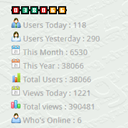
Gamixer Website Counter 是一款輕量級的訪客計數器和網站統計外掛,能即時顯示訪客數量,追蹤獨立訪客,並在控制台中顯示流量統計。所有數據均儲存在您的 WordPress 資料庫中,確保隱私安全。
【主要功能】
• 實時訪客計數與統計顯示
• 獨立訪客追蹤與報告
• 支援 CSV 匯出訪客數據
• 可自訂的橫向統計條
• 互動式訪客統計圖表
• 機器人偵測過濾爬蟲
外掛標籤
開發者團隊
原文外掛簡介
Gamixer Website Counter is a lightweight visitor counter and website statistics plugin for WordPress. It shows real-time visitor count, tracks unique visitors, and displays live traffic stats in your admin dashboard. You can add a live visitor counter bar to your WordPress header or footer to show website statistics to your visitors.
The plugin stores all visit data in your own WordPress database. No data is sent to any external server, and no third-party tracking service is used.
Why Use This Plugin
See who is online on your website in real time
Track daily, weekly, and monthly visitor counts
Identify your most popular pages with the top pages report
Display a live visitor counter in your WordPress header or footer
Export visitor data as CSV for external reporting
Works with any WordPress theme — no theme modifications required
100% privacy-friendly: all data stays on your own server
Features
Admin dashboard with four statistic cards showing Today, Total, Unique, and Online visitors
Interactive visitor statistics charts powered by Chart.js (bundled locally for privacy)
Top pages report showing which pages get the most visitors
Detailed visitor log with pagination and IP address tracking
CSV export of visitor data for external analysis
Settings page to configure the horizontal live stats bar
Horizontal live visitor counter bar for header or footer placement
Light and dark bar styles to match your theme
Shortcodes for manual placement anywhere on your site
Bot detection to filter out crawlers and spiders
15-minute duplicate prevention using transient caching
Available Shortcodes
[gamixer_counter] – Displays inline statistics badges anywhere on your site
[gmxwc_bar] – Displays the full horizontal live stats bar
[gamixer_website_counter] – An alternative to gamixer_counter
[gmxwc_counter] – Another alias for gamixer_counter
[gmxwc_stats] – Alias for gamixer_counter
All data is stored in a custom database table on your own server. No data is sent to any external service.
Privacy and Data Ownership
This plugin does not send any data to external servers. All visitor data is stored in your WordPress database, and you have full control over it. No cookies are used for tracking. No third-party analytics service is integrated.
Source Code
This plugin includes the following third-party library and custom code.
Chart.js
Chart.js is a JavaScript charting library used for displaying visitor statistics.
Version: 4.5.1
License: MIT
Source: https://github.com/chartjs/Chart.js
Release: https://github.com/chartjs/Chart.js/releases/tag/v4.5.1
Bundled file: assets/js/chart.umd.min.js
Non-minified source: https://github.com/chartjs/Chart.js/tree/v4.5.1
The bundled file is the official distributed build of Chart.js version 4.5.1. The full non-minified source code is publicly available at the URL listed above.
Custom JavaScript (admin.js)
File: assets/js/admin.js
Source: Included in this plugin.
The file is human-readable and is not minified.
Purpose: Initializes the admin dashboard charts and handles AJAX requests for chart data.
Custom CSS (admin.css)
File: assets/css/admin.css
Source: Included in this plugin.
The file is human-readable and is not minified.
Purpose: Provides styling for the admin dashboard pages.
Custom PHP
All PHP files included in this plugin are human-readable and are not minified or obfuscated. The full source code is provided within the plugin itself.
Build Tools
No build tools are required to modify this plugin. All JavaScript, CSS, and PHP files are directly editable.
To rebuild Chart.js from source, refer to the official Chart.js documentation:
https://www.chartjs.org/docs/latest/