10+
安裝啟用
★★★★★
5/5 分(2 則評價)
1067 天前
最後更新
—
問題解決
WordPress 5.7+ PHP 7.0+ v2.0.7 上架:2021-04-06
內容簡介
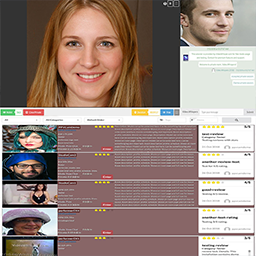
這是 FullCall 的一個一鍵安裝外掛,它提供網站的音訊和視訊聊天功能。易於使用,且與所有現代瀏覽器兼容。此外掛整合了你的網站與外部服務。在網站上使用此外掛,您必須在 FullCall 系統上創建帳戶。有關功能和帳戶的更多信息,請參閱 FullCall.com。
手動安裝
上傳「FullCall.zip」到「/wp-content/plugins/」目錄並安裝。
通過 WordPress 的「外掛」菜單啟用外掛。
享受!
外掛標籤
開發者團隊
原文外掛簡介
This is a one-click installation plugin for FullCall. It is audio and video chat for your website. Easy to use compatible with all modern browsers. This plugin integrates your website with external services. To run it on your website, you must create an account on FullCall system. More about features and account you read on FullCall.com.
Manual installation
Upload “FullCall.zip” to the “/wp-content/plugins/” directory and install.
Activate the plugin through the “Plugins” menu in WordPress.
Enjoy!


![Easy Video Call [GWE]](https://ps.w.org/easy-video-call/assets/icon-256x256.png?rev=2750281)