內容簡介
以下是使用 HTML 標記製作的繁體中文總結文案及相關問題與答案:
<h3>總結:</h3>
<ul>
<li>Formative 提供:</li>
<ul>
<li>基於 React 的可視化管理後台(儀表板、表單建立器、條目、設定)</li>
<li>帶有隨機驗證和伺服器端驗證的 AJAX 表單提交</li>
<li>條目儲存和 CSV 匯出</li>
</ul>
<li>如需代碼和實施細節,請參見外掛啟動檔案:wp-content/plugins/formative/formative.php 和核心類別:includes/Plugin.php、includes/Installer.php、includes/API/Base_Controller.php。</li>
<li>支援:</li>
<ul>
<li>如需支援,請查閱外掛資料夾中的文檔(README.md、QUICK_START.md),或在 WordPress.org 外掛頁面上開啟支援主題。在回報問題時,請提供 WordPress 版本和外掛版本。</li>
</ul>
<li>隱私:</li>
<ul>
<li>Formative 在 WordPress 資料庫中儲存提交資料(可能包含個人資料)。請確保您的網站符合 GDPR/隱私合規性。如有需要,您可以透過外掛設定停用條目儲存。</li>
</ul>
</ul>
<h3>問題與答案:</h3>
<ol>
<li>Formative 提供了哪些功能?</li>
<p>Formative 提供了基於 React 的可視化管理後台、帶有隨機驗證和伺服器端驗證的 AJAX 表單提交,以及條目儲存和 CSV 匯出功能。</p>
<li>如何查看外掛的代碼和實施細節?</li>
<p>您可以查看外掛啟動檔案:wp-content/plugins/formative/formative.php,以及核心類別:includes/Plugin.php、includes/Installer.php、includes/API/Base_Controller.php。</p>
<li>如何獲得支援?</li>
<p>您可以查閱外掛資料夾中的文檔(README.md、QUICK_START.md),或在 WordPress.org 外掛頁面上開啟支援主題。在回報問題時,請提供 WordPress 版本和外掛版本。</p>
<li>Formative 如何處理隱私問題?</li>
<p>Formative 在 WordPress 資料庫中儲存提交資料(可能包含個人資料)。請確保您的網站符合 GDPR/隱私合規性。如有需要,您可以透過外掛設定停用條目儲存。</p>
</ol>
外掛標籤
開發者團隊
原文外掛簡介
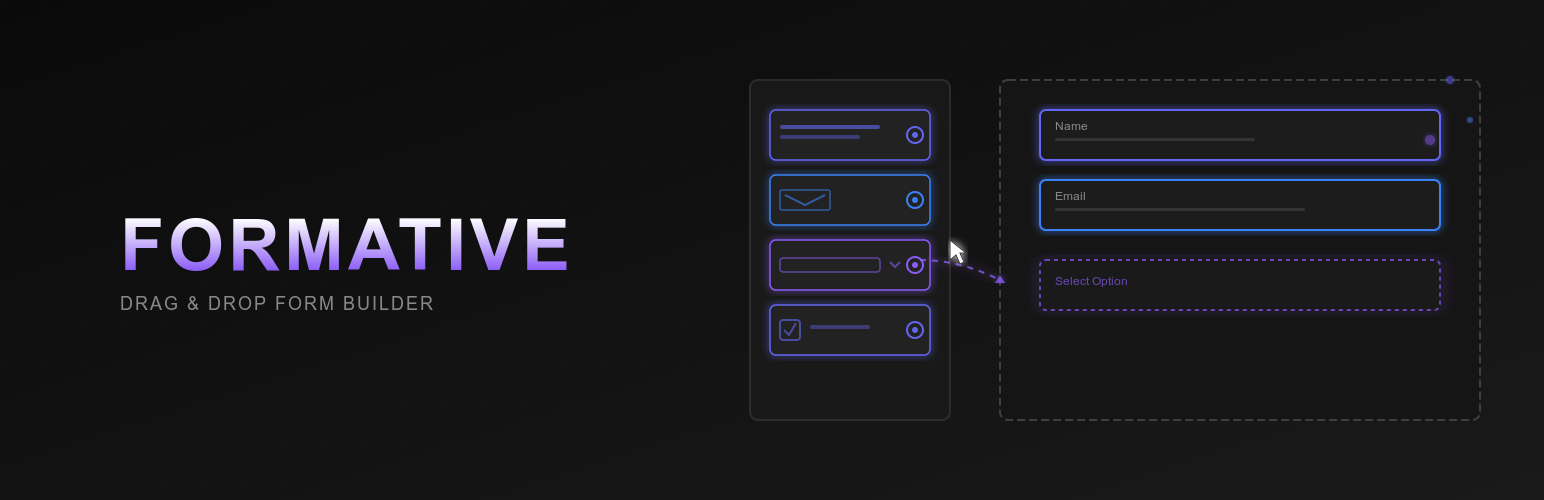
Formative is a professional-grade WordPress form builder that combines ease of use with powerful features. Create everything from simple contact forms to complex multi-step surveys with conditional logic, custom styling, and seamless integrations.
🎯 Key Features
Visual Form Builder
* Modern, intuitive drag-and-drop interface
* Real-time form preview
* SaaS-like admin experience
* Responsive design controls
* No coding required
Advanced Layout System
* Multi-column layouts (2, 3, 4+ columns)
* Responsive width controls
* Independent desktop, tablet, and mobile settings
* Nested field arrangements
* Drag-and-drop field positioning
Comprehensive Styling Options
* Custom colors (background, text, border, labels)
* Typography controls (font size, weight, line height)
* Spacing adjustments (padding, margin, field gaps)
* Border customization (width, radius, style)
* Box shadows and effects
* Width and alignment options
* Device-specific visibility
* Custom CSS support
Conditional Logic
* Show/hide fields based on user input
* Multiple condition types (is, contains, greater than, etc.)
* AND/OR logic operators
* Support for all field types
* Real-time condition evaluation
Multi-Step Forms
* Unlimited form steps
* Multiple progress indicator styles (bar, circles, numbers, dots)
* Custom step titles and descriptions
* Step icons (Dashicons, Font Awesome)
* Customizable navigation buttons
* Allow/prevent step jumping
* Progress tracking
Pre-Built Templates
* 9 professional form templates
* Contact forms, surveys, registrations
* Job applications, booking forms
* Newsletter signups, feedback forms
* One-click template loading
* Customizable after import
Powerful Integrations
* Email Marketing: Mailchimp, MailPoet, ConvertKit, AWeber, GetResponse, ActiveCampaign
* CRM: HubSpot
* Communication: Slack
* Automation: Zapier, Custom Webhooks, REST API
* Productivity: Google Sheets
* Connection testing built-in
* Flexible authentication options
📝 Field Types
Basic Fields
* Text, Email, Number, URL
* Telephone, Password
* Textarea (with row control)
* Date, Time
* Hidden fields
Choice Fields
* Checkbox (single and multiple)
* Radio buttons
* Select dropdown
* Multi-select
Advanced Fields
* File Upload (with size and type restrictions)
* Rating (customizable scale)
* Range Slider
* reCAPTCHA
* HTML Block
* Section Break
* Terms & Conditions
⚙️ Form Settings
Custom success messages
Email notifications to admins
Redirect after submission
Post creation from submissions
Spam protection
AJAX submission
Data validation
Entry management
CSV export
🔒 Security Features
Nonce verification
Data sanitization
SQL injection prevention
XSS protection
CSRF protection
Capability checks
Server-side validation
🚀 Developer Friendly
REST API based
PSR-4 autoloading
React component architecture
WordPress coding standards
Extensible and hookable
Well documented code
Privacy Policy
Formative stores form submission data (which may include personal information) in your WordPress database. This data is necessary for the plugin’s functionality.
What data is collected:
* Form field responses submitted by users
* Submission timestamp
* User IP address (optional)
* User agent information (optional)
How data is used:
* To display form entries in the admin dashboard
* To send email notifications
* To integrate with third-party services (if configured)
* To export data via CSV
Data retention:
* Submissions are stored indefinitely unless manually deleted
* You can disable entry storage in plugin settings
* Entries can be deleted individually or in bulk
Third-party services:
* If you enable integrations, data may be sent to external services
* Each integration is optional and requires your configuration
* Review the privacy policies of services you integrate with
Your responsibilities:
* Configure the plugin according to your privacy requirements
* Add necessary privacy disclosures to your forms
* Comply with GDPR, CCPA, and other applicable regulations
* Inform users how their data will be used
Support
For support and documentation:
* Visit the plugin documentation
* Check the included docs folder (README.md, QUICK_START.md, DEVELOPER_GUIDE.md)
* Open a support topic on WordPress.org
* Report bugs on our GitHub repository
When reporting issues, please include:
* WordPress version
* PHP version
* Plugin version
* Theme name
* Steps to reproduce
* Error messages (if any)
Credits
Formative is developed with ❤️ using:
* React for the admin interface
* WordPress REST API
* PSR-4 autoloading standards
* WordPress coding standards
Special thanks to the WordPress community for their continuous support and inspiration.