內容簡介
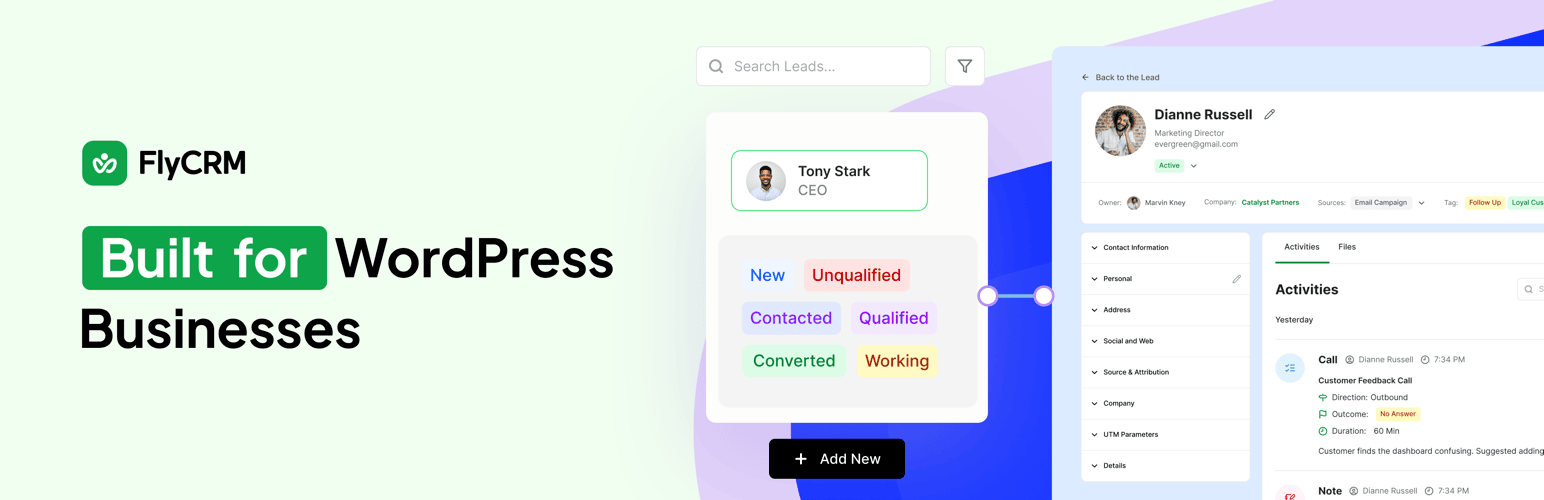
FlyCRM 是一款自我托管的 CRM 外掛,運行於您的 WordPress 控制台內,提供銷售管道、WooCommerce 客戶同步及報價功能,讓您輕鬆管理聯絡人、潛在客戶及交易,所有資料均保存在您的伺服器上,無需外部帳號或月費。
【主要功能】
• 自我托管的 CRM,資料保留在本地伺服器
• 拖放式銷售管道看板,輕鬆管理交易進度
• WooCommerce 客戶同步,將商店客戶轉為聯絡人
• 客戶可透過連結接受或拒絕報價
• 完整的活動時間軸,記錄所有互動歷史
• 無記錄上限,無需支付月費
外掛標籤
開發者團隊
② 後台搜尋「FlyCRM – Self Hosted CRM for WordPress with a Sales Pipeline and WooCommerce Sync」→ 直接安裝(推薦)
原文外掛簡介
FlyCRM is a self-hosted CRM that runs inside your WordPress admin. It gives you a sales pipeline with a drag-and-drop deal pipeline board, WooCommerce CRM sync for your store customers, and quotes your clients accept from a link. Your contacts, leads, deals and quotes live in your own database on your own hosting. There is no external account to open, no monthly bill for the plugin and no limit on how many records you keep.
How FlyCRM works
A lead arrives from a form on your site, from a WooCommerce order, or from a spreadsheet you import. You give it a score, work it through your lead statuses, and when it is ready you turn it into a contact, a company and a deal in one step. The deal moves across the stages of your sales pipeline on the deal pipeline board. You send a quote as a PDF, your client opens it on a link without logging in and accepts or declines it, and every note, call and meeting stays attached to the record so the history is there next time.
Why people choose FlyCRM
Customer relationship management usually means a monthly subscription and somebody else’s servers. FlyCRM keeps it in your own WordPress database instead.
Your customer data stays with you. Contacts, deal values and client correspondence sit in your own WordPress database. Nothing is sent anywhere else and there is no account to sign up for.
No monthly bill and no record cap. Keep a hundred contacts or a hundred thousand. The number does not change what you pay, because the free plugin has no record cap and no subscription.
A sales pipeline you can see. Deals sit on a deal pipeline board you drag them across, with a total for each stage, so you know what is in play without building a report first.
Quotes your client can sign off from a link. A quote goes out as a PDF on its own web page. Your client reads it, accepts or declines, and you see when they opened it.
The history is on the record. Notes, calls, emails, meetings, tasks and files all land on one timeline, so the next person to pick up the account can read what happened.
What FlyCRM is for
A WordPress CRM with a sales pipeline, run inside your admin instead of in a separate tool
A self-hosted CRM that keeps customer records in your own database
A deal pipeline for a sales team working from one WordPress site
A WooCommerce CRM that turns store customers into CRM contacts
A freelancer CRM for keeping track of clients, quotes and follow-ups
A small business CRM for a team that shares one pipeline without per-seat fees
An agency CRM for client records that have to stay in a particular country
Contacts and companies
Contact profiles with name, email, several phone numbers, job title, social links and addresses
Company profiles with industry, employee count, revenue, website, logo and the contacts who work there
Custom statuses with colour coding, and separate sets for contacts, companies and leads
Tags across every record type, for filtering and segmenting
An activity timeline on every record, holding notes, calls, emails, meetings, tasks and files
Owner assignment, so every record has somebody responsible for it
Last-contacted tracking, showing when a record was last engaged and how
CSV import for contacts and companies, with field mapping and duplicate detection on email
Trash and restore, so a deletion is recoverable
Leads and lead scoring
Leads are kept apart from contacts, so an enquiry that goes nowhere never clutters your customer list.
Lead scoring, a number on every lead that you set yourself and sort your list by
Lead source tracking, with the campaign, medium, source, content and term a lead arrived on, plus the page that referred it
Lead statuses ready to use from the start, covering New, Contacted, Working, Nurture, Qualified, Unqualified and Converted
One-step conversion of a lead into a contact, a company and a deal, with the lead history kept
Your sales pipeline and the deal pipeline board
Build as many sales pipelines as you need, each with its own stages
Reorder your open stages by dragging them, and give each one a win probability. Won and Lost stay at the end where they belong
The pipeline you start with has Qualified, Proposal, Negotiation, Won and Lost
A kanban board for the deal pipeline, with drag and drop between stages and a total for each stage
Deal value, expected close date and win probability on every deal
Several contacts on one deal, each with their own role, for the deals with more than one decision maker
Stage changes are recorded, so you can see how a deal moved and when
Quotes clients can accept online
Quotes with line items, discounts and tax
Quote numbers issued automatically, with a prefix you choose
A PDF for every quote, attached when you email it
A public link for each quote, so a client reads it without a WordPress account
Clients accept or decline from that page and the status follows
Tracking for when a quote was opened and what happened to it
Leads from your forms and your store
Contact Form 7, WPForms, Fluent Forms, Ninja Forms and Gravity Forms
Setup for each form on its own, so you choose which forms feed the CRM and how
Field mapping from any form field to a CRM field, with a single full name field split into first and last name for you
A lead source set per form, so you always know where a lead came from
WooCommerce CRM sync that creates contacts from orders, with the order statuses that trigger it under your control
Total order value, order count, average order value and last order shown on the contact, with each order logged to the timeline
A one-time import for customers who ordered before you installed FlyCRM
The dashboard
Cards for new contacts, new companies, activity volume and tasks, each measured against the period before
Sales pipeline value broken down by stage
Win rate, average deal size, and open, won and lost deal totals
An attention panel for overdue tasks, overdue deals and deals that have gone quiet
A list of the tasks and meetings coming up
Your highest value contacts and companies
A date range you choose, with the comparison period following your selection
Roles and permissions
Two roles. CRM Manager reaches everything, and CRM Agent reaches their own records only
Give somebody a CRM role from the WordPress Users screen the same way you would any other role
Administrators get full CRM access as soon as the plugin is switched on
Access is set for each record type and each action, so an agent can be allowed to add a deal without being allowed to delete one
An agent can be given everyone else’s records as well, one record type at a time, for the teams that work that way
Send a quote from the CRM with the PDF attached
Your own mail server settings and a test button, inside FlyCRM
Every sent email logged against the contact, company, lead or deal it belongs to
Everything in this list is in the free plugin
Contacts and companies with full profiles, addresses, tags and custom statuses
Owner assignment, last-contacted tracking, and trash with restore
Leads with scoring, source tracking and one-step conversion
As many sales pipelines as you need, with custom stages and win probabilities
The kanban deal pipeline board, with drag and drop and a total per stage
Deals with value, expected close date and several stakeholder contacts
Quotes with line items, discounts, tax, a PDF and a public accept or decline page
The activity timeline for notes, tasks, calls, emails, meetings and files
CSV import for contacts and companies
Lead capture from five form plugins
WooCommerce order sync, with a one-time import of earlier customers
The dashboard, with period comparison and pipeline value by stage
Both CRM roles, with access set per record type and per action
Email sending through your own mail server
No cap on how many records you create
What FlyCRM Pro adds
These features are part of FlyCRM Pro, a paid upgrade from weDevs at https://flycrm.co/pricing/.
Invoices, with payment tracking, partial payments and a payment history
Turning an accepted quote into an invoice in one step
Taking payment online through Stripe and PayPal
Workflow automation, so a record being created or changed can trigger a sequence with conditions, branches and waits
Custom fields on leads, contacts, companies and deals
A product catalogue inside the CRM, for line items you reuse
Sales reports, covering the pipeline funnel, sales velocity and how long deals sit in each stage
Email templates, with a library of placeholders for contact, deal, sender and business details
Inbox sync, so a client’s reply comes back onto the record
Inviting colleagues into the CRM by email, instead of assigning the CRM roles from the WordPress Users screen
CSV import for leads, alongside the contact and company import in the free plugin
Who FlyCRM is for
FlyCRM is built for four kinds of user. Freelancers and consultants who need to know which enquiries are worth chasing and want quotes a client can sign off from a link. Small businesses and sales teams who want a pipeline board without a per-seat subscription. Agencies keeping client records for somebody else, who have to keep that data in a particular country. WooCommerce shops that want their customers in a CRM rather than only in an order list.
Built by weDevs
FlyCRM comes from the team behind WP ERP. It is not an upgrade from WP ERP CRM and it does not share WP ERP data. It is a separate plugin, built again from the ground up, for people who want a faster CRM screen and a pipeline they can read at a glance.
Source Code
The human readable source, and the build steps that produce the compiled files, are on GitHub.
https://github.com/weDevsOfficial/flycrm