
內容簡介
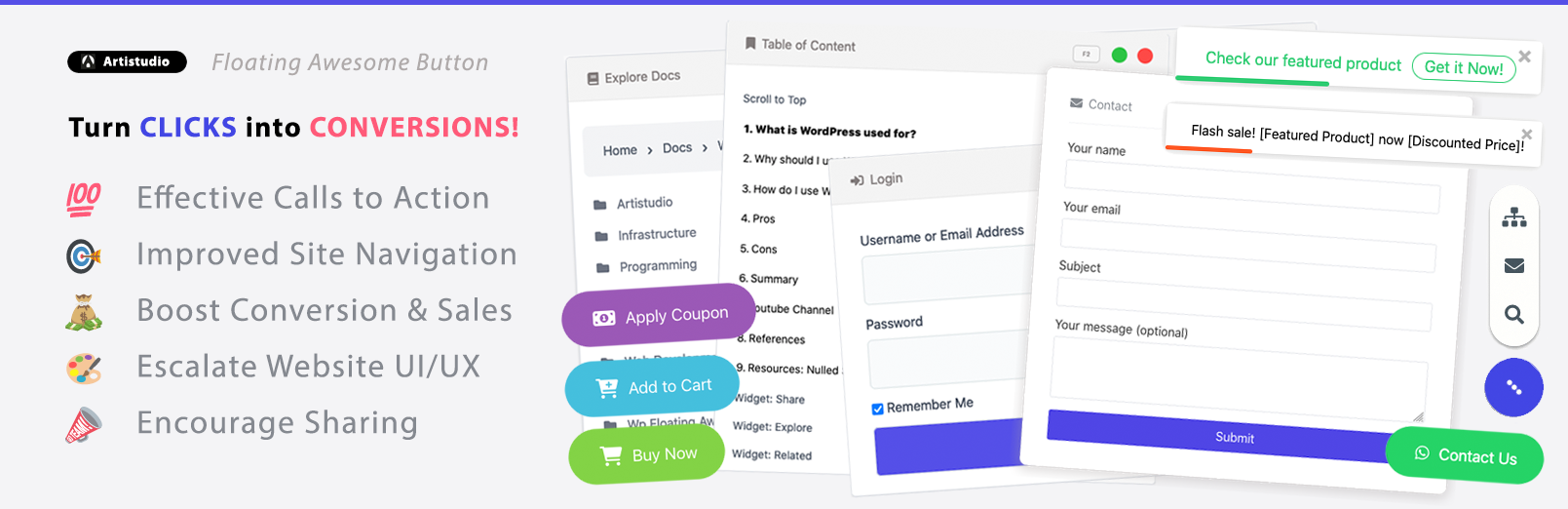
Floating Awesome Button (FAB) 是一款可自訂黏貼的動作按鈕,可協助您執行各種任務,例如添加呼籲到行動、滾動到頂部、顯示自定彈出視窗(區塊、簡碼、小工具、鏈接等)等。
🤩 添加快速社交媒體鏈接和按鈕:
- 👍 按鈕:呼籲到行動 - 簡單的呼籲到行動按鈕。
- 👍 按鈕:獨立呼籲到行動按鈕 - 可修改的按鈕。
- 👍 聯繫方式:電子郵件聯繫鏈接。
- 👍 聯繫方式:電話/呼叫聯繫鏈接。
- 👍 聯繫方式:短信鏈接。
- 👍 聯繫方式:Skype 鏈接。
- 👍 聯繫方式:WhatsApp 鏈接。
- 👍 鏈接:捐款 - 添加捐款鏈接,以支持您的活動。
- 👍 鏈接:Dropbox 文件分享鏈接。
- 👍 鏈接:Google 雲端硬碟文件分享鏈接。
- 👍 鏈接:最新文章 - 您最新的網誌文章鏈接。
- 👍 鏈接:登錄 - 您的 WordPress 登錄鏈接。
- 👍 鏈接:登出 - 安全的 WordPress 登出鏈接。
- 👍 鏈接:遺失密碼 - 您的 WordPress 遺失密碼鏈接。
- 👍 社交媒體:Facebook 鏈接,用於頁面、個人資料和群組。
- 👍 社交媒體:Instagram 鏈接。
- 👍 社交媒體:Telegram 鏈接。
- 👍 社交媒體:TikTok 鏈接。
- 👍 社交媒體:Twitter 鏈接。
- 👍 社交媒體:Zoom 鏈接。
🤤 導航鏈接和按鈕:
- 👍 按鈕:返回頂部/滾動到頂部。
- 👍 按鈕:浮動元素。
- 👍 按鈕:列印。
- 👍 鏈接:錨鏈接。
- 👍 鏈接:平滑滾動。
- 👍 導航:閱讀條。
- 👍 導航:固定菜單。
😎 自定義模板彈出視窗:
- 👍 聯繫和訂閱:訂閱表單。
外掛標籤
開發者團隊
② 後台搜尋「Floating Awesome Button (Sticky Button, Popup, Toast) & 200+ Website Custom Interactive Element」→ 直接安裝(推薦)
📦 歷史版本下載
原文外掛簡介
For any website owner, getting more conversions means turning visitors into customers. A Floating Awesome Button (FAB) is a great way to do this. Think of it as a helpful, interactive button that follows your visitors as they browse your site. It keeps important actions, right in front of them, no matter where they scroll.
Here’s why a FAB is so effective:
It’s always visible. Unlike a button that’s stuck at the bottom of a page, a FAB stays on the screen. This makes it easy for visitors to click whenever they’re ready to take an action.
It grabs attention. A FAB uses eye-catching elements like a popup or toast to deliver a message at the perfect moment. For example, you can show a special offer just as a visitor is about to leave your site.
It’s versatile. You can use a FAB for many different goals. You could add a sticky button for a “Contact Us” form, a popup for an email signup, or a toast notification to announce a new product.
🤩 Social media links & buttons
A great way to connect with your audience and make your website more useful is by using social media links and buttons. These are small, clickable icons or text buttons that let your visitors do all sorts of things, like follow you on social media, get in touch with you, or even buy your products.
Your website can use these buttons for many purposes. Here’s a simple breakdown of what they can do:
Connect on Social Media: These buttons are for your main social media profiles. With a single click, your visitors can go to your page on platforms like Facebook, Instagram, LinkedIn, or YouTube. This makes it easy for them to follow you and stay updated.
Communicate Instantly: These buttons help your visitors get in touch with you right away. For example, you can add a WhatsApp button for customer questions, a Phone button for direct calls, or an Email button to open a new message draft.
Improve Website Navigation: These buttons make your site easier to use. For instance, a Scroll to Top button lets visitors quickly get back to the top of a long page, a Print button helps them print an article, or a Latest Post button takes them to your newest content.
🍞 Toast Notifications & Alerts
A Toast notification is a simple, quick message that pops up on a website for a short time and then disappears on its own. Think of it like a small alert that “toasts” up from the corner of the screen to give a visitor some fast information without getting in their way.
Here’s a breakdown of the different ways you can use these helpful alerts:
Promotions and Offers: You can use a toast to let people know about special deals or new content. For example, a Download Ebook Toast can offer a free guide, a Free Consultation Toast can invite a visitor to a meeting, or a Latest Post Toast can highlight your newest blog article.
Special Events and Holidays: Toasts are perfect for celebrating with your audience. You can have a Happy Holiday Toast during the festive season, an April Fools’ Day Toast for a fun joke, or a World Environment Day Toast to show your support for a cause.
User-Specific Messages: You can make your website feel more personal by showing toasts only to certain people. A Welcome Toast for Registered User can greet a customer by name, while other toasts can be set to only appear on Desktop or Mobile devices.
🎯 Popup Features
A popup is a special window that appears on top of your website’s main content. Unlike a simple toast notification, a popup is designed to get your visitor’s full attention. It’s a great tool for making sure your most important messages are seen.
Here’s a look at the different kinds of popups you can use to improve your website:
Promotional Popups: These are perfect for special offers. You can use a Discount Popup to show a coupon code, a Limited Time Offer Popup to create a sense of urgency, or a Popup eBook to get visitors to sign up for your newsletter in exchange for a free download.
User-Friendly Popups: Popups can also make your website easier to use. A Search Popup gives visitors a quick way to find what they’re looking for, a Login Popup lets users sign in without leaving the page they’re on, and a Social Sharing Popup makes it easy for them to share your content.
Behavior-Based Popups: These are popups that appear at just the right moment. For instance, a Popup Exit Intent will only show up when a visitor is about to leave your site, giving you one last chance to grab their attention with a special offer. You can also set a Popup Time Delay to have a popup appear after a few seconds, once a visitor has had a chance to read your content.
🛒 WooCommerce Features
The features in this list are all about making your store more effective and easier to manage. They help you sell more products and improve the shopping experience for your customers.
Here’s a simple look at what these features can do for your store:
Make Buying Easy: These features simplify the buying process for your customers. For example, a WooCommerce Add to Cart button lets shoppers instantly add a product to their cart, while a WooCommerce Buy Now button lets them skip the cart and go straight to checkout.
Run Smart Promotions: You can use these features to create all kinds of sales and deals. A WooCommerce Apply Coupon button can automatically give a discount to loyal customers or those who have made a certain number of orders. You can also use a popup to announce that you have a WooCommerce Products On Sale Popup.
Keep Customers Informed: These features keep your shoppers updated with important information. A WooCommerce Scarcity Toast can alert customers that a product is almost sold out, while a WooCommerce Popup for Out of Stock Products can prevent them from trying to buy an unavailable item.
Boost Sales with Smart Suggestions: You can encourage customers to buy more by showing them products they might like. For instance, a WooCommerce Popup Smart Cross-Sells can suggest a related product (like a phone case for a phone they just added to their cart), and a WooCommerce Bestsellers Popup can show them what other people are buying.
Help Customers Remember Things: These features help customers complete their purchase. A WooCommerce Cart Reminder can remind a shopper about the items they left in their cart, and a WooCommerce Welcome Popup for New Customers can give them a friendly greeting when they first visit your store.
Features
Unlock limitless possibilities with our Free Version! Elevate your WordPress site’s functionality today!
🤓 Unlimited Custom Floating Action Button, Toast Notification, and Popups.
🤓 Massive Library of 1500+ Professional Icons
🤓 Stunning, Intuitive User Interface (UI)
🤓 Multiple button positions (Left, Center, Right, Top, Bottom)
🤓 Multiple buttons shapes 10+ Shapes (Bevel, Circle, Message, Octagon, Pentagon, etc)
🤓 Smart popup navigation (Draggable, BackgroundDismiss, EscapeKey, Maximize Button, Icon Cover)
🤓 Dynamic Content Placeholders – Perfect for creating dynamic WhatsApp messages, personalized popups, and context-aware notifications!
{post_id} – Insert the current post/page ID
{post_title} – Insert the current post/page title
{post_excerpt} – Insert the current post/page excerpt
{post_url} – Insert the current post/page URL
{current_page_url} – Insert the current page URL
{site_title} – Insert your website name
{site_tagline} – Insert your website tagline
{site_url} – Insert your website URL
{user_name} – Insert logged-in user’s display name
{user_email} – Insert logged-in user’s email
{user_role} – Insert logged-in user’s role
Pro Version
Upgrade to Pro for an arsenal of advanced features! Revolutionize your WordPress site with FAB Pro!
🤯 PRO Ability to custom filter by location :
Custom Post Type : Filter by any CPT.
Page/Post : Filter by Page/Post.
Taxonomies & Terms : Filter by (Categories, Tags, etc).
User Session : Filter by session (Logged in/out).
User Roles : Filter by any user roles.
Schedule : Filter by time and date:
By Date – Show on specific dates (e.g. Dec 25)
By Day – Show on specific days of week (e.g. Monday-Friday)
By Month – Show in specific months (e.g. December)
By Time – Show during specific hours (e.g. 9am-5pm)
By Year – Show on yearly events (e.g. New Year’s Day)
Conditional Tags : Filter by WordPress conditional tags such as :
is_home() – Show on blog posts page
is_front_page() – Show on static front page
is_single() – Show on single posts
is_page() – Show on individual pages
is_archive() – Show on archive pages
is_category() – Show on category archives
is_tag() – Show on tag archives
is_author() – Show on author archives
is_search() – Show on search results
is_404() – Show on 404 error pages
is_user_logged_in() – Show for logged in users
and more
🤯 PRO Ability to custom filter by Custom Fields/Post Meta value:
Supports all custom field types (text, number, boolean, etc)
Compare using operators (equals, contains, greater than, etc)
Target specific custom field keys and values
Works with ACF, CMB2, and other custom field plugins
Perfect for dynamic content filtering
🤯 PRO Ability to custom filter by Device (Desktop, Tablet, & Mobile)
🤯 PRO Captivate visitors with stunning animations that boost engagement! Choose from 25+ eye-catching effects (Fade, Bounce, Zoom, Flip, and more) to make your buttons and popups come alive.
🤯 PRO Map modal with a custom hotkey (Ctrl, Shift, Alt, Function Key, & Combined) (258+ Hotkeys)
🤯 PRO Ability to change popup theme (Blank, Window Light, Window Dark)
🤯 PRO Ability to add Auto Trigger for Modal/Popup :
Adblock : Improve your site revenues from ads.
Cookie Control : Control cookies usage for GDPR compliance.
Exit Intent : Improve your conversion rates.
Time Delay : Auto trigger popup using time delay.
More Tutorial
Dashboard | Location Rules | Templates | Blog
News
🔥 Stay ahead of the curve! Follow us on X @artistudioxyz for exclusive tips, early feature previews, and the latest updates to supercharge your WordPress site! 💬
Sharing is Caring
⭐⭐️⭐️⭐️⭐️
We appreciate your support in using our plugin! Your feedback fuels our growth and success.
Help us reach more users by sharing your positive experience with friends and colleagues.
Together, we can make WordPress experiences even more awesome! 👊 🥳 👍













