
內容簡介
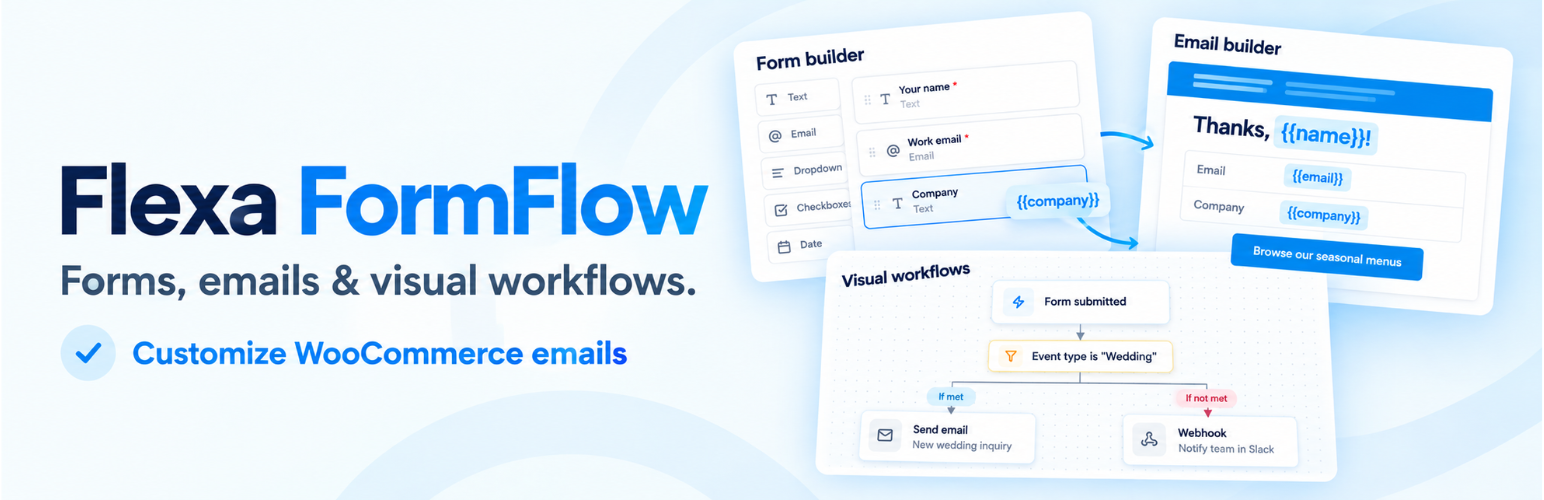
Flexa FormFlow 將表單建構器與視覺化電子郵件建構器結合,讓使用者能夠輕鬆創建表單並自動化通知電子郵件,確保收到的訊息與提交的資料相符。
【主要功能】
• 拖放式表單建構器,支持多種欄位類型
• 自動防垃圾郵件保護,無需額外設置
• 視覺化電子郵件設計,支持多種內容區塊
• 提供範本庫,加速設計過程
• 所有提交資料可儲存並輕鬆檢視
• 與 WordPress 的 wp_mail() 整合,簡化郵件發送
外掛標籤
開發者團隊
② 後台搜尋「Flexa FormFlow – Form Builder, Email Templates & Workflow Automation」→ 直接安裝(推薦)
原文外掛簡介
Flexa FormFlow joins two tools that usually live in separate plugins: a form builder and a visual email builder. A field you add to a form becomes a token you can drop into the notification email, so the message people receive matches the data they sent.
Form builder
Drag fields from the palette onto the canvas, reorder them, and edit each one in the inspector. Field types: text, email, paragraph, dropdown, radio, checkbox, number, date, and hidden. Every field carries a per-breakpoint width, so you can lay fields out in columns on desktop and let them stack on mobile without touching CSS.
Place a form with the [flexa_formflow id="123"] shortcode or the Flexa FormFlow block.
Spam protection
Every form is protected automatically by invisible built-in checks (a honeypot, timing checks and a per-visitor rate limit), with no setting to forget. For an extra layer, pick Cloudflare Turnstile or Google reCAPTCHA v2 on any form. Keys are entered once in Settings, secret keys are stored encrypted, and every CAPTCHA answer is verified on your server before an entry is saved or an email is sent.
Entries
Every submission is stored. Browse them in a list with a quick peek panel, open the full detail view, and mark entries read or unread. Nothing is locked behind an external service.
Visual email builder
Design the notification email with a block editor: headings, text, buttons, images, dividers, spacers, columns, and a fields table that renders the whole submission. Start faster from the pattern library: ready-made headers, intros, banners, calls to action, galleries, offers and footers (plus order and shipping sections on WooCommerce stores) that you preview, insert, and then edit like any other block. A global header and footer keeps branding in one place, and each email can use it, keep its own copy, or turn it off. Insert form data visually with {field:ID} tokens and headers like {form_title}, no shortcode syntax to memorize. Save designs to a template library, set global styles once, preview in desktop and mobile widths, and send yourself a test before going live.
Each form can send an admin notification and an optional confirmation to the person who filled it in. When no custom design is chosen, a clean default layout is used.
Delivery
FormFlow does not send mail in any special way; it hands the finished message to WordPress with wp_mail(). Pair it with a delivery plugin such as Flexa MailBridge (or any SMTP plugin) for routing, logs, and tracking.
Does not require WooCommerce. FormFlow runs on any WordPress site.
Source code and build tools
The admin screens are a React app compiled with Vite. The files in assets/dist/ are the only compiled, minified code in this plugin; everything else ships as plain PHP, CSS and JavaScript.
The human-readable source of that app is public at https://github.com/flexatech/flexa-formflow-lite, together with everything needed to reproduce the bundle:
apps/admin/src/: the React and TypeScript source (entry point apps/admin/src/main.tsx).
apps/admin/vite.config.ts and apps/admin/tsconfig.json: the build and TypeScript config.
package.json and pnpm-lock.yaml in the repository root: the dependency list and exact versions.
To rebuild the bundle, clone that repository. With Node.js 20+ and pnpm 9+:
Run pnpm install.
Run pnpm build. The output goes to assets/dist/.
The frontend form script (assets/frontend/form.js) and the block editor script (assets/blocks/form/editor.js) are plain, unminified JavaScript with no build step. Third-party libraries bundled into assets/dist/ (React, TanStack Query, dnd-kit, Radix UI, Zustand, Lucide icons, Tailwind CSS) are listed in the repository’s package.json and their source is available from npm.
External services
FormFlow stores your forms, entries, and templates in your own database and does not send them anywhere. Three optional features can send data off your site, described below, and none of them is on by default. A fourth service, the deactivation survey at the end of this list, runs in the admin without being turned on.
AI assistant (optional). This only works after you add an AI provider API key in Settings, and a request is sent only when an admin clicks one of the AI tools in the builder. Nothing is sent automatically or on the front end. What each tool sends to the provider you selected:
Generate a form: the form description you typed.
Writing assistant (rewrite, shorten, change tone, subject ideas): the text you asked it to work on, the chosen tone, and your site name (so the copy can mention it).
Each request also carries your API key and the model name, which the provider needs to authenticate and answer. No visitor data, entries, or submitted field values are sent. You choose the provider:
Anthropic (Claude): sent to https://api.anthropic.com. See the Anthropic Commercial Terms and Privacy Policy.
OpenAI: sent to https://api.openai.com. See the OpenAI Business Terms and Privacy Policy.
Google Gemini: sent to https://generativelanguage.googleapis.com. See the Gemini API Terms and Google Privacy Policy.
Your API key is stored encrypted and is never shown in the browser after you save it.
FormFlow calls these providers directly with wp_remote_post() instead of the WordPress AI Client (wp_ai_client_prompt()). The AI Client only exists in WordPress 7.0 and later, and FormFlow supports WordPress 6.5 and later, so a direct request is the only way to offer the same AI tools on every supported version. The request goes from your server straight to the provider you picked, using your own API key; there is no FormFlow server or proxy in between.
CAPTCHA (optional). Only a form you set to use a CAPTCHA, after you add that provider’s keys in Settings, uses one. On pages showing such a form, the visitor’s browser loads the provider’s script and talks to the provider to show the challenge. When the form is sent, your server sends the provider your secret key, the visitor’s answer token and the visitor’s IP address to check the answer. No form field values are sent. Pages without a CAPTCHA form load nothing from either provider.
Cloudflare Turnstile: script from https://challenges.cloudflare.com, checks sent to https://challenges.cloudflare.com/turnstile/v0/siteverify. See the Cloudflare Website and Online Services Terms and Privacy Policy.
Google reCAPTCHA v2: script from https://www.google.com/recaptcha/, checks sent to https://www.google.com/recaptcha/api/siteverify. See the Google Terms of Service and Privacy Policy.
The “Test keys” button in Settings sends your secret key and a dummy token to the selected provider to confirm the key works; no visitor data is involved.
Workflow webhooks (optional). A workflow can include a “Send webhook” action. It only runs if you add it to a workflow yourself and enter a URL. Each time that workflow runs (for example, when a form is submitted), FormFlow sends a POST request to the URL you entered with the form ID, form title, entry ID, submission time, and the submitted field values as JSON. There is no fixed third-party service: the data goes only to the address you choose, and the terms and privacy policy of that endpoint apply. Local and private-network addresses are refused.
Deactivation feedback (Flexa Product Intelligence)
When you go to deactivate Flexa FormFlow on the Plugins screen, a short optional survey asks why. It is served by Flexa’s product intelligence service at https://product-intelligence.flexacommerce.com. It runs only on wp-admin/plugins.php, never on the front end, and never blocks or delays deactivation: if it cannot load, the normal Deactivate link still works.
What is sent, and when:
On opening the Plugins screen: a request to /api/v1/config carrying the product slug and tier, to load the survey configuration. The answer is cached for 6 hours.
When you deactivate, or answer the survey: the reason you pick and any optional message you type, sent to /api/v1/deactivations, /api/v1/events, /api/v1/feedback, /api/v1/feature-requests and /api/v1/recovery-events.
If you later reactivate the plugin: a single event recording that, and how long it was switched off.
Every request includes an anonymous per-site identifier (a random UUID generated once and stored in your database), the plugin version and tier, and by default your WordPress version, PHP version and locale. No email address, site domain, user identity, raw IP address, form content or entry data is sent.
To send no environment details, keep the survey but filter them out:
add_filter( 'flexa_formflow.deactivation_survey.config', fn( $c ) => array( 'collect_environment' => false ) + $c );
To switch the whole survey off, so nothing is loaded and no request is made:
add_filter( 'flexa_formflow.deactivation_survey.enabled', '__return_false' );
Service terms and privacy policy: https://flexacommerce.com/pages/terms and https://flexacommerce.com/pages/privacy













