內容簡介
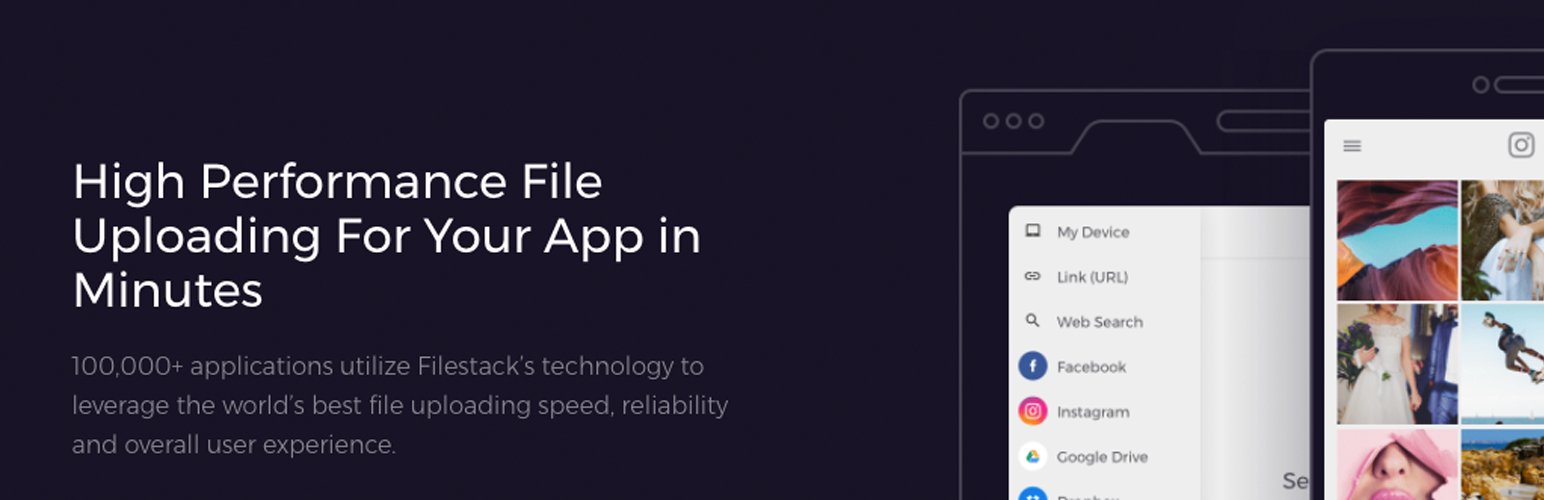
使用 Filestack WordPress 上傳外掛後,你或你的使用者可以直接從本地硬碟和雲端硬碟(包括 Facebook、Instagram、Google Drive、Google 圖片搜索、Google 相簿、Dropbox、Box 圖片連結、Webcam、Videocam 和 URL 截圖)上傳檔案。
只需在文章中加入簡短的代碼片段 [Filestack] 以呼叫上傳工具,並設定上傳檔案應該顯示的位置即可。
你可以立即在文章或頁面上顯示檔案和媒體素材。整合的 Filestack CDN 可以優化頁面加載時間,以確保高效能。
你或你的使用者可以在上傳工具中修剪或編輯圖像或檔案,或者可以使用檔案轉換來裁剪、調整大小、壓縮、標記、過濾、加邊框或進行更多檔案轉換以程式化優化圖像和媒體素材。
你可以方便地將素材存儲在 Filestack 或你自己的雲端儲存位置中,包括 Amazon S3、Microsoft Azure、Dropbox、Rackspace 和 Google Cloud Storage。
Filestack WordPress 上傳外掛特點:
與 Facebook、Instagram、Google Drive、Google 圖片搜索、Google 相簿、Dropbox、Box 圖片連結、Webcam、Videocam 和 URL 截圖等上傳整合。
多檔案上傳
最大可上傳文件大小高達 5TB。
應用程式中可進行的圖像轉換包括剪裁、圓圈裁剪和旋轉圖像
異步上傳
集成的 CDN 用於快速傳送
與 Amazon S3、Microsoft Azure、Dropbox、Rackspace 和 Google Cloud Storage 等雲端儲存整合。
連結
文件 — https://www.filestack.com/docs/plugins/wordpress
教學 — https://blog.filestack.com/tutorials/wordpress-upload-plugin/
免費API金鑰註冊 — https://dev.filestack.com/register
語言
英文:'en'
中文:'zh'
丹麥文:'da'
荷蘭文:'nl'
法文:'fr'
德文:'de'
希伯來文:'he'
義大利文:'it'
日文:'ja'
波蘭文:'pl'
葡萄牙文:'pt'
俄文:'ru'
西班牙文:'es'
問題
你可以通過電子郵件 [email protected] 聯繫支援團隊,並將一般問題發送到 [email protected]。我們熱切期待與您交流!
外掛標籤
開發者團隊
原文外掛簡介
With Filestack WordPress Upload, you or your users can upload files directly from local and cloud drives including Facebook, Instagram, Google Drive, Google Image Search, Google Photos, Dropbox, Box image URL, Webcam, Video Camera, and URL screenshots.
Simply put the shortcode [Filestack] to call the file uploader and set the location where the uploaded file should appear.
You can display the files and media assets immediately on your post or page. The integrated Filestack CDN optimizes for page load time to ensure high performance.
You or your users can crop or edit the image or file within the file uploader, or you can use file transformations to crop, resize, compress, tag, filter, border, or more file transformations to programmatically optimize the images and media assets.
You can store assets conveniently with Filestack or in your own cloud storage location, including Amazon S3, Microsoft Azure, Dropbox, Rackspace and Google Cloud Storage.
Filestack WordPress Upload Features:
Upload integrations with Facebook, Instagram, Google Drive, Google Image Search, Google Photos, Dropbox, Box image URL, Webcam, Video Camera, and URL screenshots
Multi-file upload support
Large file upload up to 200MB (configurable)
In-app image transformations: crop, circle crop, and rotate
Asynchronous uploads
Integrated CDN for fast delivery
Cloud storage integrations with Amazon S3, Microsoft Azure, Dropbox, Rackspace, and Google Cloud Storage
Links
https://www.filestack.com
https://www.filestack.com/docs/javascript-api/pick-v3
Free API Key
Languages
English: ‘en’
Chinese: ‘zh’
Danish: ‘da’
Dutch: ‘nl’
French: ‘fr’
German: ‘de’
Hebrew: ‘he’
Italian: ‘it’
Japanese: ‘ja’
Polish: ‘pl’
Portuguese: ‘pt’
Russian: ‘ru’
Spanish: ‘es’
Questions
You can contact Support at [email protected] and send general questions to [email protected]. We love hearing from you!