內容簡介
FediStation 將您的部落格文章轉換為開放社交網路的節點,讓讀者無需帳號即可輕鬆分享至 Fediverse 網路。版本 2.0 引入的 FediBack 功能,將傳統的留言區替換為即時對話中心,促進跨平台的互動與討論。
【主要功能】
• 一鍵分享至 Mastodon、Bluesky、Flipboard 等平台
• FediBack 功能顯示即時回覆與討論
• 自動發佈可自訂的首則留言
• 顯示來自各平台的社交信號
• SEO 友好,回覆內容可被搜尋引擎索引
• 支援輕暗模式,自動偵測佈景主題顏色
外掛標籤
開發者團隊
原文外掛簡介
FediStation turns every article on your blog into a node of the Open Social Web. No accounts required for your readers to use the panel — just click and share to the Fediverse network of their choice.
Version 2.0 introduces FediBack — a feature that replaces dead-end guest comment sections with a live conversation hub powered by the Open Social Web. Replies from Bluesky, Mastodon, and Flipboard Social appear directly below your article in real time, where the discussion is already happening and growing across three networks simultaneously. Your content will be alive in your blog and everywhere else on the open social web. That is the real SEO value: social signs of alive content!
Features
Side panel with one-click sharing to Mastodon, Bluesky, Flipboard, Threads, Lemmy, and Nostr
Instance-aware sharing for Mastodon and Lemmy (visitor picks their home instance); Nostr sharing via public relay
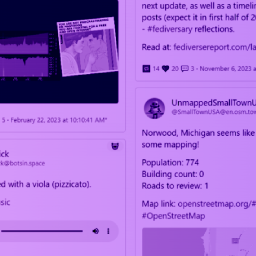
FediBack — cross-post your article as an anchor thread to Bluesky, Mastodon, and/or Flipboard Social, then display all replies as a live Open Social Web comment hub below the article
First comment seeding — automatically post a customizable first comment to start the conversation on each platform
Social signals — display likes and shares from all connected platforms in the FediBack section header
SEO-ready — FediBack reply content is server-side rendered in the page HTML, fully indexed by search bots without JavaScript
Live FediFind search bar (optional): visitors search Mastodon, Bluesky, and Flipboard from your site
Channel Boost (requires free FediBoard account) — push articles to topic-specific Fediverse channels: Travel, Food, Lifestyle, Wellness, Culture, Science and more.
Open Graph tags — automatically injects OG meta tags (title, description, image, URL) into your article pages for rich previews on social platforms; detects and defers to Yoast, Rank Math, AIOSEO, SEOPress, and other major SEO plugins automatically; toggle on/off in settings
Per-post override — show or hide the panel on individual posts via metabox
No tracking, no third-party analytics, no Google Fonts on the frontend — your readers’ privacy is respected by default
Light and dark mode — auto-detects your theme’s color scheme
FediBack Free vs Pro
The free tier includes up to 3 active FediBack threads. FediStation Pro unlocks unlimited FediBack threads. Manage your Pro licence in the FediStation settings page.
Why this matters
The web is consolidating into a handful of closed platforms. FediStation gives WordPress publishers — still the backbone of the open web at ~40% of all sites — a simple bridge to send their content into the Fediverse, where readers and conversations live on user-owned servers and federated protocols. FediBack goes further: it brings those conversations back to your site, making your articles the center of cross-platform discussion rather than a dead end.
Requirements
WordPress 6.0+
PHP 8.0+
A free FediBoard account (optional — only required for Channel Boost)
FediBack requires connecting at least one social account (Bluesky, Mastodon, or Flipboard Social) in settings
External services
This plugin connects to a small number of external services. They are all operated by FediBoard (the plugin’s author) and are only contacted under the conditions described below. No service is contacted on every page view, and no visitor data is sent without an explicit user action.
FediBoard Channel Boost API (api.fediboard.com)
Used for the FediBoard “Channel Boost” feature, which submits an article to FediBoard topic channels for cross-posting to the Fediverse. Contacted only when an administrator:
Clicks the Boost Now button in the panel — sends the article URL, title, description, featured image URL, optional caption and hashtags, plus the administrator’s FediBoard licence key.
Opens the FediBoard quota indicator — sends the licence key to read the remaining boost credits.
Opens the FediStation settings page when a FediBoard account is linked — sends the licence key to read the current account status and tier.
No data is sent from the frontend or for non-administrator visitors.
Terms & Privacy: https://fediboard.com/legal#fedistation
FediBack Platform APIs
When FediBack is enabled on a post, FediStation contacts the following public APIs to fetch reply threads for display below the article. These calls happen server-side and are cached for 5 minutes:
Bluesky (public.api.bsky.app) — fetches the reply thread for the anchor post.
Mastodon (your connected instance) — fetches reply context for the anchor status.
Flipboard Social (flipboard.social) — fetches reply context for the anchor status.
When creating a FediBack thread, the administrator’s connected platform credentials (app password or OAuth token) are used to post the anchor post and optional first comment. No visitor credentials are ever stored or sent.
FediStation Pro Licence (api.fediboard.com)
When a FediStation Pro licence key is entered in settings, it is validated against api.fediboard.com. The licence key and associated email are the only data sent. No post content or visitor data is transmitted.
Terms & Privacy: https://fediboard.com/legal#fedistation
FediStation Anonymous Usage Stats (api.fediboard.com)
FediStation sends a very small number of anonymous, aggregate pings to api.fediboard.com so we can understand which features are useful and prioritise development. Each ping contains only:
A randomly generated install UUID (no PII, no IP, no URL, no post title, no domain name).
The plugin version.
The event name (e.g. install, boost_submitted, fedifind_submitted).
These pings are fire-and-forget and never delay a page response. To disable all anonymous stats, add this filter to your theme’s functions.php or a site-specific plugin:
add_filter( 'fedistation_stats_enabled', '__return_false' );
Terms & Privacy: https://fediboard.com/legal#fedistation
FediFind Search (fedifind.com)
When the FediFind search bar is enabled in settings, the panel includes a search form that sends queries directly to fedifind.com in a new tab — no data is sent server-side by the plugin. The OG-fetch endpoint (fedifind.com/api/og-fetch) is called server-side only when an administrator opens the boost form, to fetch the article’s image, title and description for the preview card.
The FediFind Discoveries panel remains available but submission of new sites is currently closed.
No data is sent for non-administrator visitors.
Terms & Privacy: https://fediboard.com/legal#fedifind
Privacy
FediStation is designed to respect your readers’ privacy by default.
No frontend Google Fonts — the side panel uses your visitors’ system font stack.
No tracking pixels, analytics, or third-party scripts loaded on the frontend.
Outbound HTTP calls only occur when an explicit action is taken (share, boost, search, FediBack thread creation).
Linked FediBoard, FediFind, and FediBack accounts are stored as WordPress options and removed on plugin uninstall.
FediBack reply fetching happens server-side and is cached — no visitor data is sent to platform APIs.
Anonymous usage analytics
To help us understand which features are useful and prioritize development, FediStation sends a small number of anonymous, aggregate pings to api.fediboard.com. These pings include:
A random UUIDv4 site identifier (generated once on plugin activation, never tied to your domain, email, or any personal info)
The event type: install, share click, search submit, boost, or FediBack thread creation
For share clicks only: which network (Bluesky, Mastodon, Flipboard, Threads, Lemmy, or Nostr)
That is it. No visitor data, no IP, no page URLs, no search queries, no post titles are ever sent. Pings are fire-and-forget so they never slow down your site.
If you would prefer to disable analytics entirely, you can do so via WordPress filter:
add_filter( 'fedistation_stats_enabled', '__return_false' );