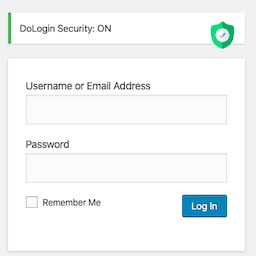
內容簡介
FactorGuard 是一款輕量級、以隱私為首的雙重身份驗證(2FA)外掛,為 WordPress 登入頁面增添堅固的兩步驟驗證層,無需依賴外部雲端服務或第三方 API,確保用戶安全。
【主要功能】
• 電子郵件一次性密碼(OTP)發送
• 支援 TOTP 的身份驗證應用程式
• 提供一次性備份代碼以防鎖定
• 軍事級加密保護 TOTP 秘密
• 防重放攻擊的安全機制
• 可配置的鎖定與限流設置
外掛標籤
開發者團隊
② 後台搜尋「FactorGuard – Two-Factor Authentication」→ 直接安裝(推薦)
原文外掛簡介
FactorGuard is a lightweight, privacy-first Two-Factor Authentication (2FA) plugin for WordPress. It adds a rock-solid two-step verification layer to the default WordPress login page — without relying on any external cloud service or third-party API.
After a user enters the correct username and password, they must complete a second step: enter a one-time code sent to their email or use a time-based code from an authenticator app like Google Authenticator or Authy.
🔒 Zero external API calls. All verification happens on your own server.
Core Features:
⚡ Email OTP — send a one-time passcode to the user’s registered email address
📱 Authenticator App (TOTP) — full RFC 6238 support for Google Authenticator, Authy, Microsoft Authenticator, and any TOTP-compatible app
🔑 One-time backup codes — hashed recovery codes so users never get locked out
🔐 Military-grade encryption — TOTP secrets encrypted at rest using libsodium XSalsa20-Poly1305
🚫 Replay attack protection — accepted TOTP codes are invalidated for the current time-slice
⏱️ Brute force & rate limiting — configurable lockout after too many failed attempts
🎛️ Flexible settings — OTP code length (4–10 digits), code expiry (1–60 min), lockout duration
🧙 Setup wizard — guided onboarding to configure your preferred 2FA method in minutes
🌐 API-safe — automatically bypasses OTP for REST API and XML-RPC requests
🌍 Translation ready — fully internationalised and .pot file included
🧹 Clean uninstall — removes all plugin data on uninstall (opt-in)
How It Works – Email OTP
User enters their username and password on the login page
If credentials are correct and OTP is enabled, a verification code is emailed to the user
The login form shows an OTP input field (username/password fields are hidden)
User enters the code sent to their email
On success, login completes. On failure, the attempt is counted toward the lockout limit
How It Works – TOTP (Authenticator App)
Site admin enables TOTP under Settings > FactorGuard
Each user visits their Profile page and scans the QR code with their authenticator app
Users enter the 6-digit code shown in their app to activate TOTP on their account
On subsequent logins, the login form asks for the current authenticator app code instead of sending an email