內容簡介
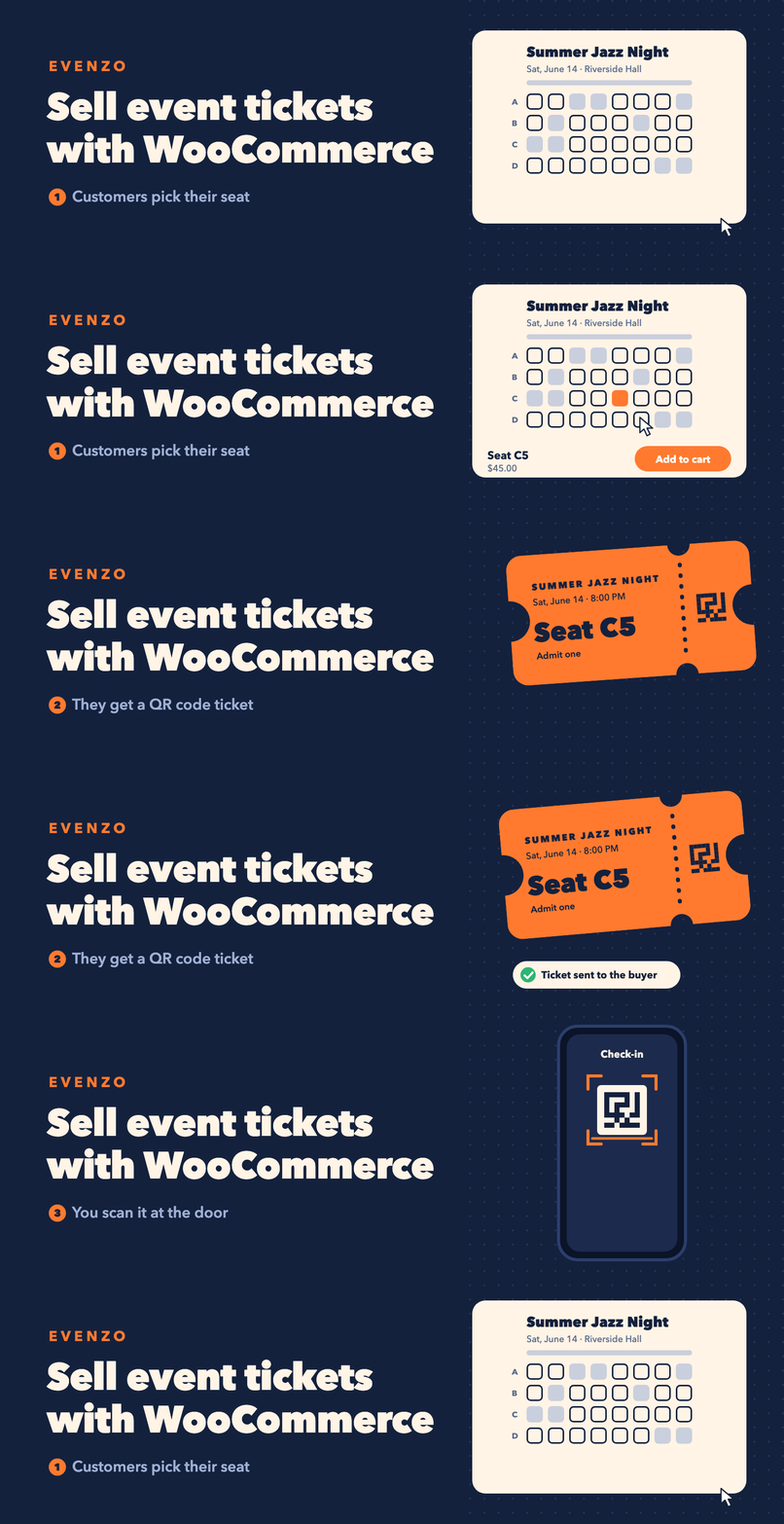
Evenzo 外掛讓您能夠在 WooCommerce 商店中銷售活動票券。透過簡單的產品轉換,顧客可輕鬆購買票券,並在活動當天使用 QR 碼進行簽到,提升活動管理的效率與便利性。
【主要功能】
• 活動管理:支援單次、重複及多日會議
• 票券銷售:將任何 WooCommerce 產品轉換為票券
• 參加者管理:自動創建參加者資料
• 簽到系統:支援 QR 碼掃描及手動輸入
• 可列印票券:生成帶有 QR 碼的 PDF 票券
• 電子郵件通知:註冊確認及活動提醒
外掛標籤
開發者團隊
② 後台搜尋「Evenzo – Event Tickets, Calendar and Check-in for WooCommerce」→ 直接安裝(推薦)
原文外掛簡介
Evenzo lets you sell event tickets from your WooCommerce store. Create an event, turn a product into a ticket, and your customers buy it through the checkout they already know. Every sale is a regular WooCommerce order, so any payment gateway you use works for tickets too.
It covers the whole event day as well. Attendees get a ticket with a QR code, you scan it at the door from any phone or laptop, and the attendee list updates as people check in.
Use it for workshops, conferences, meetups, concerts, classes, webinars, and any event where you take registrations or sell seats. Events show on an event calendar, in blocks, or through shortcodes, and each event page includes Schema.org markup so search engines can read the date and venue.
How Ticket Sales Work
Create a WooCommerce product and mark it as an event ticket. The plugin adds a new tab in the product editor where you link the product to your event and configure ticket-specific settings like sales dates, minimum and maximum quantities, and attendee information fields. When customers purchase the product, the plugin automatically creates attendee records and generates unique ticket codes with QR codes.
Core Features
Event Management
Single events, recurring events, and multi-day conferences.
Event categories for organization.
Event status tracking (scheduled, postponed, cancelled, sold out).
In-person, virtual, and hybrid event types.
Registration deadlines and capacity limits.
Ticket Sales
Turn any WooCommerce product into an event ticket.
Works with simple and variable products.
Set minimum and maximum tickets per order.
Configure sales start and end dates.
Collect attendee name and email at checkout.
Group tickets with multiple persons per ticket.
Book tickets for a customer from the admin, with seats, recurring dates, paid or complimentary, and the ticket email on or off. Each booking is a regular WooCommerce order.
Attendee Management
Automatic attendee creation from completed orders.
Unique ticket codes for each attendee.
Attendee contact details stored with each record.
Search and filter attendees by event, status, name, email, or ticket code.
Export attendee lists to CSV, with custom attendee fields.
Edit an attendee’s details, move them to another date of a series or another seat, and email their ticket again.
Attendee fields on the classic and block checkouts.
Buyers edit attendee details from My Account or the ticket email.
Check-in System
QR code scanning from any device with a camera.
Manual ticket code entry.
Check-in statistics per event.
Check-in and check-out tracking.
Attendee search at the door.
Printable Tickets
Printable event tickets with QR codes, saved as PDF from the browser.
Event details, venue information, seat, and attendee data.
Print from the My Account page or the attendee admin.
Calendar and Display
Month view and list view calendars.
AJAX navigation without page reloads.
Category filtering.
Event archive page.
Single event pages with full details.
Recurring Events
Daily, weekly, monthly, and yearly patterns.
Custom intervals (every 2 weeks, every 3 months).
End by date or number of occurrences.
Edit or delete individual occurrences.
Email Notifications
Registration confirmation emails.
Ticket delivery with QR codes.
Event reminder emails (configurable days before).
Admin notifications for new registrations.
Custom Event Attributes
Add custom key-value details to any event (dress code, age limit, parking, etc.).
Repeatable fields in the event editor.
Displayed on event pages in a clean grid layout.
Venue and Organizer Profiles
Save venue details for reuse across events.
Address and contact information.
Organizer profiles with contact and social links.
Google Maps integration for venue locations.
Speaker Management
Speaker profiles with photos and bios.
Social media links.
Assign speakers to events.
Waitlist
Waitlist sign-up form when a ticket product is out of stock.
Notify waiting customers by email when stock is back, by hand or automatically.
Configurable offer expiration time per product.
Dynamic Pricing
Early bird percentage discount until a date.
Last-minute percentage discount from a date.
Quantity tier discounts.
Role-based discounts for members.
Seating Charts
Define seating per venue: named sections, number of rows, seats per row.
Optional price adjustment per section (added to the ticket price).
Customers pick their exact seat on the event page or ticket product page.
Seats are held while customers check out, sold seats are blocked, and seat numbers print on tickets.
Import and Export
Export events to CSV.
Import events from CSV with field mapping.
Export to iCal/ICS for calendar apps.
Import from ICS files.
Import from The Events Calendar and Event Tickets Plus: events, venues, organizers, categories, WooCommerce ticket products and attendees, with a dry run and undo.
Calendar feed URL for subscriptions.
Add to Calendar button (Google, Outlook, Yahoo, Apple).
Blocks
Event Calendar block with month and list views.
Events List block with grid or list layout.
Upcoming Events block for sidebars.
Event Card block for embedding events in posts.
Event Countdown block with live timer.
Shortcodes
[emwc_calendar] for calendar display.
[emwc_events] for event lists and grids.
[emwc_upcoming] for upcoming events.
[emwc_event] for a single event card.
[emwc_venue_map] for a venue map.
Widgets
Upcoming Events widget.
Mini Calendar widget.
Event Categories widget.
SEO and Structured Data
Schema.org Event JSON-LD markup on event pages.
Rich snippets for Google search results.
RSS feed for events at /feed/emwc-events/.
Configurable under Events > Settings > Display.
Privacy and GDPR
WordPress Privacy API integration.
Personal data exporter for attendee records.
Personal data eraser (anonymization) for attendee records.
Suggested privacy policy text.
Data retention period shown in the suggested policy text.
Accessibility
Skip-to-content links on event pages.
ARIA landmarks and labels for calendar and event content.
Keyboard-navigable calendar with live region updates.
Focus-visible outlines for keyboard users.
Screen reader text for navigation controls.
Developer Features
REST API for events, venues, organizers, and attendees.
Webhooks for event, attendee, and check-in triggers (managed through the REST API).
Template files that can be overridden in themes.
Hooks and filters throughout the plugin.
WordPress coding standards.
Per-event timezone support with timezone display on frontend.
My Account Integration
Customers can view their tickets from their WooCommerce My Account page. Each ticket shows the event details, QR code, and a print button. Orders with attendees still editable show an Edit attendee details button.
External Services
This plugin uses external services as described below.
QR Server API
By default QR code images are made on your own site and nothing is sent to this service. The plugin only requests QR code images from the QR Server API when “QR Code Images” is set to “QR Server API” under Events > Settings > PDF Tickets, or when the server has no GD image support.
Data sent: The text encoded in the QR image, which is the ticket code or a check-in link on your site that contains the ticket code. No names, emails, or other personal information are sent.
When it happens: Only in the cases above, when a ticket, ticket email, or My Account ticket with a QR code is shown.
Provider: Foundata GmbH (Germany)
Terms of Service: goqr.me/de/rechtliches
Privacy Policy: goqr.me/de/rechtliches/datenschutz-qrserver.html
The API is free and does not require registration.
Webhooks (User-configured)
If the site admin registers webhook URLs through the plugin’s REST API, the plugin sends HTTP POST requests to those user-specified endpoints when events are created, updated, or deleted, when attendees are created or updated, or when attendees are checked in or out.
Data sent: Depending on the webhook topic, the plugin sends event data, attendee data, or registration data to the configured URL. The site admin controls which URLs receive data and which topics trigger notifications.
When it happens: Only when a site admin has explicitly registered webhook URLs through the REST API. No data is sent to external servers unless the admin configures this feature.
Provider: Determined by the site admin. The plugin does not send data to any predefined third-party service through webhooks.
Google Maps Platform
If the site admin enables the Google Maps integration and provides an API key in the plugin settings, the plugin loads the Google Maps JavaScript API to display venue maps on event pages and for geocoding venue addresses.
Data sent: The Google Maps API key and venue address are sent to Google servers. No personal visitor information is transmitted by the plugin.
When it happens: Only when a site admin has explicitly entered a Google Maps API key under Events > Settings > Google Maps, and a visitor views an event page with a mapped venue.
Provider: Google LLC
Terms of Service: cloud.google.com/maps-platform/terms
Privacy Policy: policies.google.com/privacy
Third-party libraries
QR Code Generator for PHP by Kazuhiko Arase, MIT license: https://github.com/kazuhikoarase/qrcode-generator (bundled in includes/lib/qrcode with small changes listed in its file header)
html5-qrcode, Apache 2.0 license: https://github.com/mebjas/html5-qrcode
Chart.js, MIT license: https://github.com/chartjs/Chart.js