
內容簡介
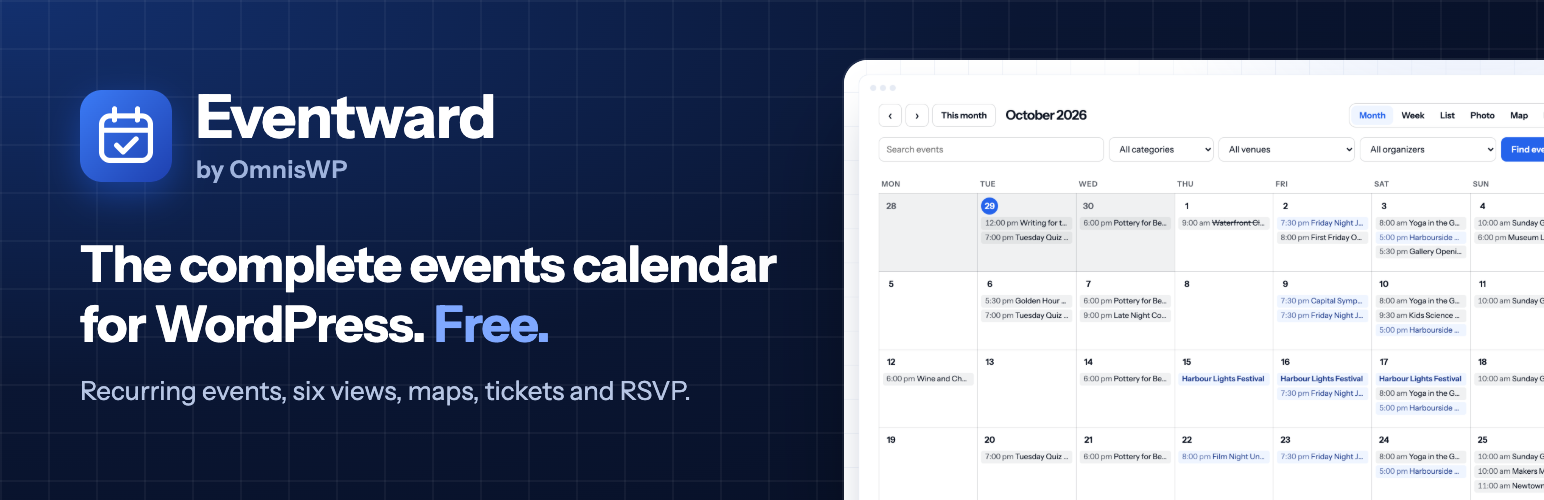
Eventward 是一款完整的 WordPress 活動日曆外掛,所有功能均免費提供。它支援重複事件、六種日曆視圖、地圖、場地、組織者、票務及 RSVP,無需升級或額外購買。
【主要功能】
• 支援重複事件及 iCalendar 標準
• 六種日曆視圖:月、週、清單、照片、地圖及日
• 無需平台手續費的票務系統
• 內建活動、場地及組織者匯入工具
• 友善的搜尋引擎設計
外掛標籤
開發者團隊
原文外掛簡介
Eventward is a complete events calendar for WordPress, and all of it is free. Recurring events, six calendar views, maps, venues, organizers, tickets and RSVP come in one plugin. There is no Pro version, no add-on store, no licence key and no feature held back for a paid tier.
It is built for sites that need to stay fast and correct: event dates live in their own indexed table, repeating schedules are expanded by a real iCalendar engine, and paid tickets go straight to your own Stripe account with no fee from us.
What makes Eventward different
Everything is in the free plugin. Recurring events, every view, maps, filters, tickets and RSVP. Most event plugins sell these as add-ons; here there is nothing to upgrade to.
Built on a proper date index. Each event date is stored as a row in one small indexed table, instead of being searched out of post meta. Month, week and list views stay quick as a calendar grows into thousands of dates, and every event keeps its real post ID, so other plugins and page builder loops work with it normally.
Recurring events that get the details right. Schedules follow the iCalendar standard (RRULE), with skipped and extra dates. Each event has its own timezone, and a 7pm weekly event stays at 7pm when the clocks change.
Tickets with no platform fee. Free tickets work as an RSVP. Paid tickets use Stripe Checkout on your own Stripe account: buyers pay you directly and you only pay Stripe’s standard processing fees.
Search engine friendly by design. Every event page carries schema.org Event data for Google. Calendar navigation cannot turn into an endless crawl: dated calendar pages are noindex, navigation links are nofollow and empty far-future months return 404.
An easy move from The Events Calendar. A built-in importer copies your events, venues, organizers, categories and ticket types across without changing anything in The Events Calendar. Event, venue, organizer, month and day URLs follow the same patterns, and an optional setting lets existing [tribe_events] shortcodes keep working, so links and pages survive the switch.
Calendar and views
Six views: month, week, list, photo, map and day, as a block you can place anywhere, plus ready-made templates for block themes. Classic themes are supported too.
Search and filters by keyword, category, venue and organizer, applied in place without reloading the page.
Mobile friendly. On small screens the month view becomes an easy-to-read agenda.
Category colours. Give each category a colour and show it as a line before each event or as the event’s background in the month and week views.
Your choice of display. 24-hour or 12-hour times, and full event names in the month view for long titles.
Light on your pages. Styles and scripts only load where events are shown, and moving between months and views updates the calendar in place.
Recurring events and time zones
Daily, weekly, monthly (“the second Tuesday”, “the last Friday”) and yearly schedules, with intervals, end dates, counts, skipped dates and extra dates.
A custom option for anything else the iCalendar standard can describe.
A timezone per event, with correct local times across daylight saving changes.
Each date of a repeating event has its own page and its own entry in Google’s event data.
Venues, organizers and maps
Create venues and organizers inline while editing an event. Each gets its own page listing its upcoming events.
Maps without API keys. OpenStreetMap maps for the calendar, venues and events, with clustered pins, bundled with the plugin.
Place venues by typing their coordinates, or turn on address lookup (OpenStreetMap Nominatim, off by default) to find them from the address when you save.
Tickets and RSVP
Free RSVP and paid tickets, several ticket types per event, with capacity per type and per date.
Stripe Checkout in test and live mode. Connect your Stripe account in one click, or paste a restricted API key.
Seats are held while a buyer pays and released automatically if they do not finish, so a date does not oversell.
Confirmation emails with ticket codes, an attendee list with check-in, CSV export, one-click refunds and resending confirmations.
Your own booking questions on each ticket type (short or long text, dropdown, yes-or-no tick box, phone number), answered once per ticket, with answers on the attendee list, in the CSV and in the emails. Logged-in visitors find their name and email already filled in, which suits membership sites.
Reports: bookings, check-ins, no-shows and takings by month, by date and by ticket type for any period, with capacity filled per date and a CSV export for your annual figures.
An optional Stripe webhook for instant confirmations. Without it, payments are still confirmed when buyers return and by a background check.
Bookings are included in WordPress’s personal data export and erasure tools.
Themes, blocks and page builders
Native blocks and Site Editor templates for block themes.
Shortcodes for the calendar, event details, single fields (date, venue, cost and more), tickets and maps, for Bricks, Divi, Elementor and other builders.
A sortable “next date” field for page builder query loops.
Sharing and SEO
schema.org Event data on every event: status, attendance mode, location, organizer, price and availability.
Add to calendar links for Google Calendar, Apple Calendar, Outlook and Microsoft 365, plus subscribable iCal feeds for the whole calendar or any category.
Event status for cancelled, postponed, rescheduled and moved online events, shown on the page and sent to Google.
Fair by default
No upsells, no admin banners, no ads and no tracking. Every external service Eventward can use is listed below, with what it sends and when.
Your data stays yours: deactivating never deletes anything, and uninstalling only removes events if you ask it to.
Translation ready.
Eventward is made by OmnisWP, the team behind Siteward.
External services
Eventward works on your own site, except for the services below:
OpenStreetMap Nominatim (geocoding). Off by default: nothing is sent until an admin turns on address lookup under Events > Settings > Maps. When on, it turns venue addresses into map locations. Your site contacts https://nominatim.openstreetmap.org when a venue is saved with a new or changed address, when you press “Find on map”, and in an hourly background check that looks up to 10 venues that have never been looked up (for example imported ones). Venues whose coordinates you typed yourself are never looked up. Each request sends the venue’s address (street, city, region, postcode, country), your site’s address (in the User-Agent, as Nominatim’s policy requires) and your site’s language. Nothing about your visitors is sent. You can turn it off again at any time. Usage policy: https://operations.osmfoundation.org/policies/nominatim/ Privacy policy: https://osmfoundation.org/wiki/Privacy_Policy
OpenStreetMap map tiles. Pages that show a map load map images from https://tile.openstreetmap.org in the visitor’s browser (only once the map scrolls into view). The visitor’s IP address and the page address are visible to that server, as with any image. Tile usage policy: https://operations.osmfoundation.org/policies/tiles/ Privacy policy: https://osmfoundation.org/wiki/Privacy_Policy You can switch to another tile provider under Events > Settings > Maps.
Add to calendar links (Google Calendar, Outlook.com, Microsoft 365) are ordinary links: nothing is sent unless a visitor clicks one.
Stripe (payments). Only when you sell paid tickets. Your site talks to https://api.stripe.com to create Stripe Checkout sessions, confirm payments and make refunds. For each checkout your site sends the buyer’s email address, the event title, date and time, the tickets with their prices, an order reference and the addresses of your event page that Stripe returns the buyer to; card details are entered on Stripe’s own page and never touch your site. If you add the optional webhook in your Stripe Dashboard, Stripe also sends payment and refund notices to your site. Stripe terms: https://stripe.com/legal Privacy policy: https://stripe.com/privacy
OmnisWP connection service. Only if you choose “Connect with Stripe” instead of pasting an API key. Stripe’s app login needs a secret held by OmnisWP, so https://omniswp.com/wp-json/omnis-connect/v1 is contacted only when an admin presses “Connect with Stripe” (your site first checks the service is available for that mode), and while connected, to renew the short-lived access token: by a background check every 30 minutes, and on demand if the token has run out when your site next talks to Stripe (for example during a booking). When connecting, the admin’s browser takes the mode (test or live), a one-time challenge and the address of your site’s Payments screen to omniswp.com, and your site then sends the one-time claim code and its matching secret to collect the tokens. When renewing, your site sends the mode and the refresh token. Like any WordPress request, these carry your site’s address in the User-Agent. The service never sees payments or buyer details, and keeps nothing after handing the tokens to your site. Terms: https://omniswp.com/terms/ Privacy policy: https://omniswp.com/privacy-policy/
Third-party libraries
Leaflet 1.9.4, BSD 2-Clause licence, https://github.com/Leaflet/Leaflet (bundled in assets/vendor/leaflet, minified build from the official npm package)
Leaflet.markercluster 1.5.3, MIT licence, https://github.com/Leaflet/Leaflet.markercluster (bundled in assets/vendor/leaflet-markercluster)














