內容簡介
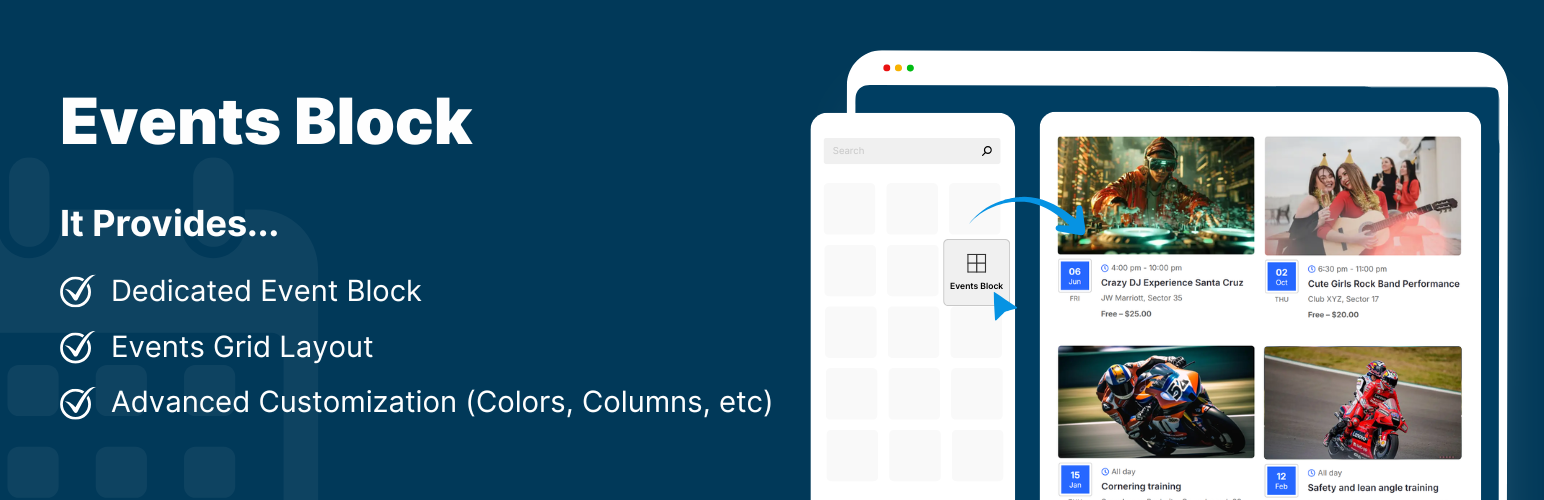
**總結:** Events block 外掛是一個功能強大的插件,讓你可以輕鬆地使用專用的 Gutenberg 區塊來添加和展示活動區塊。只需插入 Events 區塊,填寫活動詳細資訊,你的活動將立即以網格布局顯示,無需使用任何短代碼或複雜設置。
**問題與答案:**
1. 這個外掛的功能是什麼?
- 提供一個專用的 Gutenberg 區塊,讓你輕鬆添加和展示活動區塊。
2. 如何將活動添加到網站中?
- 只需插入 Events 區塊,填入活動詳細資訊即可。
3. 事件區塊的關鍵特點有哪些?
- 包括提供專用活動區塊、添加活動標題、撰寫活動描述、選擇活動日期、輸入活動地點、整合圖片、顯示“閱讀更多”按鈕、自定義區塊背景和文字顏色、輕量易用、全響應設計等功能。
4. 這個外掛是否開源的?
- 是的,Events Block 是一個完全開源的外掛,你可以在 GitHub 上查看完整的原始碼。链接:https://github.com/CoolPluginsTeam/events-block/
外掛標籤
開發者團隊
原文外掛簡介
The Events block is a powerful plugin that allows you to easily add and display Events block using a dedicated Gutenberg block.
Simply insert the Events block, fill in the event details, and your event will appear instantly in a grid layout, without using any shortcodes or complex settings.
Key Features
Dedicated Events Block: Provides a ready-to-use event block inside the block editor. Just add it to your page and enter event details.
Add Event Title: Enter a title for the event to tell users what your event is about.
Event Description: Write a short or detailed description of your event to explain what it is about.
Event Date Selection: Select the event date from a simple calendar pop-up.
Event Location: Add the location or venue of your event in a dedicated field.
Integrate Image: Make your events more attractive by uploading an image related to your event.
Read More Button: Display a “Read More” button on the event block that redirects visitors to a full event page, or any custom link.
Customization: Easily customize the background and text color of your dedicated event blocks according to the website theme.
Lightweight & Easy to Use.
Fully Responsive.
Events Block is a fully open-source plugin. You can view the complete source code on GitHub – https://github.com/CoolPluginsTeam/events-block/