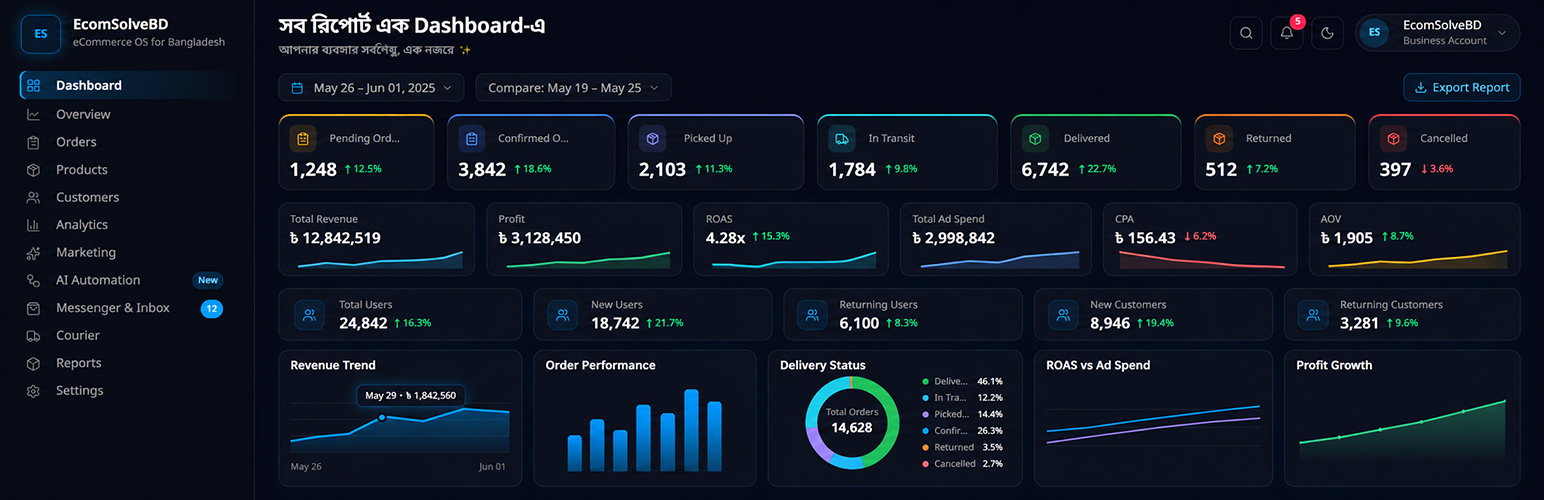
內容簡介
EcomSolveBD 外掛可將您的 WordPress / WooCommerce 商店連接至 EcomSolveBD,協助您追蹤訪客與訂單,並進行第一方數據收集,提升廣告效果與數據分析能力。
【主要功能】
• 瀏覽器追蹤 UTM 參數與廣告點擊 ID
• 支援 WooCommerce 事件追蹤
• 可選擇第一方追蹤主機名稱以減少廣告攔截影響
• 支援 Google Analytics 4 測量 ID
• 提供 EcomSolveBD 產品資料源 URL
外掛標籤
開發者團隊
原文外掛簡介
EcomSolveBD connects your WordPress / WooCommerce store to EcomSolveBD so you can attribute visits and orders with first-party collection.
Features
Browser tracking for UTM parameters and ad click IDs (e.g. gclid, fbclid, ttclid)
WooCommerce events when WooCommerce is active (view item, add to cart, purchase, and related hooks)
Optional first-party tracking hostname (CNAME) to reduce ad-blocker impact
Optional Google Analytics 4 Measurement ID (standard gtag.js automatic events only)
Product feed URLs for EcomSolveBD catalog, Meta, TikTok, and Google Merchant Center
This plugin is a client for the EcomSolveBD service (SaaS). You need a free or paid EcomSolveBD account and a Tracking Merchant ID from your dashboard. All plugin code is free under GPLv2 or later; EcomSolveBD account features are provided by the service.
External services
After you save a valid Merchant ID, the plugin communicates with external services. No data is sent until you connect.
EcomSolveBD API (https://api.ecomsolvebd.com) — validates your Merchant ID, syncs configuration, receives tracking and order-related events, provisions first-party collect hostnames, and powers reporting in your dashboard. Sent when you save settings, test connection, verify DNS, sync orders, or when storefront visitors trigger tracking. Terms: https://ecomsolvebd.com/terms — Privacy: https://ecomsolvebd.com/privacy
Your first-party tracking subdomain (optional CNAME you configure) — after DNS verification, browser collect requests may go to your own subdomain (for example tracking.yourstore.com) instead of the API host. Sent only when tracking runs on your storefront.
Cloudflare DNS over HTTPS (https://cloudflare-dns.com/dns-query) — used by the EcomSolveBD service when you verify first-party DNS in your dashboard (Integrations). The WordPress plugin syncs the verified status; it does not run DNS checks on its own. Cloudflare terms: https://www.cloudflare.com/website-terms/ — Privacy: https://www.cloudflare.com/privacypolicy/
Google Analytics / Google Tag Manager (optional) — when you enter a GA4 Measurement ID, the plugin loads gtag.js from https://www.googletagmanager.com/gtag/js for standard GA4 automatic events. Google terms: https://marketingplatform.google.com/about/analytics/terms/us/ — Privacy: https://policies.google.com/privacy
See the FAQ below for a summary of storefront data fields.
Privacy
This plugin does not phone home until an administrator configures a Merchant ID (and optionally GA4). Merchants are responsible for disclosing storefront analytics and advertising attribution to their visitors (cookie / privacy notices, consent tools) as required by local law. Visitor identifiers may be stored in first-party cookies for attribution continuity.
Privacy policy: https://ecomsolvebd.com/privacy
Terms: https://ecomsolvebd.com/terms
Development
Readable tracker source: src/tracker/
Build notes: src/BUILD.txt
Minified runtime: assets/js/ecomsolvebd.js (generated; do not hand-edit)
Other storefront scripts (ecomso-runtime.js, ecomso-wc-bridge.js) ship unminified