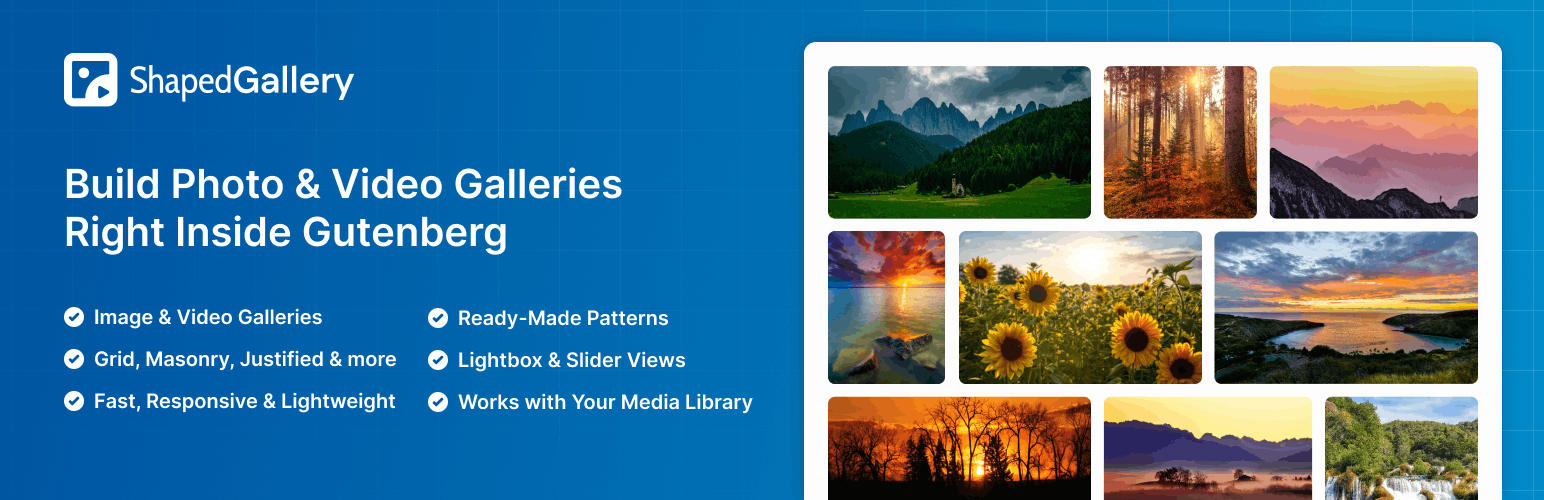
內容簡介
ShapedGallery 是一款專為 WordPress 設計的相片畫廊外掛,讓使用者能夠輕鬆建立美觀的圖片和影片畫廊,無需撰寫任何程式碼。其直觀的佈局選擇器和即時預覽功能,適合攝影師、設計師及部落客使用,提供快速且響應式的畫廊體驗。
【主要功能】
• 視覺佈局選擇器,輕鬆選擇畫廊樣式
• 從媒體庫中快速添加圖片和影片
• 內建現代化的燈箱功能
• 每個畫廊可生成短碼,方便重複使用
• 輕量化設計,僅在需要時加載腳本
• 兼容多種頁面建構器,如 Elementor 和 Divi
外掛標籤
開發者團隊
② 後台搜尋「ShapedGallery – Photo Gallery, Image Gallery, Video Gallery & Lightbox」→ 直接安裝(推薦)
原文外掛簡介
Create beautiful image galleries with ShapedGallery’s visual layout picker. Build justified, grid, masonry and video galleries without writing a line of code. It’s made for photographers, designers, bloggers, agencies and anyone who wants a fast, responsive gallery on their WordPress website.
ShapedGallery makes building a photo gallery simple. Pick a layout, add images from your Media Library, style it in the live preview, and publish. What you see in the editor is what your visitors get, on desktop, tablet and mobile.
Live Demo | Documentation | Support | Upgrade to Pro!
The Fast, Block-First WordPress Gallery Plugin
Most gallery plugins make you work in a separate settings screen and guess how the result will look. ShapedGallery works inside the WordPress block editor you already use. Add the ShapedGallery block, choose a layout, and you’re looking at your finished gallery right away.
Every gallery is rendered on the server as clean HTML. Your images load with the rest of the page instead of jumping into place a moment later, and search engines can read your images, titles and captions like any other content. Pages without a gallery load none of the plugin’s files at all, so your site stays fast.
Why Choose ShapedGallery?
✅ Visual layout picker – See every gallery layout before you choose it, then switch layouts any time without re-adding images.
✅ Media Library first – Build galleries from the photos and videos you’ve already uploaded.
✅ Ready Patterns – Start from a professionally designed gallery with one click.
✅ Built-in lightbox – A modern, mobile-friendly lightbox for images and videos.
✅ Build once, use anywhere – Every gallery gets a shortcode. Edit it once and it updates on every page.
✅ Lightweight and fast – Scripts load only where a gallery appears.
✅ Works with your page builder – Elementor, Divi, Bricks, Oxygen, Beaver Builder and WPBakery.
Responsive Gallery Layouts
Justified Gallery
Rows of equal height with image widths balanced so every row fills the space edge to edge. The best choice for photographs of mixed sizes and orientations, and nothing gets cropped.
Grid Gallery
Equal tiles in a set number of columns. A clean, tidy look for portfolios, products, team photos and logos.
Masonry Gallery
Pinterest-style columns of different heights with the gaps closed, so tall and wide images sit together naturally.
Every layout is fully responsive. Set columns and spacing separately for desktop, tablet and mobile so your gallery looks right on every screen.
Ready Patterns: Start With a Designed Gallery
Not sure where to begin? Open the Ready Patterns library, preview a design, and insert it with one click. Patterns are grouped by layout, and each one stays fully editable, so you just swap in your own photos. You can open the library from the block toolbar, the editor header or the dashboard.
Video Gallery Support
Mix photos and videos in the same gallery, or build a video gallery on its own. Add:
Videos from your Media Library
External videos by URL
YouTube videos
Videos open in the same lightbox as your images, so visitors get one smooth viewing experience.
Built-in Lightbox Gallery
Let visitors view your photos full size without leaving the page. The lightbox is built on the browser’s own
Zoom and pan on desktop, pinch and swipe on phones and tablets
Image counter
Keyboard navigation with arrow keys, and Escape to close
Plays Media Library videos, external videos and YouTube
Loads only on pages where a gallery opens it
Customize Your Gallery Design
Titles and descriptions pulled from each image’s title, caption or description
Classic or overlay caption styles with full typography control
Border, rounded corners and box shadow for each image, in Normal and Hover states
Choose the image size: thumbnail, medium, large or full
Default or random image order
Click action per gallery: open the lightbox, follow a link, or do nothing
Built for Speed and SEO
Server-rendered, search-engine-friendly gallery markup
Lazy loading for images
Gallery output caching with an adjustable timeout and one-click cache clearing
Scripts and styles load only on pages that need them
Ajax Load More button to split big galleries into smaller chunks
Private and Password-Protected Galleries
Share photos with only the right people. Each gallery can be public, private or password-protected, which is handy for client galleries, event photos and member-only content.
Works With Gutenberg and Popular Page Builders
ShapedGallery is a native Gutenberg block. Every saved gallery also has a shortcode you can use in the Classic Editor, widgets and theme templates. Dedicated elements are included for:
Elementor
Divi
Bricks
Oxygen
Beaver Builder
WPBakery
Elementor is on by default. Turn on the others in ShapedGallery → Settings → Integrations.
Full Feature List (Free)
Visual gallery layout picker with live preview
Justified, grid and masonry gallery layouts
Responsive columns and spacing for desktop, tablet and mobile
Ready Patterns library with one-click insert
Image and video galleries from the Media Library
External images and videos by URL, plus YouTube videos
Built-in lightbox with zoom, pinch, swipe and keyboard support
Image Custom URL – link any image to a page, product or external website
Ajax pagination with a customizable Load More button
Image titles and descriptions with typography controls
Per-image border, radius and shadow for Normal and Hover states
Hide a gallery on desktop, tablet or mobile
Public, private and password-protected galleries
Lazy-loaded images and gallery caching
Saved Galleries dashboard with search, copy shortcode, duplicate and bulk actions
Turn modules (Lightbox, Image Custom URL, Ready Patterns) on or off site-wide
Multisite support
Translation-ready and accessible, with full keyboard support