內容簡介
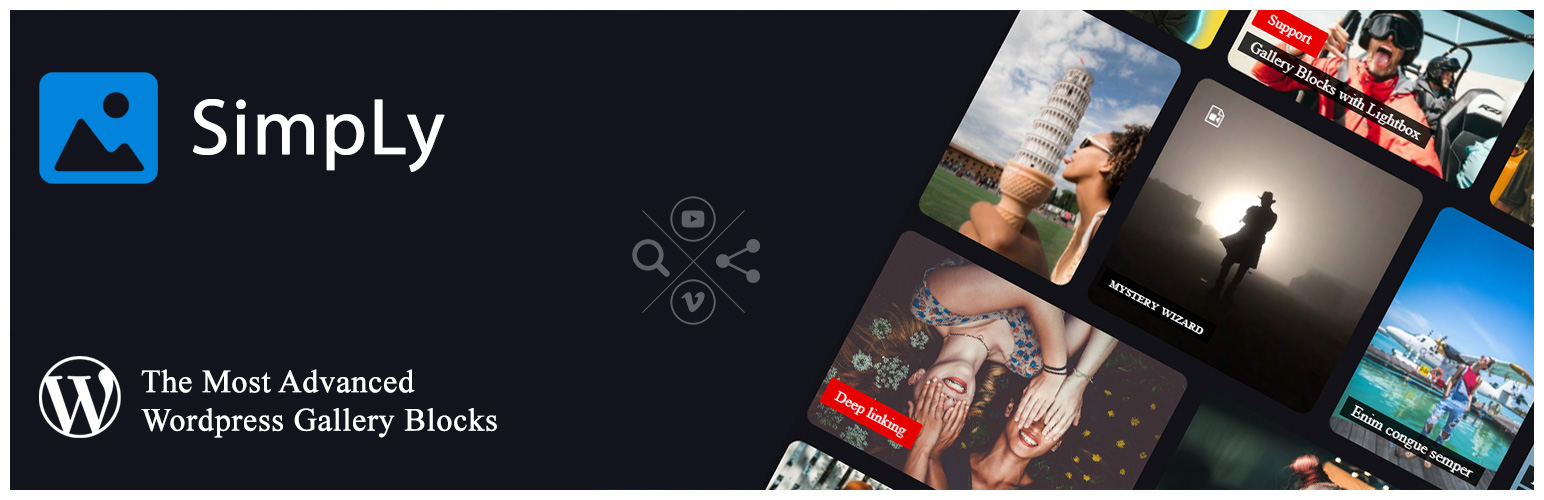
SimpLy Gallery 是一款強大的 WordPress 外掛,專為建立響應式照片畫廊、影片畫廊及相簿而設計,支援多媒體內容,讓使用者能在 WordPress 區塊編輯器中輕鬆創建豐富的媒體展示。
【主要功能】
• 支援圖片、HTML5 影片、音訊及 YouTube、Vimeo 媒體
• 包含 8 種專用畫廊區塊及視覺控制
• 提供多種響應式佈局選擇
• 內建輕量級的 YouTube 和 Vimeo 畫廊
• 可重複使用的短碼及已儲存畫廊
• 相簿功能可將畫廊分組
外掛標籤
開發者團隊
📦 歷史版本下載
原文外掛簡介
SimpLy Gallery Blocks is a powerful WordPress gallery plugin for building responsive photo galleries, image galleries, video galleries, albums, sliders, and lightbox experiences directly in the WordPress block editor.
Unlike a basic image gallery plugin, SimpLy Gallery Blocks is built for mixed media. You can combine images, self-hosted HTML5 video, audio, YouTube, Vimeo, and VideoPress items in the same gallery workflow.
The core plugin includes 8 dedicated WordPress gallery blocks, saved galleries, reusable shortcodes, album pages, and a built-in lightbox for both SimpLy galleries and native WordPress gallery content.
It is designed for creators, photographers, agencies, educators, publishers, WooCommerce stores, and media-heavy websites that need more than a simple photo grid.
Key strengths
Mixed media in one gallery: images, HTML5 video, audio, YouTube, Vimeo, and VideoPress.
Block editor-first editing with 8 included gallery blocks and visual controls.
Multiple responsive layouts for different presentation styles.
Lightweight YouTube and Vimeo galleries with one active video embed at a time.
Static gallery content by default, similar to native WordPress gallery blocks.
Albums for grouping real saved galleries under one visitor-friendly entry point.
Page-level lightbox manager for Image blocks, Gallery blocks, linked images, and SimpLy galleries.
Saved galleries and shortcodes for reuse across pages, posts, and theme areas.
SimpLy Media Assistant for organizing, finding, uploading, and reusing WordPress media with SimpLy folders and tags.
Quick static gallery creation from SimpLy folders and tags with Import Media from SimpLy Folders/Tags.
SEO-friendly media visibility with static fallback HTML output.
Uses standard WordPress media sizes without creating extra image copies.
Albums, Album Navigator, and Tags Filter available in the core gallery workflow.
Items Manager with bulk selection for faster tag management.
Admin-controlled random gallery order without adding extra controls for visitors.
Optional Media Library and media picker integration, so site owners can choose how deeply SimpLy Assistant appears in their admin workflow.
PRO dynamic gallery sources for larger media libraries, folder-based galleries, and video workflows.
Mobile-friendly output with responsive controls for desktop and smaller screens.
Ready out of the box
The core plugin includes the main gallery workflow: 8 WordPress gallery blocks, Albums, Album Navigator, Saved SimpLy Gallery, Tags Filter, mixed media support, video poster generation, lightweight YouTube / Vimeo playback, SEO-friendly media output, SimpLy Media Assistant, and SimpLy Lightbox for both SimpLy galleries and native WordPress Image / Gallery blocks.
PLUS is focused on more layouts and visual customization. PRO includes PLUS features and adds dynamic gallery sources for building galleries and collections from SimpLy folders, YouTube, Vimeo, WooCommerce, FileBird, Media Library Assistant, and other supported sources.
Who it is for
Photographers and visual artists who need portfolio-style galleries.
Video creators and educators publishing YouTube, Vimeo, or self-hosted video collections.
Agencies and site builders who need reusable gallery blocks and presets.
Publishers, bloggers, and WooCommerce stores with media-rich content.
WordPress users who want gallery blocks, albums, and lightbox behavior in one plugin.
Common use cases
SimpLy Gallery Blocks can be used for many common WordPress media workflows:
Photography portfolios, client galleries, event albums, and project galleries.
Mixed media galleries with images, self-hosted video, audio, YouTube, Vimeo, and VideoPress items.
Blog posts and long-form articles where separate Image blocks and native Gallery blocks should open in one lightbox story.
Product galleries, lookbooks, catalog previews, and WooCommerce media collections.
Course pages, tutorials, documentation, and educational content with many video items.
Reusable gallery sections for landing pages, portfolio pages, sidebars, templates, and Elementor layouts.
Organizing large WordPress Media Libraries with SimpLy folders and tags before creating galleries.
Quickly creating static galleries from existing SimpLy folders or tags without manually selecting every attachment again.
Create and reuse galleries anywhere
You can create galleries directly inside posts and pages, or save them as reusable SimpLy galleries.
Saved galleries can be published as their own public gallery pages, inserted with shortcodes, embedded with the Saved SimpLy Gallery block, displayed through the Elementor widget, or grouped into Albums and Album Navigator layouts.
This makes it possible to design a gallery once and reuse it in different places while keeping the same media collection and presentation style.
SimpLy Media Assistant
SimpLy Media Assistant is an admin workflow for organizing and reusing WordPress media more efficiently. It is available from Media > SimpLy Assistant.
The Assistant helps you browse media, filter by SimpLy folders and tags, upload files, assign media to folders or tags, and prepare media collections before publishing them in galleries.
All users can use SimpLy Media Assistant and SimpLy folders/tags organization tools. The free plugin also includes the Import Media from SimpLy Folders/Tags workflow in SimpLy gallery blocks, so you can quickly create a normal static gallery from media already organized in a SimpLy folder or tag.
SimpLy Assistant integration is flexible. Site owners can choose whether to show SimpLy folders in the WordPress Media Library, add the Assistant to native WordPress media pickers, or use the SimpLy Media Picker as the main picker for SimpLy gallery blocks.
This is useful when SimpLy Gallery is the main media organization tool on a site, but it also keeps the plugin friendly to sites that already use another Media Library organizer. You can decide how much of the Assistant appears in your admin workflow from the plugin settings.
PRO users can also build dynamic galleries from selected SimpLy folders, including folder-based sources that can update automatically instead of becoming a one-time static gallery snapshot.
Gallery blocks and layouts
SimpLy Gallery Blocks includes 8 WordPress gallery blocks for common presentation needs:
Masonry Gallery Block
Justified Gallery Block
Grid Gallery Block
Slider / Carousel Gallery Block
Viewer Gallery Block
Albums Block
Album Navigator Block
Saved SimpLy Gallery Block
PLUS adds more gallery layouts and visual customization options, including Portfolio, Showcase, TagsBox, List, Split Carousel, Horizon, Accordion, and Diamond blocks. PRO includes PLUS features and adds dynamic gallery sources for building galleries and collections from external or structured content.
Mixed media support
Galleries can combine different media types in one place. You can build galleries with WordPress media library images, self-hosted MP4 video, MP3 audio, YouTube, Vimeo, and VideoPress content.
For self-hosted video, the plugin includes a poster generator so you can select a video frame and use it as the featured image for the video item.
Video poster generator
For self-hosted video items, SimpLy Gallery includes a poster generator directly inside the Items Manager. Open the video item menu, choose Add Poster, and either select an image from the WordPress Media Library or capture a frame from the video itself.
When you use a video frame, SimpLy Gallery creates a new WordPress media attachment from that frame and uses it as the poster image for the video item.
A good poster image is important for native HTML5 video. It gives visitors a clear preview before playback, avoids relying on the browser to load the first video frame, and can improve compatibility on mobile devices and older browsers where first-frame previews may be inconsistent.
Lightweight YouTube and Vimeo galleries
SimpLy Gallery can display large YouTube and Vimeo video collections without loading every video player at once. Video galleries are thumbnail-first: the actual embedded player is created only when a visitor opens a video.
When another video is selected, the previous player is stopped and removed from the page, and the new video player is embedded on demand. This keeps pages lighter even when a gallery contains many video items.
This one-active-embed behavior works for manually added YouTube and Vimeo videos in the free plugin, across gallery layouts and in the lightbox. PRO adds dynamic video sources such as YouTube Feed and Vimeo collections.
Static by default, dynamic when needed
Standard SimpLy galleries are static by default, similar to native WordPress gallery blocks. Gallery content is saved with the post as block attributes and updates when you edit the gallery in the WordPress admin.
This keeps the basic gallery workflow predictable and lightweight because the media list does not need to be rebuilt on every page load.
When you need automatic updates, PRO dynamic gallery modes can rebuild gallery content from supported sources and cache the result for a custom number of hours per block.
WordPress media sizes, no extra image copies
SimpLy Gallery Blocks does not create additional image copies in the WordPress Media Library. For normal gallery display, the plugin uses standard WordPress image sizes, mainly Medium size for thumbnails and Large size for lightbox viewing.
If the Medium size image is too small for a specific frontend layout, SimpLy Gallery can use the Large size image for the thumbnail area when needed. This happens on the frontend with JavaScript and does not create new files in the Media Library.
If you want higher quality thumbnails or larger lightbox images, adjust your WordPress media settings in Settings > Media before uploading images. Existing uploads may need thumbnail regeneration after changing these settings.
PLUS / PRO options can also display the original image size when maximum image quality is needed.
SEO-friendly media visibility
Media Indexing is enabled by default. SimpLy Gallery can expose gallery media to search engines using static fallback HTML for images, video, and audio.
The recommended fallback mode renders media HTML inside a noscript tag, so visitors with JavaScript enabled keep the interactive gallery experience while search engines and no-JavaScript contexts can still detect gallery media.
An inline HTML fallback mode is also available for all users when maximum compatibility is needed.
Albums
Albums let you combine multiple saved galleries into one collection with a dedicated splash page. This is useful for events, portfolios, projects, travel collections, courses, product collections, or any site where related galleries should be presented together.
Each saved gallery can keep its own design and can also be published separately as a public gallery page, inserted with a shortcode, embedded with the Saved SimpLy Gallery block, or displayed with the Elementor widget.
Album content can load saved gallery content on demand via AJAX and open it in a modal view, helping large gallery collections stay lighter on the initial page load.
Albums and Album Navigator are available in the free plugin. PLUS adds more visual customization options, and PRO allows Album Navigator to use dynamic galleries from supported sources.
Tags Filter
Tags are managed directly inside the gallery block. In the Items Manager, each gallery item has a Tag menu where you can type tags separated by commas or choose from previously used SimpLy Tags.
Items Manager also includes a multi-select mode, so you can select a group of gallery items and add or remove tags for all selected items at once.
When Tags Filter is enabled for the block, those tags appear above the gallery so visitors can filter gallery items on the frontend.
The basic Tags Filter is available for gallery blocks in the free plugin. PLUS / PRO plans add more control over which tags appear in a specific gallery or block, along with advanced options such as deep linking.
Gallery ordering
Gallery order is controlled by the site owner in the WordPress admin. In addition to manual ordering, galleries can use random ordering so the frontend displays a randomized set or order of items.
Random ordering is intentionally an admin setting, not a visitor-facing frontend button. This keeps the public gallery interface clean while still giving site owners control over how gallery content is presented.
Page-level lightbox for WordPress content
SimpLy Lightbox is more than a lightbox for SimpLy galleries. It can also work with regular WordPress content, including Image blocks, Gallery blocks, linked images, and Classic Editor gallery content.
When WordPress Image or Gallery blocks use the “Link images to media files” option, SimpLy Lightbox can open those images in a lightbox and group images from the same post or page into a browsable lightbox set.
This means visitors can open one image and use next / previous navigation to browse other images from the page. Separate Image blocks and native Gallery blocks can also be grouped together, so a post can behave like one photo story instead of many isolated images.
Global lightbox defaults are managed from SimpLy Gallery > Lightbox for native WordPress Gallery. Each post or page can also have its own lightbox settings through the SimpLy Lightbox editor sidebar, opened from the lightbox icon in the editor toolbar.
Lightbox features include touch gestures, keyboard navigation, mouse wheel controls, zoom, thumbnails, fullscreen mode, slideshow, captions, and social sharing.
YouTube Feed and dynamic galleries
The YouTube Feed module turns YouTube playlists into a curated gallery workflow inside WordPress. You can build internal playlists, publish them with Quick Gallery Link, or use Dynamic Gallery Builder in the PRO plan for full design control.
PRO dynamic gallery sources include:
SimpLy folders
YouTube playlists
Vimeo showcases, albums, user uploads, channels, and categories
WooCommerce products, categories, and tags
FileBird media folders
Media Library Assistant attachment categories and tags
SimpLy tags
Free, PLUS, and PRO
The core gallery blocks, mixed media workflow, albums, and lightbox features are available in the free plugin. PLUS adds more layouts and visual customization options. PRO includes PLUS features and adds dynamic gallery sources for building galleries and collections from supported data sources.
Privacy and data collection
SimpLy Gallery Blocks does not require cookies for the gallery and lightbox features to work, and the plugin does not collect visitor data.
Gallery content is managed inside WordPress using standard posts, media attachments, block attributes, plugin settings, and saved gallery data. External media services such as YouTube or Vimeo may apply their own privacy behavior when their embedded players are loaded.
Main demos
Gallery blocks demo
YouTube Feed
Albums Block demo
Album Navigator Block demo
SimpLy Lightbox and WordPress Native Gallery demo
YouTube and Vimeo Gallery demo
More layout demos
Viewer Gallery Block
Slider / Carousel Gallery
Tags Filter
Advanced Tags Filter
Showcase Gallery Block – PLUS layout
Diamond Gallery Block – PLUS layout
Horizon Gallery Block – PLUS layout
Split Carousel Block – PLUS layout
TagsBox Gallery Block – PLUS layout
Portfolio Gallery Block – PLUS layout
Short demo
This video shows how to create a photo gallery with a SimpLy Gallery block:
You can transform the same gallery content between Masonry, Justified, Grid, and WordPress image gallery layouts without rebuilding the gallery from scratch.