
內容簡介
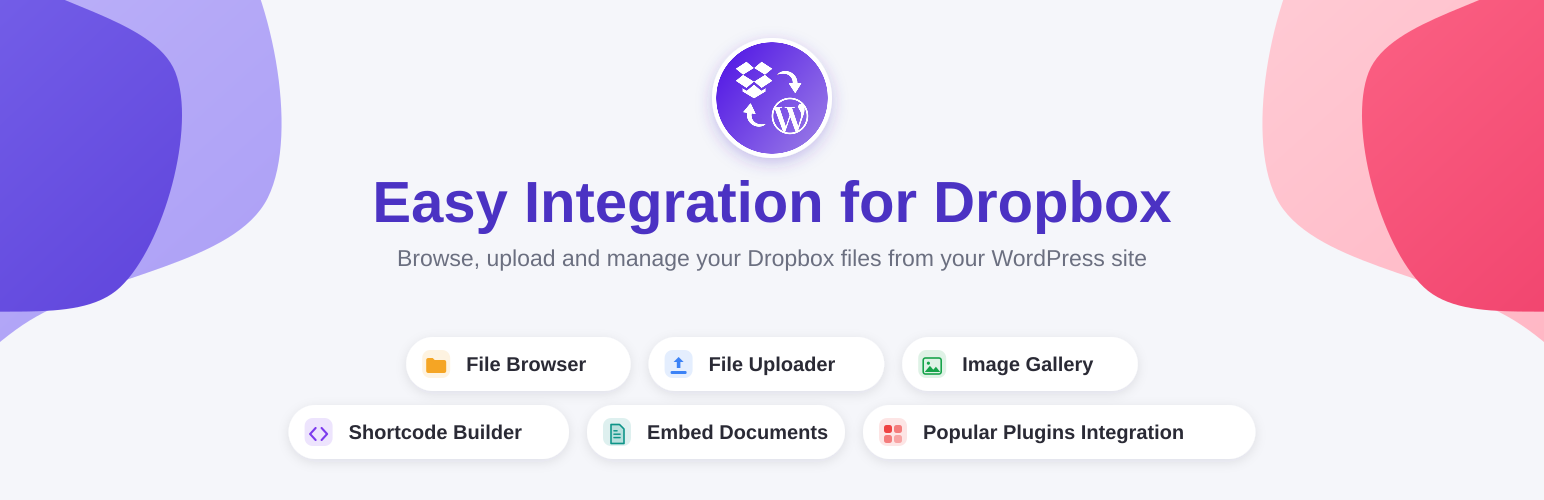
Easy Integration for Dropbox – File Manager 讓您的 WordPress 網站直接連接到 Dropbox,無需使用伺服器儲存空間即可瀏覽、嵌入、上傳和管理檔案。這個外掛提供簡單的下載連結、完整的圖片畫廊,並允許訪客直接上傳檔案到您的 Dropbox 帳戶。
【主要功能】
• 檔案瀏覽器:從 WordPress 控制台瀏覽和管理 Dropbox 檔案
• 短碼生成器:視覺化創建文件和圖片畫廊的嵌入
• 檔案上傳器:將上傳器放置於任何頁面或表單中
• 檔案預覽器:支援 PDF 和圖片的響應式預覽
• 支援 Gutenberg、Elementor 和 Divi:與現有的頁面建構器無縫整合
外掛標籤
開發者團隊
② 後台搜尋「Easy Integration for Dropbox – File Manager」→ 直接安裝(推薦)
📦 歷史版本下載
原文外掛簡介
Easy Integration for Dropbox – File Manager connects your WordPress site directly to Dropbox, so you can browse, embed, upload, and manage files without ever touching your server’s storage. Your files stay in Dropbox — WordPress just displays and manages them.
Whether you need a simple download link, a full image gallery, or a way for visitors to upload files straight into your Dropbox account, the shortcode builder, Gutenberg blocks, and page-builder widgets get you there in minutes — no code required.
💡 Why Choose Easy Dropbox Integration?
✅ Save server space — Dropbox stores the files, not your WordPress host, so large media libraries never eat your hosting quota.
✅ No coding required — a visual shortcode builder plus Gutenberg, Elementor, and Divi support handle the setup.
✅ Built-in previews — PDFs, Office documents, images, and video open in a responsive popup, no download needed.
✅ Form-ready uploads — connect Contact Form 7 (or WPForms, Ninja Forms, and more with PRO) so submissions upload straight to Dropbox.
✅ SEO-friendly embeds — shortcodes render clean, crawlable markup instead of files hidden behind a Dropbox login wall.
✅ Scales with PRO — add multiple Dropbox accounts, sync with the WordPress Media Library, and more when you need it.
🚀 Key Features
File Browser – Browse, search, and organize Dropbox files and folders from the WordPress admin.
Shortcode Builder – Visually create embeds for documents, image galleries, view links, and download links.
File Uploader – Drop an uploader into any page, post, or Contact Form 7 form; submissions save straight to Dropbox.
File Previewer – Responsive popup previews for PDFs, Office documents, images, and more, powered by lightGallery and the Microsoft Office viewer.
Gutenberg, Elementor & Divi Support – Native blocks and a module for the page builder you already use.
👥 Perfect For
Agencies & freelancers managing client files without server storage limits.
Course creators & membership sites delivering downloadable resources.
Real estate & portfolio sites embedding image galleries and documents.
Businesses collecting files from customers through Contact Form 7 (or WPForms/Ninja Forms with PRO).
⚡ Getting Started in 3 Steps
Install and activate the plugin, then connect your Dropbox account from Dropbox → Connect Dropbox using the guided OAuth flow.
Open Dropbox → Shortcode Builder and create an embed for a document, gallery, or download link.
Paste the generated shortcode into any page or post — or use the Gutenberg block, Elementor widget, or Divi module instead.
✨ Free Features
⚙️ Easy Setup
Connect your Dropbox account in a few clicks with the guided OAuth flow.
🗂️ File Browser
Browse, search, and manage Dropbox files and folders directly from the WordPress admin.
⏫ File Uploader
Let visitors upload files straight to Dropbox from a shortcode, Gutenberg block, or Elementor widget.
🔍 File Search
Add a lightweight search box so visitors can quickly find Dropbox files by name.
📝 Shortcode Builder
Visually create SEO-friendly embeds for folders, documents, galleries, and download links.
👁️ File Previewer
Show a responsive preview popup for PDFs, images, Office documents, and other files — no download required.
🔀 Contact Form 7 Integration
Add a Dropbox uploader to Contact Form 7 so submitted attachments save directly to Dropbox instead of your server.
🚀 PRO Features
Unlock more with Easy Dropbox Integration PRO:
🔒 User Private Files
Give logged-in users their own private Dropbox folder with per-user visibility controls for uploads and downloads.
📚 WordPress Media Library Integration
Sync Dropbox folders into the WordPress Media Library so you can reuse files in posts, blocks, and widgets like any other upload.
🔐 Multiple Dropbox Accounts
Connect and switch between several Dropbox accounts without re-authenticating — ideal for agencies managing multiple clients.
📁 Dropbox Team Folders
Use your Dropbox Business Team root as the plugin’s root folder. Review existing shortcodes and linked folders first, since the root will no longer be your personal folder.
🎬 Media Player in Shortcode Builder
Play audio and video directly through shortcode embeds, no extra configuration needed.
📡 Media Streaming
Stream media assets from Dropbox with optimized buffering for smooth playback.
🎠 Slider Carousel Layouts
Display folder contents as a touch-friendly carousel to spotlight featured files.
💾 Storage Syncing
Keep Dropbox and WordPress media in sync automatically so files stay available wherever they’re used.
📊 Statistics & Email Reports
Track downloads, uploads, previews, streams, and searches with top files, top users, a daily events chart, and a filterable, exportable event log — with optional scheduled email reports.
🔌 Integrations
Included free:
– Gutenberg Block Editor – native blocks for embedding Dropbox content.
– Elementor Page Builder – dedicated widgets for folders, galleries, and uploaders.
– Divi Page Builder – embed Dropbox shortcodes inside Divi.
– Contact Form 7 – upload form attachments straight to Dropbox.
Available in PRO:
– WooCommerce – sell Dropbox files as downloadable products.
– Easy Digital Downloads – sell Dropbox files as downloadable products with a “Choose from Dropbox” picker.
– Dokan – multivendor marketplaces where each vendor connects their own isolated Dropbox account and attaches Dropbox files to their products.
– WPForms
– Ninja Forms – Dropbox file uploaders for form submissions.
– Gravity Forms, Fluent Forms, Formidable Forms & MetForm – Dropbox uploaders for each form builder.
– Elementor Pro Forms – a Dropbox file uploader field for Elementor’s own form widget.
– Tutor LMS – use Dropbox files as lesson or course videos, plus downloadable lesson materials.
– MasterStudy LMS – attach Dropbox-hosted files to a lesson’s materials.
– Advanced Custom Fields (ACF) – a “Dropbox File” field type usable in any field group, on any post type.
🗺️ Roadmap
We’re actively expanding support to more page builders, form plugins, and LMS platforms — let us know what you’d like to see next.
📚 External Libraries & Third-Party Services
This plugin relies on the following third-party libraries and services:
– Dropbox PHP SDK — communicates with the Dropbox API to browse, upload, and manage files.
– lightGallery — renders responsive image, video, and document galleries and previews.
– Flaticon — provides interface icons.
– Google Docs Viewer (docs.google.com/viewerng/viewer) — embeds PDF previews.
– Microsoft Office Viewer (view.officeapps.live.com) — embeds Office document previews.
🔐 Data Privacy
Connecting Dropbox requires your own Dropbox App (see the FAQ below) — the plugin does not use a shared or default Dropbox App. When you complete the OAuth flow from Dropbox → Connect Dropbox, your site talks directly to Dropbox’s own authorization servers, and Dropbox redirects back to your site once you approve access.
No ultraDevs server is involved in this exchange, and your files are never stored on or transferred through our infrastructure. All file operations happen directly and securely between your server and Dropbox’s API.
See the ultraDevs Privacy Policy for how we handle other data, such as license and support information.
💬 Support, Docs & Community
🆘 Free Support Forum
📖 Documentation
🎥 Video Tutorials
💬 Live Chat on Facebook
👥 Facebook Community Group
📺 YouTube Channel
🐦 Twitter/X
📸 Instagram
Made with ❤️ by ultraDevs.











