內容簡介
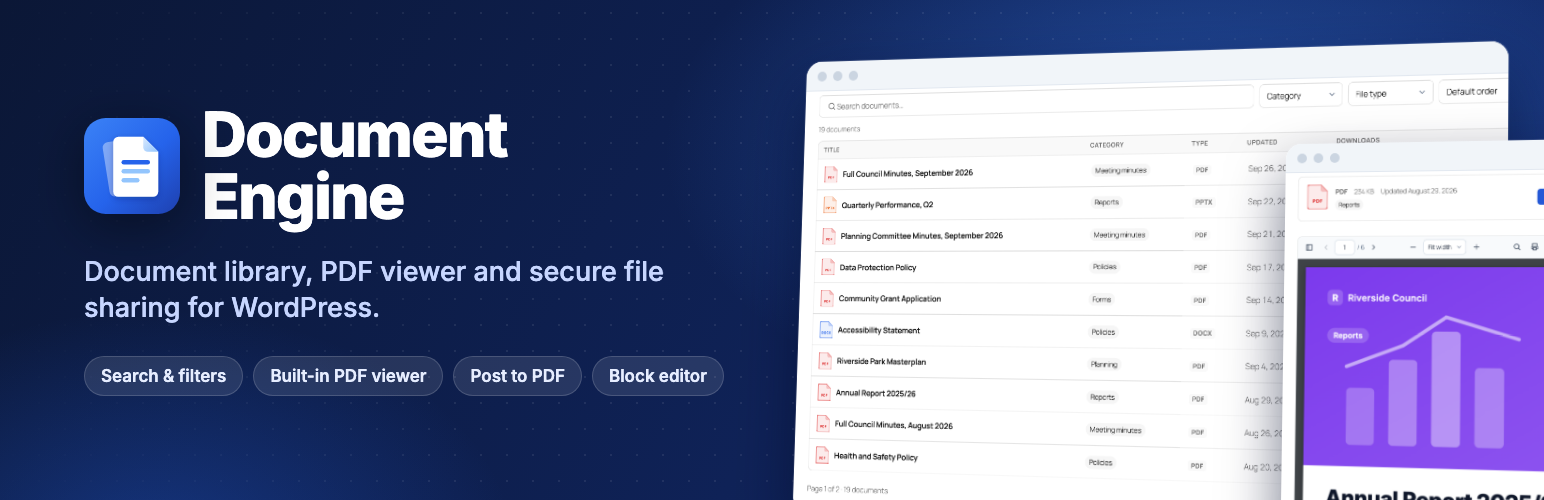
Document Engine 將 WordPress 轉變為一個可供訪客使用的文件庫,讓使用者能夠快速搜尋和篩選政策、會議紀錄、報告等文件,並可將任何文章或頁面儲存為 PDF。此外掛專為區塊編輯器設計,無文件限制,且無廣告及時間限制。
【主要功能】
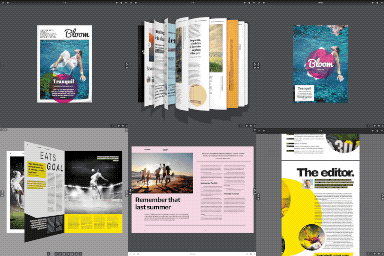
• 文件庫:支援表格、網格及資料夾佈局,具即時搜尋功能
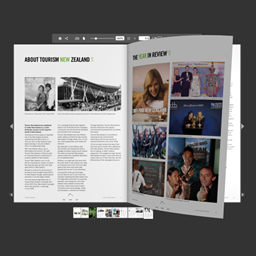
• PDF 檢視器:自我托管的檢視器,具搜尋及縮圖功能
• 文件存取控制:支援草稿及密碼保護文件
• 記錄與合規:下載次數及可存取格式請求
• 轉換為 PDF:可自訂標頭、頁腳及 CSS
• 自動化功能:支援從三個外掛遷移及批次匯入
外掛標籤
開發者團隊
② 後台搜尋「Document Engine – Document Library, PDF Viewer & Post to PDF」→ 直接安裝(推薦)
📦 歷史版本下載
原文外掛簡介
Document Engine turns WordPress into a document library your visitors can actually use. Publish policies, meeting minutes, reports, forms and guides; let people search and filter them instantly; show PDFs in a fast viewer that runs on your own site; and let visitors save any post or page as a PDF.
It is built for the block editor, works with any theme, and the free plugin has no document limits, no ads and no time limits.
Made for councils and public bodies, schools and universities, housing and community associations, intranets and HR teams, nonprofits, law and accounting firms, and member sites.
Try it live · Documentation · Free vs Pro · Pro features · Pricing
Free vs Pro at a glance
The free plugin is complete on its own. Document Engine Pro adds control, proof and scale for organisations, in the same screens.
Document library. Free: table, grid and folder layouts, instant search, multi-select filters with counts, preview popup. Pro adds custom-field columns and filters, search inside files and ZIP downloads.
PDF viewer. Free: self-hosted viewer with search, thumbnails, outline and links. Pro adds a secure view-only mode with the reader’s name on every page, and reading analytics.
Who can open what. Free: drafts, private and password-protected documents (their files stay in the public uploads folder). Pro adds members-only documents by role, person or category, private file storage and tracked share links.
Records and compliance. Free: download counts and accessible-format requests. Pro adds an audit log, read-and-confirm with evidence export, versions, and review and expiry dates.
Post to PDF. Free: a Download PDF button with header, footer, custom CSS and PDF permissions. Pro adds text and image watermarks and Handbook PDFs.
Moving in and automation. Free: migration from three plugins, blocks, shortcodes and Elementor widgets. Pro adds bulk and CSV import, submissions, webhooks, Slack and Teams, and WP-CLI.
Support. Free: the community forum. Pro: email support, priority on the Agency plan.
Compare every feature · See what Pro adds · Pro plans from $79 a year
Why Document Engine
A real document library, free. Table, grid and folder layouts with instant search, filters with counts, multi-select filters, click-to-sort columns and shareable links, all in the free plugin.
A private PDF viewer. Built on PDF.js and served from your own site: no Google Docs viewer, no third-party requests, so it works on intranets and staging sites and helps with GDPR.
A complete PDF viewer, free. Search inside PDFs, page thumbnails and outline, clickable links, links to a page (#page=4), print, download and full screen.
One link per document, for good. Downloads are counted (bots ignored), and replacing the file keeps the same link, so emails and printed QR codes never break.
Accessibility first. Keyboard and screen-reader friendly libraries, viewer and admin screens, checked with automated WCAG 2.1 AA tests, plus an optional “Request an accessible version” form.
Document library
Documents with nested categories, tags, a description and their own page. Titles are filled in from the file name.
Document Library block (and [document_engine_library] shortcode, and Elementor widget) with table, grid and folder layouts and a live preview in the editor.
Instant search as visitors type, and it still works without JavaScript.
Filters by category and file type (with document counts), tag, year and author. Visitors sort by clicking a column heading; choose page numbers or a “Load more” button. Turn on “Let visitors pick several” to let people combine categories, tags or file types.
Shareable filtered views: every search and filter has its own address, so you can link straight to “all 2026 minutes”.
Preview popup: PDFs, images, audio and video open in a popup from the library, without leaving the page.
Document Search block: put a search box in your header or home page that shows results in your library.
Document List block: newest, recently updated, most downloaded or related documents, and optional related documents under each document page.
Document Download block: one document as a card or a button, anywhere.
Documents in your site search, with file type and size, and downloads in Google Analytics (GA4 file_download events).
Download or open: set it for the whole site, or per document.
Any file type: PDF, Word, Excel, PowerPoint, images, audio, video, archives, or a link to a file on another site (for example a Google Drive, Dropbox or OneDrive share link).
Turn existing files into documents: select them in Media → Library and choose Create documents.
Mobile friendly: libraries adapt to phones and narrow columns and use your theme’s fonts and colours.
PDF viewer
Self-hosted PDF.js viewer with page navigation, zoom, fit to width or page, print, download and full screen; each control can be switched off.
Search inside the PDF with highlighted matches.
Page thumbnails and outline (bookmarks) sidebar.
Clickable links inside PDFs, including links to other pages of the same PDF.
Link to a page: add #page=12 to a document’s address.
Fast: the viewer loads when it scrolls into view and renders pages as you read. Text stays selectable.
Show a document, a Media Library PDF or a PDF from another site with the PDF Viewer block or [document_engine_viewer].
Document pages
Every document gets a clean page with its file type, size, last update, categories, a download button and, for PDFs, the viewer. Pages can be switched off, and templates overridden in your theme.
Post to PDF
A “Download PDF” button on the post types you choose, placed before or after the content, or anywhere with the Save as PDF block or [document_engine_pdf_button].
Header logo, title and page numbers, footer text, paper size (A4, Letter, Legal, A5, A3), your own fonts (including Chinese, Japanese, Korean), orientation, margins, custom CSS. Right-to-left languages are supported.
Optional PDF protection (print, copy and edit permissions).
PDF-only shortcodes for page breaks, columns and content hidden from the PDF.
Fast and safe: generated PDFs are cached, each visitor has a per-minute limit, and only public content is exported (never private or password-protected posts).
Moving from another plugin
Document Engine copies your documents from Document Library (Barn2), Download Monitor, WordPress Download Manager, Simple Download Monitor and Simple File List: titles, descriptions, categories, tags, files, download counts, dates and passwords. You see a preview first, the original data is never changed, and old shortcodes and download links keep working afterwards.
For editors and admins
QR code for every document (PNG or SVG) to print on notices, agendas and handouts.
Command palette (Ctrl/Cmd + K): add a document or jump to any document from anywhere in the admin.
Documents list with file type and size, category and download counts, and filters by category and file type.
Roles: choose which roles manage all documents, publish their own, or only draft.
Documentation built in under Documents → Docs.
Multilingual: WPML and Polylang configuration included.
Ready for AI assistants: the WordPress Abilities API lets assistants search and read your library, only ever returning documents the signed-in user may open.
Document Engine Pro
The free plugin publishes documents. Pro controls who can open them, proves who read them, and keeps them up to date, for councils, schools, HR teams, intranets, client portals and member sites.
Pro is an add-on: install it next to the free plugin and its features appear in the same screens. Your documents, pages and settings stay exactly as they are. See Document Engine Pro
Pro is for you if you need to…
Publish staff-only or members-only documents without a membership plugin: restrict a document, or a whole category, to logged-in users, chosen roles or named people.
Stop files being shared by their address: restricted files move out of the public uploads folder and are only served to people allowed to open them.
Send a document to someone outside your site, such as an auditor, a board member or a client, with a link that expires and tells you when they opened it.
Make staff confirm they’ve read a policy, with deadlines, reminders and evidence you can export for an inspection or audit.
See which documents people read, for how long, and what they search for but can’t find.
Collect leads before a download (name, email, consent), for brochures, reports and whitepapers.
Keep a register of documents with your own fields (reference number, department, review date) that visitors can filter and sort by.
Move hundreds of files in at once from a spreadsheet, and keep them current with versions, review dates and automatic expiry.
Everything Pro adds
Screenshots and details of every feature are on the Document Engine Pro page.
Access control
Members-only documents by logged-in users, roles, named people or membership levels (Paid Memberships Pro, WooCommerce Memberships), per document or category.
Restricted documents shown with a lock or hidden from people who can’t open them, and left out of site search, feeds and file-content search.
Private file storage for restricted files, with a Site Health test that checks the folder really is private (and shows the nginx rule when it isn’t).
Share links for people without an account: expiring, named per recipient, with open tracking, single-use or limited uses, an optional email on first open, and one-click revoke.
“My documents” block: a client or staff area listing the documents shared with the signed-in person, with what’s new since their last visit.
Secure viewing and downloads
Secure viewer for PDFs: read-only, with no download, print or copy buttons, and the reader’s name, email and date watermarked on every page.
Stamped PDF downloads: every downloaded PDF carries the reader’s details.
Email gate: name and email (and optionally organisation) with your consent text before a download; returning visitors pass straight through. Leads are listed, exported to CSV, emailed to you or sent to a webhook (Zapier, Make), and deleted after your retention period.
Accept terms: everyone ticks “I agree” to your licence or disclaimer before opening a document; each acceptance is logged.
Office previews (opt-in): Word, Excel and PowerPoint files shown with Microsoft’s viewer, on the document page and in the popup.
Abuse protection: a daily limit on how many different documents one person can open, and Cloudflare Turnstile on the email gate, request and submission forms.
Proof and insight
Activity log of views, downloads, blocked attempts, leads and share-link opens, with charts, top documents, filters and CSV export. No IP addresses are stored; entries are deleted after your retention period.
Reading analytics: time spent on each page of a PDF and how far people read.
Search insights: what visitors search for, and the searches that found nothing.
Read and confirm: ask chosen roles to confirm “I have read and understood”, with deadlines, reminder emails, a Required Reading block, new rounds after an important change, and an evidence export (who, when, the statement they confirmed and a fingerprint of the file).
Views in the last 30 days and access status right in the documents list.
Keeping documents current
Versions: replace a file without changing its link, see the history and restore any version. Upload a new version from the documents list (or drop a file onto a row).
Review-by and expiry dates, with a daily email of documents due for review; expired documents are unpublished automatically.
Custom fields (text, number, date, choice list, yes/no, link, email) shown as library columns, filters with counts and sort options, on document pages and in search. Works with Advanced Custom Fields.
PDF accessibility check that flags untagged, scanned or untitled PDFs in the documents list.
Scale and automation
Search inside PDF, Word (.docx), Excel (.xlsx), PowerPoint (.pptx), OpenDocument and plain text files, up to 30 MB, in libraries and site search (not older .doc, .xls and .ppt files or linked files).
Automatic PDF thumbnails for grid layouts (when your server can make PDF previews).
Bulk upload (drag and drop many files) and CSV import, including updates by ID and custom-field columns.
ZIP download: visitors select several documents in a table library and download them as one ZIP (up to 100 files and 250 MB).
Front-end submissions: chosen roles upload documents from a page, with allowed file types, a size limit and moderation.
Watermarks on Post to PDF: text or image, with placeholders such as {name} and {date}.
Handbook PDF: many posts in one PDF with a cover and table of contents, for admins or visitors ([document_engine_handbook]).
Notifications: signed webhooks (for Zapier, Make or your own system), Slack or Microsoft Teams messages, and email subscriptions by category with a Subscribe block and one-click unsubscribe.
AI assistant in the editor that suggests a title, summary, categories and tags from the file’s text for you to review. It uses the AI provider connected in WordPress 7.0+ (Settings → Connectors); Pro stores no keys.
More for AI agents: abilities to read a document’s text (never for secure documents) and to list documents due for review.
WP-CLI: list, import, stats, reindex, protect and share.
Personal data export and erase for leads, activity, searches, reading sessions and acknowledgements, and automatic updates with an active licence.
Plans (every plan includes every Pro feature):
Personal: 1 website, $79 a year or $199 lifetime.
Plus: 5 websites, $149 a year or $379 lifetime.
Agency: 25 websites and priority support, $249 a year or $599 lifetime.
Every plan has a 14-day money-back guarantee (refund policy). If a licence expires, Pro keeps working; only updates and support stop.
See Pro plans and pricing
External services
The free plugin works without any external service. It only contacts one in these cases:
Google Docs Viewer (docs.google.com): only for PDF Viewer blocks created with version 1, on sites upgraded from version 1, until you switch on Documents → Settings → PDF Viewer → Version 1 blocks. The visitor’s browser loads Google’s viewer, which fetches the PDF’s address. New installs never use it. Google Terms of Service, Google Privacy Policy.
MatrixAddons licence server (store.mantrabrain.com): only when an administrator enters a Pro licence key on Documents → Free vs Pro to install Pro. The licence key and your site’s address are sent to check the licence and download Pro. Terms and Conditions, Privacy Policy.
Files you link to: documents or viewers that point to a file on another website load that file from that website.
Images in Post to PDF: when a post includes images or stylesheets from another website, your server fetches them from that website while it builds the PDF (local and private addresses are refused).