
外掛標籤
開發者團隊
原文外掛簡介
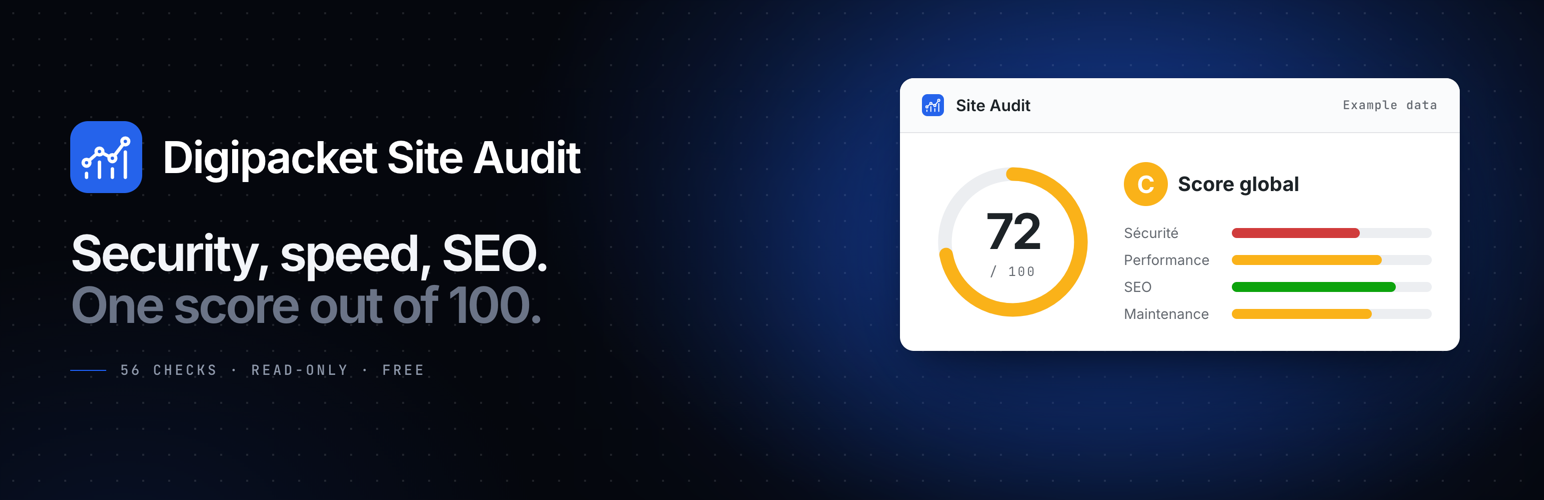
Digipacket Site Audit looks at your WordPress site from the inside and gives it a score out of 100, with a grade from A to E. For every problem it finds, it tells you three things: what was found, why it matters for your business, and how it gets fixed.
The interface, the e-mails and the report are in French. The plugin is translation-ready under the digipacket-site-audit text domain.
56 checks in four groups
Security (23): WordPress, plugin and theme updates, abandoned or closed plugins, HTTPS and the SSL certificate, mixed content, debug mode, exposed backup and log files, the file editor, the “admin” username, administrator accounts, security keys, XML-RPC, user enumeration, directory listing, security headers, login protection, wp-config.php permissions.
Performance (11): PHP version, server response time, page cache, object cache, compression, autoloaded data, database clutter, heavy images, home page assets, number of active plugins, memory limit.
SEO (14): search engine visibility, robots.txt, permalinks, site title and tagline, SEO plugin, home page title and description, H1, XML sitemap, image alt text, mobile viewport, social previews, structured data, site icon.
Maintenance (8): backups, automatic security updates, e-mail deliverability, recent PHP errors, scheduled tasks, disk space, PHP modules, database version.
What you get
An overall score, a grade, a score per group, and the change since the previous scan.
Each problem explained in plain language, with the recommended fix and its level: quick fix, standard job or advanced job.
An optional weekly scan (off by default), with an e-mail when a new critical problem appears or the score drops by 10 points or more.
A printable report you can save as PDF from your browser.
A dashboard widget, and a badge in the admin menu when critical problems are open.
A one-click quote request to Digipacket for the problems you want fixed. Nothing is sent unless you fill in the form and give your consent.
Read-only
Every check only reads. Digipacket Site Audit never changes a setting, a file or your content.
For agencies
The agency name, logo, colour, contact details, starting prices and the address quote requests go to are set in config.php, or with the digipacket_audit_agency_config filter, and cannot be changed from the WordPress admin. Requests can also be sent to a CRM as signed JSON (webhook). Each option is documented in the comments of config.php.
External services
Digipacket Site Audit connects to two external services. Nothing else leaves your site.
WordPress.org Plugins API
Used to find out whether each installed plugin has been closed in the WordPress.org directory or has not been updated there for more than two years.
When: only if you turn on “Statut des extensions” in the settings (it is off by default), during a scan started by you or by the optional weekly scan. While it is off, this check is shown as “Non vérifié” and nothing is sent.
What is sent: the slug (folder name) of each installed plugin, up to 50. No personal data and no site address are added by Digipacket Site Audit. Answers are cached for three days.
Service: api.wordpress.org, operated by WordPress.org. Terms: https://wordpress.org/about/privacy/
Digipacket (quote requests and proactive alerts)
Used to send your quote requests, and the optional proactive alerts, to Digipacket, the agency that provides this plugin. The e-mail is sent by your own server through wp_mail().
Quote request — when: only when you submit the quote form and tick the consent box.
Quote request — what is sent: your name, company, e-mail address, phone number, preferred contact method, urgency and message; the problems you selected and the other problems found; the score; and the site’s address, WordPress and PHP versions, active theme and active plugins.
Proactive alert — when: only if you turn on “Assistance proactive” in the settings (it is off by default), and a weekly scan finds a new critical problem.
Proactive alert — what is sent: the new problems, the score, the WordPress and PHP versions, and the contact details from the plugin’s settings.
Recipient: [email protected], unless the site owner’s agency has set another address in config.php.
Service: Digipacket. Terms: https://digipacket.net/terms — Privacy policy: https://digipacket.net/privacy
A webhook is only used if one is set in config.php. The plugin as distributed has none.







