內容簡介
你是網頁設計師或開發者嗎?還是正在創建插件或主題?你是否發現很難跟蹤你的任務,或者你的記事本總是很亂?
在 WordPress 網站中添加這個實用工具,從主要管理儀表板內創建待辦事項清單。將你的清單放在一個地方,讓其與你的網站/項目有關。
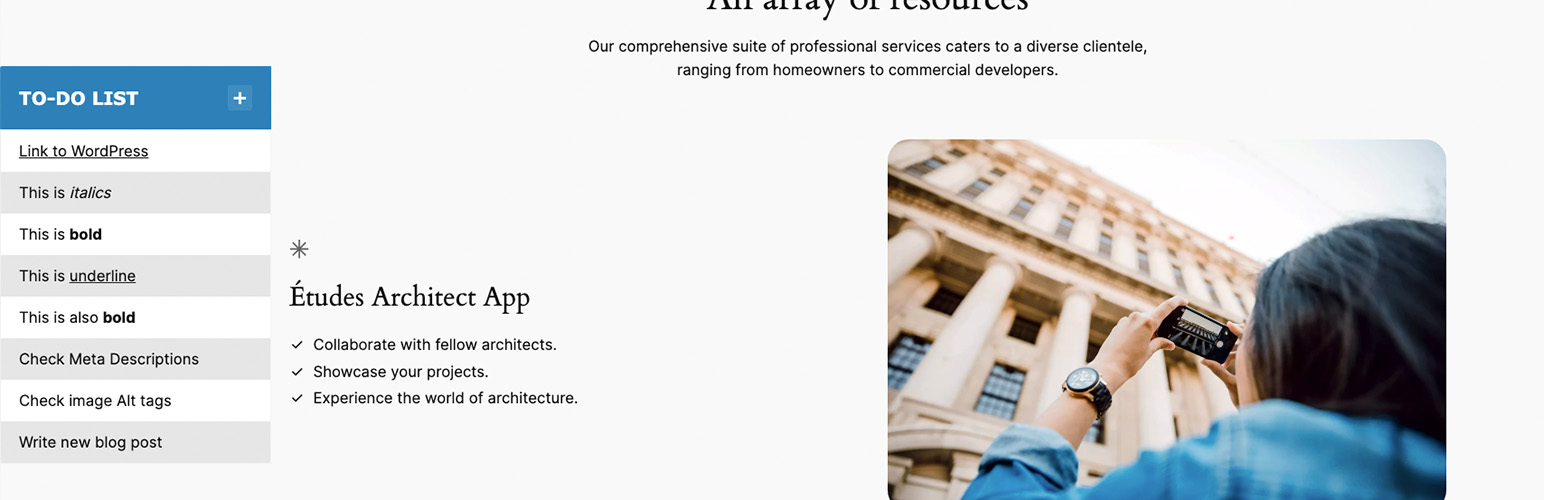
插件還提供了選擇,可以在前端網站上將待辦事項清單顯示為浮動小部件。如果你的網站是公開的,任何人都可以查看,不用擔心,待辦事項清單只對已登錄的管理員可見。
只需安裝並啟用插件,打開你的管理儀表板並編寫你的列表。你可以使用核取方塊啟用其在網站上的可見性。
外掛標籤
開發者團隊
原文外掛簡介
Are you a web designer or developer? Or are you creating a plugin or a theme? Are you finding hard to keep track of your tasks or your notepad is just untidy?
Add this useful tool to your WordPress website, create a to-do list from within the main Admin Dashboard and display it on your website.
Keep your list in one place and specific to your website/project.
Plugin Features
Easily edit your To-Do list from the Admin Dashboard.
Allow Editors to view and edit the dashboard To-Do list widget as well as Administrators.
Display the To-Do list as a floating widget on the frontend of your website.
Choose the position of the floating widget.
Restrict the visibility of the floating widget to logged in Administrators and/or Editors only.
Simply install and activate the plugin, open your Admin Dashboard and write your list.