內容簡介
DailyBuddy 是一款免費的全方位工具包,整合了多項基本的 WordPress 功能,讓使用者無需安裝多個外掛即可輕鬆管理內容、重複文章、設定自訂登入網址等,提升網站效率與使用體驗。
【主要功能】
• 內容資料夾:拖放整理文章、頁面和媒體
• 文章重複:一鍵複製任何文章或頁面
• 自訂登入網址:更改預設登入網址
• 維護模式:顯示維護頁面給訪客
• 媒體替換:替換媒體檔案而不破壞連結
• 10 個 Elementor 擴展:增強編輯器功能
外掛標籤
開發者團隊
② 後台搜尋「DailyBuddy — Free All-in-One Toolkit」→ 直接安裝(推薦)
原文外掛簡介
Stop installing 10 separate plugins for basic WordPress features. DailyBuddy gives you content folders, post duplication, custom login URLs, maintenance mode, media replacement, a classic editor option, AI bot controls, language detection, dashboard widgets, and 10 Elementor extensions — completely free, in one lightweight plugin.
Why install 10 plugins when one does it all?
Content Folders — Organize posts, pages, and media into drag-and-drop folders. No more scrolling through hundreds of files.
Duplicate Posts — One-click duplication of any post or page, including all metadata.
Custom Login URL — Change your default wp-login.php slug to anything you want.
Maintenance Mode — Show a branded maintenance page to visitors while you work on your site.
Media Replace — Swap out media files without breaking any links or references.
Classic Editor — Switch back to the classic TinyMCE editor if Gutenberg isn’t for you.
10 Elementor Widgets — Advanced Accordion, Tabs, Timeline, Gallery, FlipBox, Logo Carousel, Process Steps, Product Card, Content Switcher, and Mega Menu.
All features are modular — enable only what you need, disable the rest. Zero bloat.
Key Features
Dashboard Widgets (6 modules)
Enhance your WordPress admin dashboard with helpful information and productivity tools:
Quick Notes – Personal notes and to-do lists directly in the dashboard.
Quick Stats – Basic site statistics: posts, users, comments, and media counts.
Recent Activity – Recent content activity with timestamps and direct links.
Security Monitor – General security status and system information.
Server & Performance Check – PHP version, memory limit, database version, disk usage, and system health.
User Activity – Recent user activity and currently active users in the admin area.
Elementor Extensions (10 modules)
Additional Elementor widgets and editor enhancements (Elementor required):
Advanced Accordion – Multiple layouts, numbering, icons, and styling options.
Advanced Tabs – Multiple design styles, icon support, scheduled tabs, and Elementor templates.
Content Timeline – Horizontal or vertical timeline layout with dynamic posts and custom content.
Filterable Gallery – Filterable image galleries with multiple layouts, search, and lightbox.
FlipBox – Animated flip box widget for front/back content presentation.
Logo Carousel – Responsive logo carousel/slider with configurable animation.
Process Steps – Snake flow step-by-step widget with connectors, three layout variants, and responsive columns.
Product Card – Product-style content widget with badges, countdowns, and CTAs.
Content Switcher – Toggle between two content sections (e.g. pricing tables).
Mega Menu – Full-featured mega menu with Elementor template support.
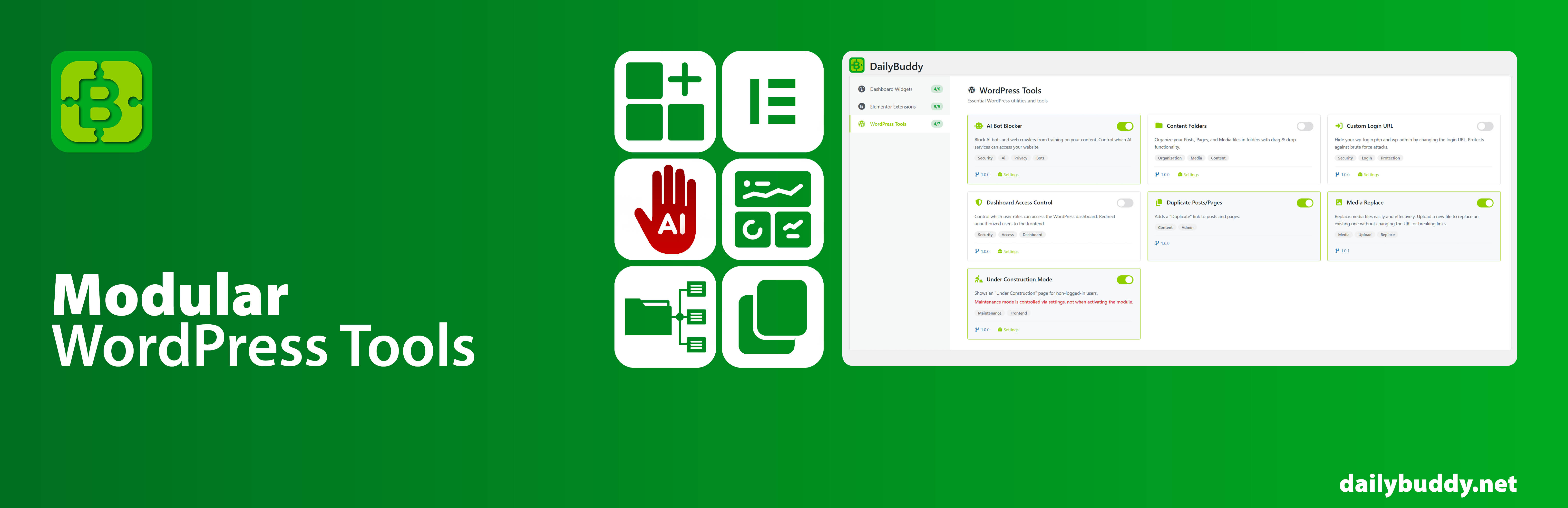
WordPress Tools (9 modules)
Small utilities to improve everyday WordPress workflows:
AI Bot Signals – Robots.txt and meta directives for AI crawler guidance.
Content Folders – Organize posts, pages, and media into drag-and-drop folders.
Custom Login URL – Change the default login URL slug for better security.
Dashboard Access Control – Control dashboard access based on user roles.
Duplicate Posts/Pages – One-click post and page duplication.
Media Replace – Replace media files while keeping existing URLs intact.
Maintenance Mode – Temporary maintenance page for non-logged-in visitors.
Classic Editor – Replace Gutenberg with the classic TinyMCE editor.
TranslatePress Language Detection – Detect browser language and show a popup, hello bar, or redirect visitors to the matching language version. Works with TranslatePress.
Modular by Design
Every feature can be individually enabled or disabled, allowing you to use only what you need — keeping your site clean and efficient.