內容簡介
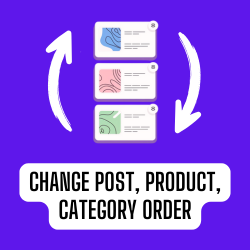
Custom Post Order 外掛程式可透過拖曳介面將文章按照自訂的順序排列。它可運用在特定分類或自訂文章類型內,每個分類或文章類型皆可擁有不同的同一文章排序。此外,它還提供刪除按鈕,可將文章從顯示中移除,但不會從 wp_posts 資料表中刪除。
可一鍵將文章按照字母順序或反轉順序排列(此為高級功能)。
可按照選定分類排序文章。
可按照選定的文章類型排序文章。
可啟用/停用排序功能。
任意第一節
外掛標籤
開發者團隊
原文外掛簡介
Custom Post Order is a powerful WordPress plugin that lets you reorder posts using a simple drag-and-drop interface. Organize content based on custom post types or specific categories, allowing each category or post type to have its own unique post order. Ideal for bloggers, content managers, and website owners who want full control over post display order without altering database content.
Key Features:
Custom post order for Home page (pro)
Drag & Drop Post Reordering – Quickly rearrange posts by hand with an intuitive interface.
Category-Specific Post Order – Sort and manage posts independently within each selected category.
Custom Post Type Sorting – Organize any custom post type with flexible ordering options.
Soft Delete Option – Hide posts from display without deleting them from the WordPress database.
One-Click Alphabetical or Reverse Sorting (Premium Feature) – Automatically arrange posts A–Z or Z–A.
Enable or Disable Sorting Functionality – Easily toggle ordering for specific post types or categories.
Multilingual support added — translations now available for French, German, Italian, Russian, and Polish. Additional languages can be added upon request.
Optimize your content structure, improve user experience, and take full control of how posts are displayed with the Custom Post Order Plugin for WordPress.
Arbitrary section 1