[WordPress] 外掛分享: Custom Login Page Designer

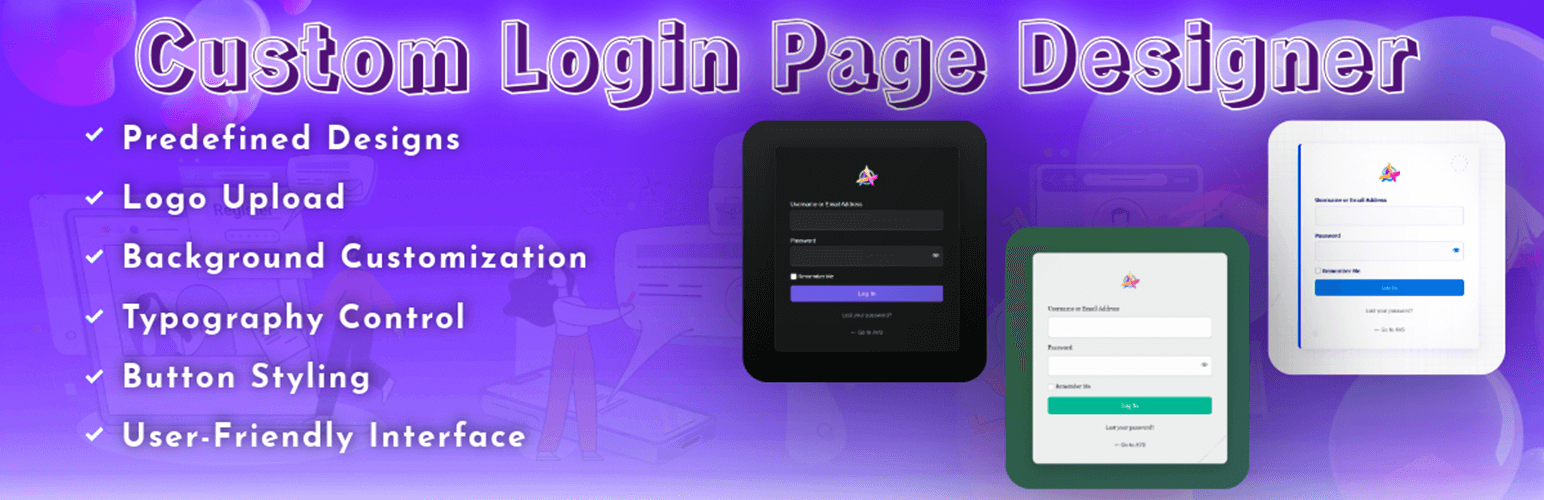
WordPress 外掛 Custom Login Page Designer 的封面圖片。

前言介紹

  • 這款 WordPress 外掛「Custom Login Page Designer」是 2025-04-11 上架。
  • 目前尚無安裝啟用數,是個很新的外掛。如有要安裝使用,建議多測試確保功能沒問題!
  • 上一次更新是 2025-04-16,距離現在已有 19 天。
  • 外掛最低要求 WordPress 5.0 以上版本才可以安裝。
  • 外掛要求網站主機運作至少需要 PHP 版本 7.4 以上。
  • 尚未有人給過這款外掛評分。
  • 還沒有人在論壇上發問,可能目前使用數不多,還沒有什麼大問題。

外掛協作開發者

vishwasr |

外掛標籤

wp login | custom login | login designer | wordpress login | login customizer |

內容簡介

**總結:**
Custom Login Page Designer 讓管理員可以輕鬆將預設的 WordPress 登入頁面轉換為專業且品牌化的體驗,僅需幾個點擊。選擇優雅的預設設計,並進一步自定色彩、背景、字型和其他元素,以完美呼應品牌識別。

**問題與答案:**

1. 這個外掛的主要功能是什麼?
Custom Login Page Designer能幫助管理員將WordPress的登入頁面轉換為專業、品牌化的體驗。

2. 這個外掛提供了哪些關鍵功能?
- 預設專業設計方案
- 背景自訂化
- Logo 控制
- 字型自訂化
- 表單風格設定
- 按鈕自訂化
- 手機響應式
- 用戶友善介面
- 效能優化
- 遵守標準

3. 啟用外掛後,使用者應該怎麼使用?
- 移至WordPress管理員菜單中的Login Page Designer
- 選擇一個預設專業設計
- 自訂背景
- 上傳自訂Logo並調整大小和位置
- 調整字型設置、表單元素和按鈕以符合品牌
- 儲存設置,然後訪問登入頁(will-login.php)以查看變化。

4. 使用外掛時如果需要幫助或有問題,應該怎麼處理?
- 對於支援請求,請訪問支援論壇
- 對於功能請求或錯誤報告,請提交問題。

原文外掛簡介

Custom Login Page Designer allows administrators to easily transform the default WordPress login page into a professional, branded experience with just a few clicks. Choose from elegant predefined designs and further customize colors, backgrounds, typography, and other elements to perfectly match your brand identity.
Say goodbye to the generic WordPress login page and welcome your users with a stunning, customized login experience that reflects your unique brand.
Key Features

Predefined Professional Designs – Multiple elegantly designed templates to instantly transform your login page
Background Customization – Choose between solid colors, gradients, patterns, or custom images
Logo Control – Replace the default WordPress logo with your brand’s logo, adjust size and positioning
Typography Customization – Select from popular font families and customize text colors and sizes
Form Styling – Modify input fields appearance including borders, shadows, and focus states
Button Customization – Style buttons with custom colors, borders, hover effects, and animations
Mobile Responsive – All designs look great on any device size
User-Friendly Interface – Intuitive admin settings with live preview
Performance Optimized – Lightweight code that won’t slow down your site
Standards Compliant – Built following WordPress coding standards and best practices

Usage
After activating the plugin:

Navigate to Login Page Designer in your WordPress admin menu
Choose from one of the predefined professional designs
Customize the background (select from solid colors, gradients, patterns, or upload your own image)
Upload your custom logo and adjust its size and position
Adjust typography settings including font family, size, and colors
Style form elements and buttons to match your brand
Save your settings and visit your login page (wp-login.php) to view the changes

Support
Need help? Have questions?
* For support requests, please visit our support forum
* For feature requests or bug reports, please submit an issue

各版本下載點

  • 方法一:點下方版本號的連結下載 ZIP 檔案後,登入網站後台左側選單「外掛」的「安裝外掛」,然後選擇上方的「上傳外掛」,把下載回去的 ZIP 外掛打包檔案上傳上去安裝與啟用。
  • 方法二:透過「安裝外掛」的畫面右方搜尋功能,搜尋外掛名稱「Custom Login Page Designer」來進行安裝。

(建議使用方法二,確保安裝的版本符合當前運作的 WordPress 環境。


1.0.0 | 1.1.0 | trunk |

延伸相關外掛(你可能也想知道)

  • WPS Hide Login 》中文, WPS Hide Login 是一個非常輕量的外掛,讓您輕鬆且安全地更改登入表單頁面的網址。它不會真正地重命名或更改核心檔案,也不會添加重寫規則。它只是攔截...。
  • LoginPress | wp-login Custom Login Page Customizer 》LoginPress 外掛提供了很多自訂欄位,可以更改 WordPress 登入頁面的版面配置。您可以完全修改登入頁面的外觀和感覺,即使是登入錯誤訊息、忘記密碼錯誤訊息...。
  • Custom Login Page Customizer 》Custom Login Page Customizer 外掛可讓您輕鬆地從 WordPress Customizer 自訂您的登入頁面!在儲存之前,您可以預覽自訂的登入頁面變更!太棒了,對吧?, , ...。
  • All In One Login — WordPress Login Security Plugin to Protect and Customize WP Admin 》Change wp-admin login 是一個輕量級的外掛程式,可讓您輕鬆且安全地更改 wp-admin,讓它變成您想要的東西。它不會重新命名或更改核心檔案,只是攔截頁面請求...。
  • Easy Hide Login 》隱藏 wp-login.php 檔案的簡易方法。, 它並不是將 wp-login.php 更名或更改核心文件。, 您無法在 url 標籤中沒有 slug 的情況下訪問 wp-login.php。, 您可以...。
  • Login Page Customizer – Customizer Login Page, Admin Page, Custom Design 》自定義登錄頁面外掛可以讓您在登錄頁面上即時查看所有更改,並非常輕鬆地編輯它們。您可以在WordPress管理員登錄頁面上做出很多更改,如自定義登錄頁面標誌、...。
  • After Login Redirect 》當使用者成功登入後,將使用者導向自訂頁面。根據使用者的 ID、電子郵件、使用者名稱和使用者角色篩選,將使用者導向特定頁面。, 功能:, , 登入後重新導向使...。
  • Are you robot google recaptcha for wordpress 》在以下地方添加新的Google“您是机器人吗?”安全验证:, , 网站登录页, 注册页面, 评论表单, BuddyPress注册页面, Contact Form 7表单, , 文档和操作说明, 查看...。
  • Redirect Login to WooCommerce "My account" Page 》這個外掛程式會將 wp-login.php 頁面重新導向至 WooCommerce「我的帳戶」頁面。您可以在儀表板> WooCommerce> 設置> 高級選項卡中設定。此外掛程式的設計方式...。
  • 1 click passwordless login, temporary login, social login & user switching – Login Me Now 》Login Me Now 是一款全面的 WordPress 登入管理外掛程式,提供簡單和安全的無密碼一鍵登入 URL。這款功能豐富的外掛程式提供自動到期登入連結,更容易且更安...。
  • Blue Login Style 》Blue Login Style 是一個小型的 WordPress 外掛,允許您以美麗的主題自定義登入頁面。它的功能包括能夠加入訊息、更改登入標誌,設置登入、登出和註冊跳轉鏈...。
  • Admin Customizer 》Admin Customizer 外掛提供了自定義 WordPress 後台登入頁的能力。使用這個後臺自定義登入外掛,您可以創建獨特的登入設計或管理登入設計,登錄頁面的幾乎每...。
  • WP Custom Login Branding 》這是一個簡單的外掛程式,可以讓網站開發人員和設計師為其客戶自訂 WordPress 的登錄頁面。您可以上傳商標、背景圖片、更改顏色以及在 wp-login.php 表單中添...。
  • Simple Custom Login 》Simple Custom Login 可以讓您在 WordPress 網站上設置自訂登入頁面而無需編碼。, Simple Custom Login 功能如下: , * 上傳背景圖片- 它可以在任何設備上填充...。
  • Unauthorised Login Redirect 》這個外掛可以有效地隱藏您的 wp-login.php 和 wp-admin,要求您透過指定的自訂 URL 進行訪問,其他請求會被重新導向到指定的不同 URL。。

文章
Filter
Apply Filters
Mastodon