內容簡介
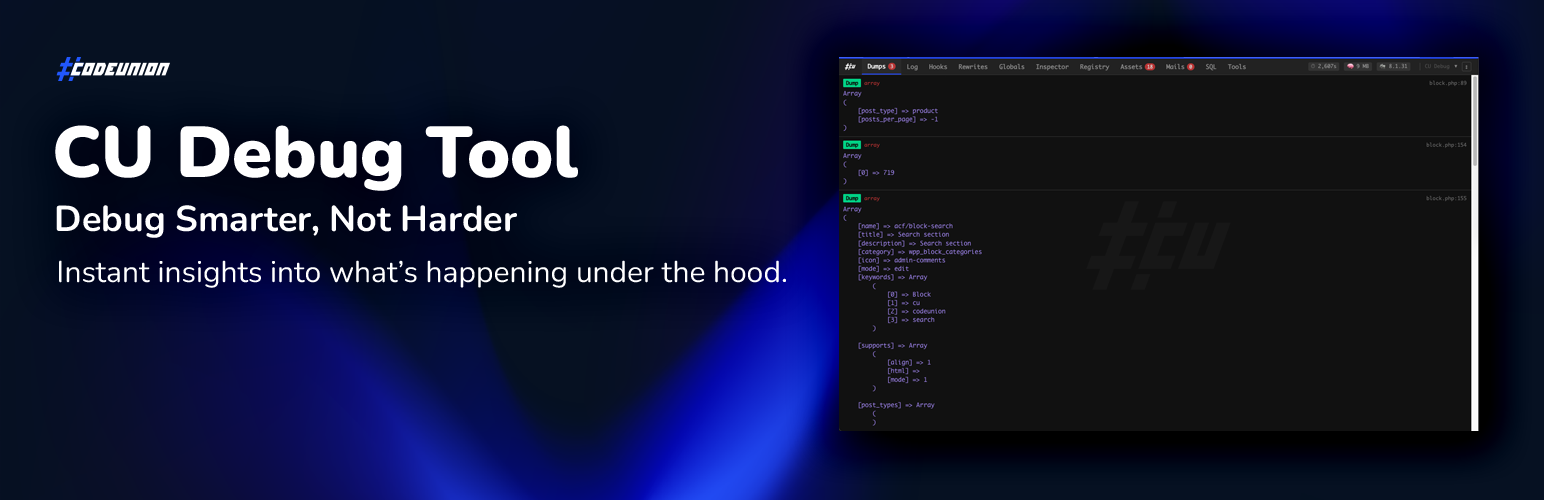
總結:CU Debug Tool 是專為 WordPress 開發者設計的輕巧但功能強大的除錯助手。採用模組化架構,提供乾淨的暗色模式覆蓋層,幫助您分析 WordPress 網站內部運作的細節。
1. Dumps 功能:疲於讓 var_dump 或 print_r 混亂您的前端版面?使用 cu_dump() 函數捕捉變數數據,清晰地顯示在除錯面板中,不影響網站設計。
2. Log Viewer 功能:不想透過 FTP 登入伺服器查錯誤?即時查看 debug.log 文件內容,並直接從工具欄清除。
3. ACF Fields Viewer 功能:使用 ACF Blocks 或 Options 頁面?即時檢查目前文章元資料、全域選項和特定 Gutenberg Blocks 的乾淨、易讀的數據。
4. Hooks 功能:除錯事件驅動架構?尋找任何 Action 或 Filter hook 以查看所有連結的回調、優先順序和在程式碼中確切定義的位置。
5. Rewrites 功能:Permalink 問題?測試任何 URL 是否符合您的活動重寫規則,看到哪個規則匹配、解析了什麼查詢變數,以及為何可能出現 404 錯誤。
6. Globals 功能:想知道現在頁面使用哪個模板?需要檢查活動的 PHP 變數、記憶體使用情況或 wp-config.php 常數?此選項給您目前環境的完整快照。
7. Inspector 功能:您的 WordPress 內部中央搜索引擎。快速檢查任何數據庫選項(get_option)的原始值,或互動測試特定 hook 和重寫,而不需編寫臨時代碼。
8. Registry 功能:您系統的全面清單。查看所有預定的 WP-Cron 事件(包括過期狀態),使用「Shortcode Detective」找到短代碼定義的確切文件和行號。
9. Assets 功能:想知道目前頁面載入了哪些腳本和樣式?獲取所有排入的 CSS 和 JavaScript 文件的快速組織清單,以調試依賴關係。
10. Mails 功能:需要驗證 WordPress 是否真的發送郵件?檢查透過 wp_mail() 發送的每封電子郵件的標頭和內容。
11. SQL Monitor 功能:根據需求分析數據庫查詢。僅在需要時切換錄製,檢查原始 SQL、識別慢查詢,並在不永久放慢網站的情況下發現重複。
12. Tools 功能:開發人員的一鍵工具套件。清除重寫規則、清除 Transients (緩存)和發送測試郵件以即時驗證 SMTP 配置。
安全性與效能:此工具僅對管理員(manage_options 功能)可見。
<html>
<ul>
<li><strong>Dumps 功能:</strong>疲於讓 var_dump 或 print_r 混亂您的前端版面?使用 cu_dump() 函數捕捉變數數據,清晰地顯示在除錯面板中,不影響網站設計。</li>
<li><strong>Log Viewer 功能:</strong>不想透過 FTP 登入伺服器查錯誤?即時查看 debug.log 文件內容,並直接從工具欄清除。</li>
<li><strong>ACF Fields Viewer 功能:</strong>使用 ACF Blocks 或 Options 頁面?即時檢查目前文章元資料、全域選項和特定 Gutenberg Blocks 的乾淨、易讀的數據。</li>
<li><strong>Hooks 功能:</strong>除錯事件驅動架構?尋找任何 Action 或 Filter hook 以查看所有連結的回調、優先順序和在程式碼中確切定義的位置。</li>
<li><strong>Rewrites 功能:</strong>Permalink 問題?測試任何 URL 是否符合您的活動重寫規則,看到哪個規則匹配、解析了什麼查詢變數,以及為何可能出現 404 錯誤。</li>
</ul>
</html>
外掛標籤
開發者團隊
原文外掛簡介
CU Debug Tool is a lightweight yet powerful debugging assistant designed for WordPress developers. Built with a modular architecture, it provides a clean, dark-mode overlay that helps you analyze what is happening under the hood of your WordPress site.
Key Features:
Dumps: Tired of cluttering your frontend with var_dump or print_r breaking the layout? Use our helper function cu_dump() to capture variable data cleanly and display it inside the debug panel without affecting your site’s design.
Log Viewer: Don’t want to log in to your server via FTP just to check errors? View the realtime contents of your debug.log file and clear it instantly directly from the toolbar.
ACF Fields Viewer: Working with ACF Blocks or Options pages? Stop guessing the array structure. Instantly inspect clean, readable data for current Post Meta, Global Options, and specific Gutenberg Blocks without the internal metadata noise.
Hooks: Debugging the event-driven architecture? Search for any Action or Filter hook to see a list of all attached callbacks, their priorities, and exactly where they are defined in the code.
Rewrites: Permalink headaches? Test any URL against your active rewrite rules to see exactly which rule matches, what query variables are parsed, and why you might be getting 404 errors.
Globals: Wondering which template is rendering the current page? Need to check active PHP variables, memory usage, or wp-config.php constants? This tab gives you a complete snapshot of the current environment.
Inspector: Your central search engine for WordPress internals. Quickly inspect the raw value of any database Option (get_option) or interactively test specific hooks and rewrites without writing temporary code.
Registry: A comprehensive manifest of your system. View all scheduled WP-Cron events (including overdue status) and use the “Shortcode Detective” to find the exact file and line number where a shortcode is defined.
Assets: Wondering what scripts and styles are loading on the current page? Get a quick, organized list of all enqueued CSS and JavaScript files to debug dependencies.
Mails: Need to verify if WordPress is actually sending emails? Inspect the headers and content of every email sent via wp_mail() during the current request.
SQL Monitor: Analyze database queries on demand. Toggle recording only when you need it to inspect raw SQL, identify slow queries, and spot duplicates without slowing down your site permanently.
Tools: A suite of one-click utilities for developers. Flush rewrite rules, clear Transients (cache), and send test emails to verify SMTP configuration instantly.
Security & Performance
The tool is only visible to administrators (manage_options capability).