內容簡介
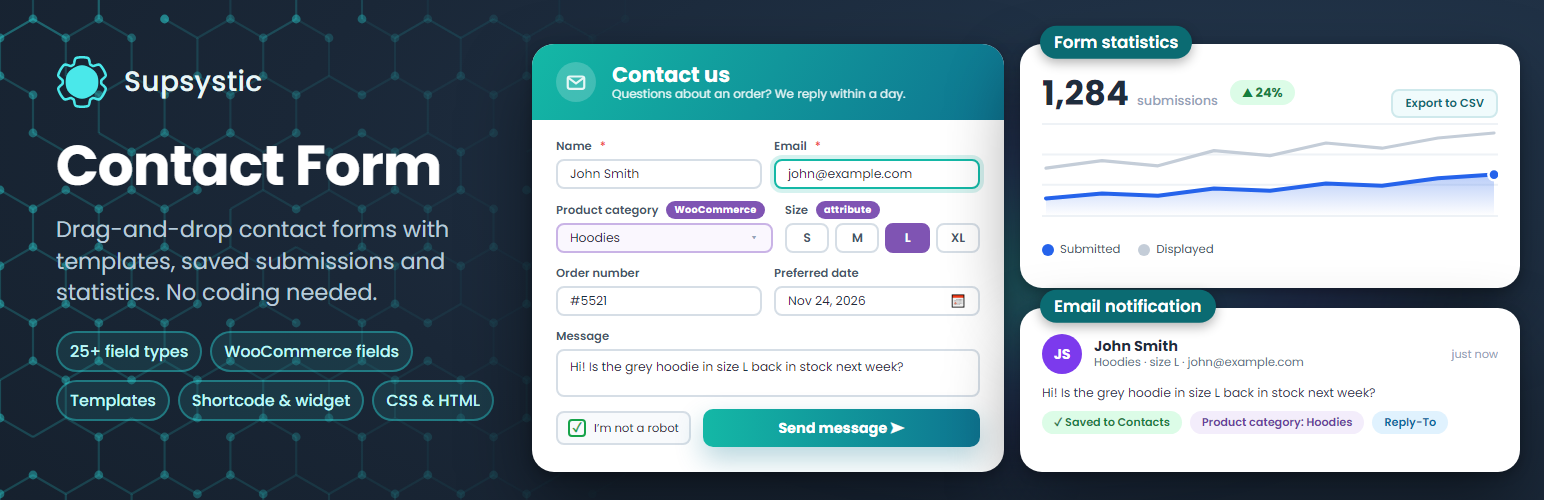
Contact Form by Supsystic 是一款 WordPress 的拖放式表單建立器,提供多種模板與統計功能。使用者可以輕鬆創建無限的表單,並追蹤提交情況,提升網站互動性。
【主要功能】
• 拖放式表單建立,簡單易用
• 提供多達 25 種欄位類型
• 自訂表單提交後的動作
• 內建統計功能,追蹤表單表現
• 支援短碼於任何頁面使用
• Pro 版具備進階邏輯與整合功能
外掛標籤
開發者團隊
② 後台搜尋「Contact Form by Supsystic – Drag & Drop Form Builder with Templates & Form Statistics」→ 直接安裝(推薦)
📦 歷史版本下載
原文外掛簡介
Contact Form by Supsystic is a drag-and-drop form builder for WordPress. Pick a template, add the fields you need, set what happens after the visitor clicks Send and paste the shortcode into any page. Submissions can be saved on your site, and built-in statistics show how many people saw the form and how many sent it.
Unlimited forms, fields and submissions are free.
Try it in your browser: open a live demo in WordPress Playground – no install, no account.
Ready-made form templates
Start from a designed template instead of a blank page: Base Contact, Simple White, Neon, Spearmint, Opacity Grey, Support Service, Time for Tea, holiday designs and more. Every template is fully editable.
25+ field types
Text, email, number, URL and textarea
Select box, select list, radio buttons and checkboxes
Country list and multiple country list
Date, time, month and week pickers
Colour picker and range slider
Google Map field
Hidden fields and HTML / text delimiters
Google reCAPTCHA
Submit and reset buttons
Mark any field as required, set placeholders and labels, and drag fields into the order you want.
Design without code
Form width in pixels or per cent
Background colour or image for the form, the fields and the buttons
Live preview of the form while you edit
CSS and HTML code editor for full control
What happens after Send
Email notification to you, with your own subject, sender, Reply-To and message
Copies to several email addresses
A success message in your own colour, or a redirect to any page
Hide the form after it is sent
A test email button to check that your site sends mail
Submissions and statistics
Save every submission in the Contacts list on your site with one switch per form
Export submissions to CSV
Statistics for views, submits, successful sends and errors by hour, day, week or month
Export the statistics to CSV
Add forms anywhere
Shortcode for posts, pages and widget areas
Contact Form widget for sidebars
Works with page builders and popup plugins through the shortcode
Fully responsive on phones, tablets and desktops
Contact Form Pro
Pro adds advanced logic, fields and integrations:
Conditional logic: show or hide fields based on earlier answers
A/B testing of form variants
Subscribe visitors to ConvertKit, ActiveCampaign, GetResponse, Constant Contact, Campaign Monitor, SendGrid, Salesforce and more
WordPress user registration through a form
Publish content: visitors submit posts from a form
WooCommerce fields: product categories and product attributes such as size or colour
File upload, rating, address search, WordPress editor and post category fields
reCAPTCHA v3, hCaptcha and Cloudflare Turnstile
Learn more
Official plugin page
Pro features
Pricing
Documentation