內容簡介
oo.org/plugins/woocommerce-zoho-crm-connector/" rel="ugc">WooCommerce Zoho CRM Connector – integrates WooCommerce with Zoho CRM to sync orders, products, customers, and payments in real-time.
「Connector for WooCommerce and Zoho CRM」外掛可在 WooCommerce 商店中下訂單時,自動將顧客新增為聯絡人或客戶潛在客戶帳戶並匯入您的 Zoho CRM 帳戶。
自 v1.1.0 版本起,此外掛支援 Zoho CRM API 第二版。更新自 v1.0.9 或更早版本的使用者將需要在此外掛設定頁面重新驗證其 Zoho CRM 帳戶。
功能:
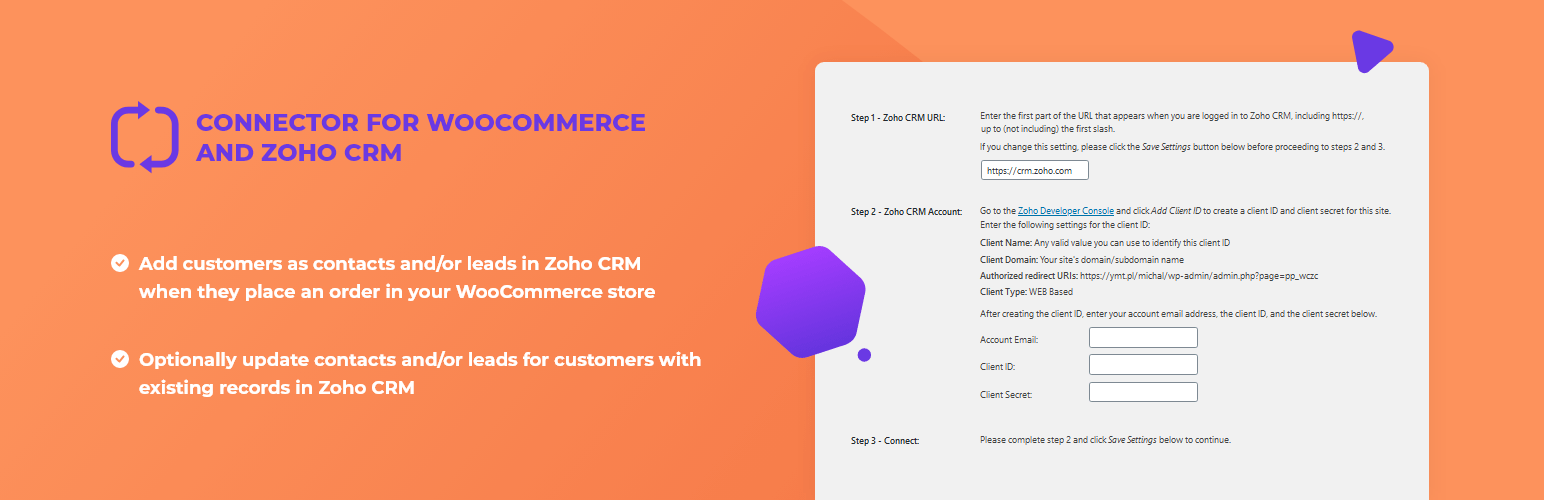
當顧客在您的 WooCommerce 商店下訂單時,在 Zoho CRM 中新增顧客為聯絡人和 / 或潛在客戶。
可選擇性地更新 Zoho CRM 中現有記錄的顧客聯絡人和 / 或潛在客戶紀錄。
「Connector for WooCommerce and Zoho CRM」的進階版也提供以下附加功能:
將訂單詳細資料(產品名稱和數量)作為備註新增至相應的聯絡人和 / 或潛在客戶紀錄。
基於訂單建立潛在客戶,並連結至該客戶的聯絡人紀錄(如果已找到或建立)。
從「編輯訂單」頁面的「訂單操作」選單,手動將單獨的訂單傳送至 Zoho CRM。
從訂單列表中單獨或批量手動將訂單傳送至 Zoho CRM。
如果您喜歡這個外掛,請考慮留下評論或評價。
您也可能喜歡以下外掛
WP Zone 建立了許多的外掛、附加元件和佈景主題。在存儲庫中查看其他喜愛的項目,並請勿忘記留下五星評分,以幫助其他社群成員做出決定。
WooCommerce 產品銷售報告 – 設置針對 WooCommerce 商店中產品的自定義銷售報告,帶切換排序選項。根據日期範圍,銷售狀態,產品類別和 ID 包含或排除項目,定義顯示順序,選擇要包含的字段,並點擊生成報告。
WooCommerce 訂單項目匯出 – 匯出 WooCommerce 商店中每筆銷售的訂單詳細資料。簡化訂單履行,幾點擊即可生成會計報告,並以 CSV 格式下載以便閱讀和與其他設備兼容性。
替換圖片 – 在上傳到 WordPress 媒體庫時保持相同的 URL。
強制更新插件和佈景主題檢查 - 強制更新插件和佈景主題檢查讓 WordPress 在您訪問 WordPress 更新頁面時運行主題和插件更新檢查。
連接 SendGrid 以進行電子郵件 – 「連接 SendGrid 以進行電子郵件」是官方 SendGrid 外掛的第三方分支(也是一個替代方案)。
自訂 CSS 和 JavaScript – 允許您向 WordPress 網站添加自定義全域 CSS 樣式和 JavaScript 代碼。有用於覆蓋主題風格和添加客戶端功能。
停用用戶註冊通知電子郵件 – 啟用此外掛後,將停用每次註冊新用戶帳戶時傳送至管理員電子郵件的通知。
WooCommerce Zoho CRM 連接器 – 將 WooCommerce 與 Zoho CRM 整合,實時同步訂單、產品、客戶和付款。
外掛標籤
開發者團隊
② 後台搜尋「Connector for WooCommerce and Zoho CRM」→ 直接安裝(推薦)
原文外掛簡介
The Connector for WooCommerce and Zoho CRM plugin automatically adds the customer as a contact and/or lead in your Zoho CRM account whenever an order is placed in WooCommerce.
As of v1.1.0, this plugin supports Zoho CRM API version 2. Users updating the plugin from v1.0.9 or earlier will need to re-authenticate their Zoho CRM account on this plugin’s settings page.
Features:
Add customers as contacts and/or leads in Zoho CRM when they place an order in your WooCommerce store.
Optionally update contacts and/or leads for customers with existing records in Zoho CRM.
A pro version with the following additional features is also available:
Add order details (product names and quantities) as a note to the contact and/or lead corresponding to the customer.
Create a potential based on the order and linked to the customer’s contact record (if one was found or created).
Manually send individual orders to Zoho CRM from the Order Actions menu on the Edit Order page.
Manually send orders to Zoho CRM individually or in bulk from the order list.
Requirements:
* cURL: The plugin uses the cURL library to perform HTTP requests to the Zoho CRM API. Make sure that cURL is installed and enabled on your server. Without cURL, the plugin will not function correctly.
If you like this plugin, please consider leaving a comment or review.
You may also like these plugins
WP Zone has built a bunch of plugins, add-ons, and themes. Check out other favorites here on the repository and don’t forget to leave a 5-star review to help others in the community decide.
Product Sales Report for WooCommerce – setup a custom sales report for the products in your WooCommerce store with toggle sorting options. Including or excluding items based on date range, sale status, product category and id, define display order, choose what fields to include, and generate your report with a click.
Export Order Items for WooCommerce – export the order details for each sale in your WooCommerce store. Simplify order fulfillment, generate accounting reports in a few clicks, and download into CSV format for readability and universal compatibility with Export Order Items.
Replace Image – keep the same URL when uploading to the WordPress media library
Force Update Check for Plugins and Themes -force Update Check for Plugins and Themes forces WordPress to run a theme and plugin update check whenever you visit the WordPress updates page
Connect SendGrid for Emails – connect SendGrid for Emails is a third-party fork of (and a drop-in replacement for) the official SendGrid plugin
Custom CSS and JavaScript – allows you to add custom site-wide CSS styles and JavaScript code to your WordPress site. Useful for overriding your theme’s styles and adding client-side functionality.
Disable User Registration Notification Emails – when this plugin is activated, it disables the notification sent to the admin email when a new user account is registered.
Inline Image Upload for BBPress – enables the TinyMCE WYSIWYG editor for BBPress forum topics and replies and adds a button to the editor’s “Insert/edit image” dialog that allows forum users to upload images from their computer and insert them inline into their posts.
Password Strength for WooCommerce – disables password strength enforcement in WooCommerce.
Potent Donations for WooCommerce – acceptance donations through your WooCommerce store
Shortcodes for Divi – allows to use Divi Library layouts as shortcodes everywhere where text comes.
Stock Export and Import for WooCommerce – generates reports on the stock status (in stock / out of stock) and quantity of individual WooCommerce products.
Random Quiz Generator for LifterLMS – pull a random set of questions from your quiz so users never get the same question twice when retaking or setting up a practice quiz.
WP and Divi Icons – adds over 660 custom outline SVG icons to your website. SVG icons are vector icons, so they are sharp and look good on any screen at any size.
WP Layouts – the best way to organize, import, and export your layouts, especially if you have multiple websites.
WP Squish – reduce the amount of storage space consumed by your WordPress installation through the application of user-definable JPEG compression levels and image resolution limits to uploaded images.
To view WP Zone’s premium WordPress plugins and themes, visit our WordPress products catalog page