內容簡介
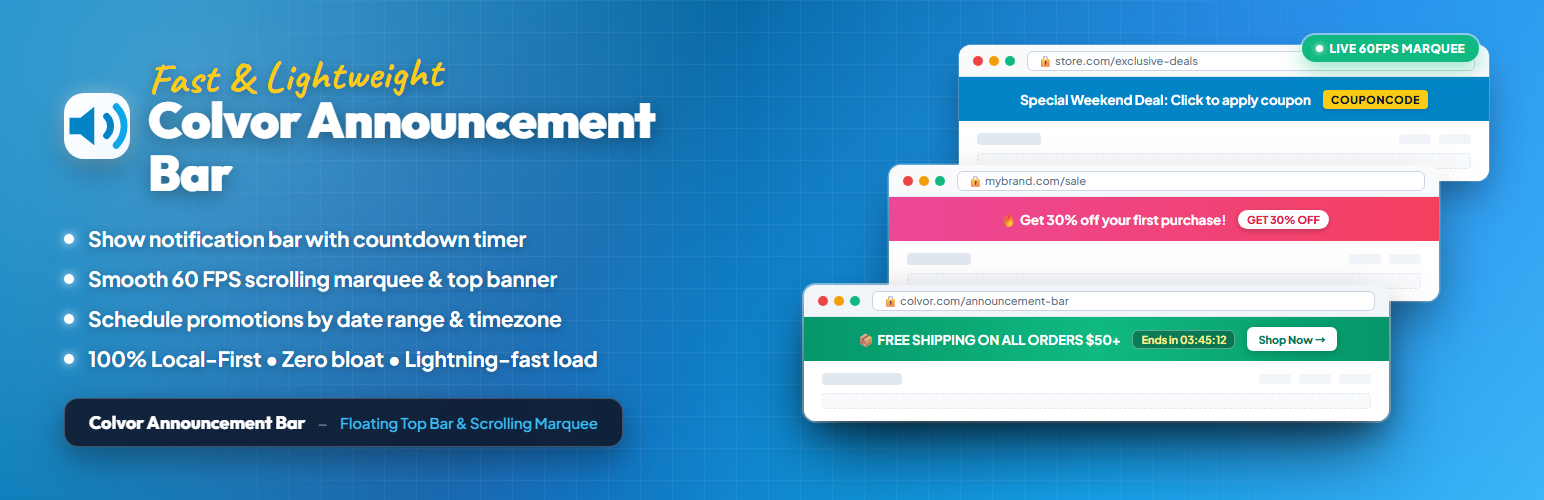
Colvor Announcement Bar 是一款以本地為主的通知條外掛,無需註冊或連接,即可輕鬆創建和管理公告。此外掛不會影響網站載入速度,並提供多種自訂選項,讓使用者能夠有效地展示重要訊息。
【主要功能】
• 一鍵啟用或禁用通知條
• 平滑滾動的跑馬燈或靜態警示條
• 富文本格式化選項:粗體、斜體、底線等
• 自訂背景顏色及多色漸層背景
• 100% 本地運行,無外部 API 呼叫
外掛標籤
開發者團隊
② 後台搜尋「Colvor Announcement Bar – Notification Bar, Marquee & Header Banner」→ 直接安裝(推薦)
原文外掛簡介
Colvor Announcement Bar is local-first. Install it, open Settings > Announcement Bar, create your message, and save. Free use requires no Colvor account, connection, token, heartbeat, or configuration synchronization.
The front end reads only the colvor_announcement_config WordPress option. It never contacts Colvor, so an existing bar keeps rendering if Colvor is unavailable with zero impact on page load speed or Core Web Vitals.
Free includes
Enable or disable the bar with one click.
Smooth scrolling marquee ticker or static alert banner.
Rich text formatting: bold, italic, underline, strikethrough, and inline text color.
Background color and vibrant multi-stop gradient backgrounds with 1-click presets and custom angles.
Selected-text size in the editor, with a rem slider and custom px, rem, em, vw, vh, vmin, vmax, or % units.
100% Local-first: no external API calls, no third-party tracking, zero site slowdown.
Pro adds
Link and link underline control.
All-page or selected-path scope targeting.
Date schedule: set start and end dates with site-timezone precision to automate promotions.
Intuitive motion speed slider (faster to slower, down to 0 for static).
Letter and item spacing with rem sliders or custom units, plus a separator.
Setup
Install and activate the plugin.
Open Settings > Announcement Bar.
Create the bar and save it.
Optionally purchase Pro, paste a License Key or Promotion Code, and click Activate.
External services
Free configuration and visitor page loads do not use an external service.
Colvor at https://colvor.com is contacted only when an administrator explicitly clicks Upgrade to Pro, Activate, or Deactivate. Activate sends the entered License Key or Promotion Code, a random plugin installation identifier, and the plugin version to /api/v1/license/activate. Deactivate sends the activation identifier and random installation identifier to /api/v1/license/deactivate. The plugin does not send visitor activity, page content, users, posts, WooCommerce orders, or payment details.
If an activation or deactivation request fails, the existing local configuration and last valid Pro state are kept. An expired License locks Pro editing but does not remove or alter the current bar.
See the Colvor Privacy Policy.