內容簡介
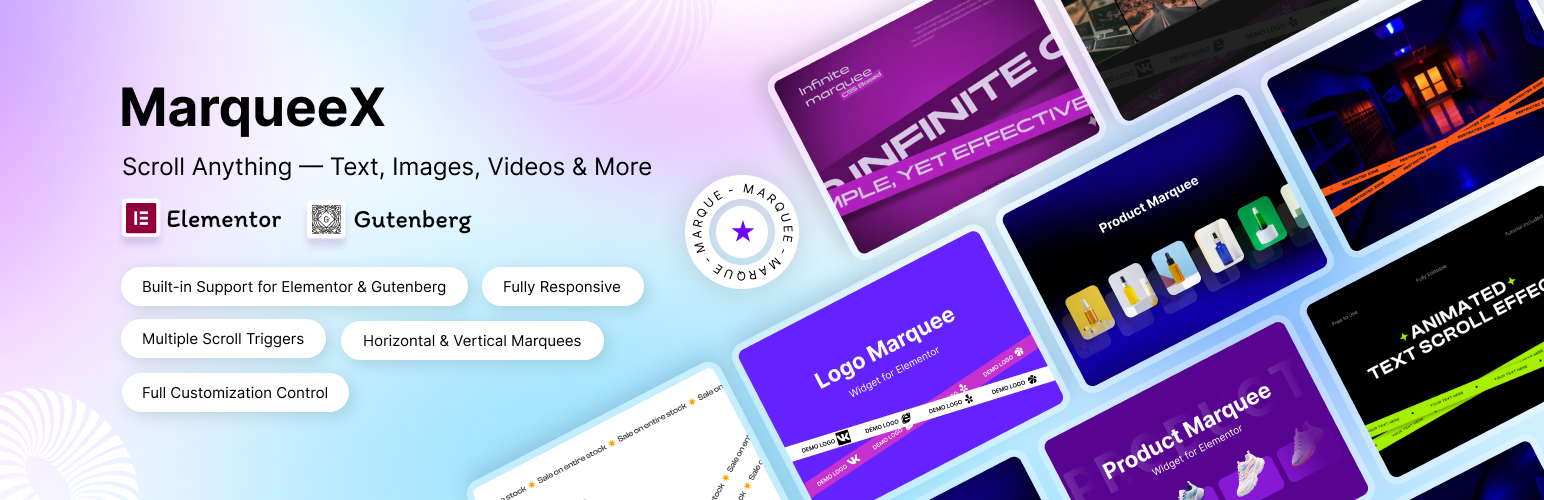
MarqueeX 是一款免費的 WordPress 外掛,能夠在網站上添加持續滾動的內容,包括文字、新聞走馬燈、標誌輪播、圖片走馬燈及文章滑塊等,支援 Elementor 和 Gutenberg 編輯器,讓使用者輕鬆創建動態內容。
【主要功能】
• 支援 8 種 Elementor 小工具和 5 種 Gutenberg 區塊
• 無限制的走馬燈數量和無水印
• 可自訂滾動速度和內容
• 提供多種內容類型,如文章、產品和評價
• 支援全站編輯模板
外掛標籤
開發者團隊
② 後台搜尋「MarqueeX – Smooth Marquee Slider, News Ticker & Post Marquee for Block Editor & Elementor」→ 直接安裝(推薦)
📦 歷史版本下載
原文外掛簡介
MarqueeX is a free WordPress marquee plugin. It adds continuously scrolling content — scrolling text, news tickers, logo carousels, image marquees, post and WooCommerce product sliders, testimonials and team strips — as 8 native Elementor widgets and 5 native blocks for the block editor (Gutenberg).
There is no marquee limit, no watermark and no trial timer in the free version. You drop a widget or block on the page, add your content, set the speed and publish.
Documentation | MarqueeX Pro
What can you build with MarqueeX?
Scrolling text marquee – announcement bars, promo strips and sale banners that loop forever
News ticker – a “Breaking” label beside scrolling headlines, typed by hand or pulled from your latest posts
Logo carousel – an infinite client-logo or partner-logo slider that never stops or jumps
Image marquee – galleries, product strips and portfolio rows, with hover effects
Post marquee – your latest posts, any custom post type or WooCommerce products as scrolling cards with featured image, category, title, author and date
Testimonial marquee – reviews scrolling past with avatar, name, role and star rating
Team members marquee – staff photos with name and role in a continuous strip
Animated headings – headlines that slide, type or roll through a list of words
5 marquee blocks for the block editor (Gutenberg)
Text Marquee – scroll your own messages or live post titles, with full typography control
Image Marquee – logo carousels, product strips and galleries in an infinite loop
News Ticker – a fixed label badge beside continuously scrolling headlines
Post Marquee – posts, custom post types and WooCommerce products as scrolling cards
Infinite Slider – a general-purpose scroller you fill with any blocks you like
The blocks work in posts, pages and Full Site Editing templates. No page builder is required.
8 marquee widgets for Elementor
Text Marquee – promotional banners, announcement scrollers and text loops
Image Marquee – scrolling image galleries, client logos and portfolio strips
News Ticker – breaking-news feeds, live updates and stock-style tickers
Post Marquee – posts, custom post types and WooCommerce products, with query controls
Testimonial Marquee – customer reviews with avatar, name, role and star rating
Team Members Marquee – staff photos with name and role
Animated Heading – headlines that cycle through phrases with Slide, Slide Horizontal or Typing animation
Animated Word Roller – a fixed headline with a rotating word beside it
Requires Elementor 3.5 or newer. Elementor Pro is not needed.
Controls on every marquee
Horizontal or vertical scrolling, in either direction
Adjustable scroll speed
Pause on hover
Edge fade masking
Typography, colour, spacing, border and background controls
Responsive settings using breakpoints you choose
Custom CSS per block
Why MarqueeX is lightweight
CSS keyframe animation. The marquee widgets and blocks scroll with CSS, so the browser does the work instead of a JavaScript loop.
Tiny scripts. Each Elementor marquee widget script is under 1 KB.
Loads only where it is used. Scripts and styles are registered, not enqueued site-wide. A page without a marquee loads nothing from MarqueeX.
Switch off what you do not use. Disable any widget, block or whole builder integration from the settings screen and it stops registering.
Scoped styles. A block and its matching Elementor widget can sit on the same page without their CSS colliding.
Accessible and translation ready
Respects the visitor’s “reduce motion” system preference
Pause on hover, so moving text can always be stopped and read
RTL stylesheets ship with the blocks
Fully translatable, with a translation template included
Shortcodes
[marqueex_slider], `[marqueex_ticker]` and `[marqueex_infinite]` are available for themes and page builders without a dedicated integration.
MarqueeX Free vs MarqueeX Pro
Free, with no limits:
All 8 Elementor widgets and all 5 blocks
Unlimited marquees on unlimited pages
Speed, direction, pause on hover, edge fade and responsive controls
Posts, custom post types and WooCommerce products as a source
No watermark and no feature that stops working later
MarqueeX Pro adds:
Scroll interactions – visitors spin the mouse wheel over a marquee to speed it up or reverse it, or drag it to scrub through, with momentum on release. Works on the Text, Image, News Ticker and Post Marquee widgets and on every block.
Hand-picked posts – choose exactly which posts, pages or products scroll and in what order, in the Elementor widget and the Post Marquee block
Advanced Elementor query – include or exclude by author and taxonomy term
8 more Animated Heading animations – 3D Rotation, Construct, Twist, Line, Wave, Swing, Tilt and Lean
Gradient and image-masked heading text
4 more Word Roller transitions – Horizontal, Fade, Slide and Zoom
Post Marquee card layouts – six content placements, plus Overlay, Blury and Lighten text treatments
Pro is an add-on. It unlocks extra controls inside the widgets and blocks you already use, so nothing you built with the free version has to be rebuilt. See plans and pricing.
How to add a marquee in Elementor
Install and activate MarqueeX
Edit a page with Elementor and search the widget panel for “marquee”
Drag in Text Marquee, Image Marquee, News Ticker or Post Marquee
Add your content, set the speed and direction, then publish
How to add a marquee in the block editor
Install and activate MarqueeX
Edit a post or page, open the block inserter and search for “marquee”
Insert Text Marquee, Image Marquee, News Ticker, Post Marquee or Infinite Slider
Add your content, set the speed and direction, then publish
Who is MarqueeX for?
News and magazine sites – breaking-news tickers and scrolling headlines
Online stores – WooCommerce product strips, sale bars and brand-logo walls
Agencies and business sites – client logos, testimonials and latest posts
Portfolios – project strips and image galleries
Landing pages – announcement bars and calls to action
Privacy
MarqueeX uses the Freemius SDK for licensing and optional usage insights. You are asked on activation and can skip it; if you skip, no usage data is sent. The marquees themselves make no external requests.