內容簡介
**總結:**
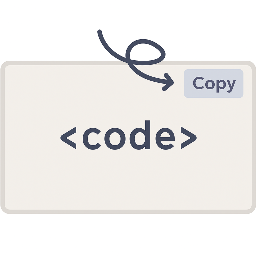
為了讓讀者和用戶能方便地從您的網站直接複製程式碼片段,Code Block Copy Button 外掛為所有程式碼區塊添加了一個方便的複製按鈕,幫助開發人員、技術撰稿人和教育工作者提高用戶體驗。
**問題與答案:**
1. 這個外掛的主要功能是什麼?
- 自動在所有 <pre> 程式碼區塊中添加複製按鈕,包括 Gutenberg Code 和預格式化區塊。
2. 這個外掛有哪些特色?
- 可自訂按鈕文本(例如「複製」、「複製程式碼」)。
- 可更改按鈕顏色以配合您網站的主題。
- 按鈕中包含乾淨、現代的 SVG 圖示。
- 在「設定」>「程式碼區塊複製」下有簡單的設置面板。
- 與傳統和 Gutenberg 編輯器都兼容。
- 在管理面板中包括一個可選的促銷橫幅。
3. 如何安裝和使用這個外掛?
- 不需要編碼 - 只需安裝、配置,就完成了。
- 包括一個可選的聯盟鏈接橫幅,在管理面板中幫助支持開發。
4. 這個外掛的許可證是什麼?
- 這個外掛的許可證是 GPL2 許可證。詳細信息可參見 https://www.gnu.org/licenses/gpl-2.0.html。
外掛標籤
開發者團隊
原文外掛簡介
Live Demo
Make it easy for your readers and users to copy code snippets directly from your website. The Code Block Copy Button plugin adds a handy copy button to all code blocks, helping developers, tech writers, and educators improve user experience.
Features:
– Automatically adds a Copy button to all
code blocks, including Gutenberg Code and Preformatted blocks.
– Customize the button text (e.g., “Copy”, “Copy Code”).
– Change the button color to match your site’s theme.
– Clean, modern SVG icon included in the button.
– Simple settings panel under Settings > Code Block Copy.
– Works with both Classic and Gutenberg editors.
– Includes an optional promotional banner in the admin panel.
License
This plugin is licensed under the GPL2 license. See https://www.gnu.org/licenses/gpl-2.0.html for details.延伸相關外掛