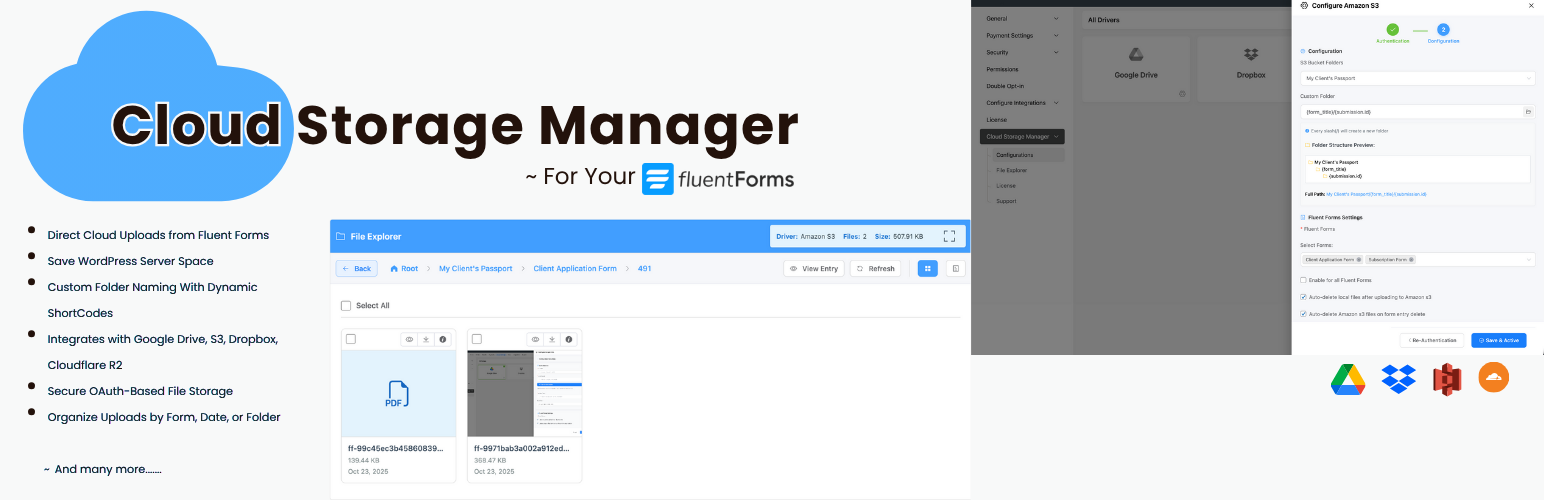
[WordPress] 外掛分享: Cloud Storage Manager for Fluent Forms – Google Drive, Dropbox, OneDrive, S3 Uploads

WordPress 外掛 Cloud Storage Manager for Fluent Forms – Google Drive, Dropbox, OneDrive, S3 Uploads 的封面圖片。

前言介紹

  • 這款 WordPress 外掛「Cloud Storage Manager for Fluent Forms – Google Drive, Dropbox, OneDrive, S3 Uploads」是 2025-10-22 上架。
  • 目前有 60 個安裝啟用數。
  • 上一次更新是 2026-02-23,距離現在已有 3 天。
  • 外掛最低要求 WordPress 6.0 以上版本才可以安裝。
  • 外掛要求網站主機運作至少需要 PHP 版本 7.4 以上。
  • 有 3 人給過評分。
  • 論壇上目前有 1 個提問,問題解答率 100% ,不低,算是個很有心解決問題的開發者團隊了!

外掛協作開發者

nadimcse | fluentwiz | sajjadbro |

外掛標籤

Dropbox | file upload | fluent forms | google drive | cloud storage |

內容簡介

總結:Cloud Storage Manager 連接你的 Fluent Forms 和流行的雲存儲平台,確保所有通過 Fluent Forms 上傳的文件都自動發送到你首選的雲存儲服務,幫助你節省伺服器空間,同時保持文件組織良好且可存取。

問題與答案:
1. Cloud Storage Manager 可以做什麼?
- 透過與原生圖像和輸入字段整合,可連接你喜歡的雲服務並直接通過現有表單字段上傳文件或圖像。
- 有靈活的文件夾命名功能,輕鬆組織文件夾以保持上傳結構化和工作流的高效性。
- 通過背景上傳實現快速、平滑的提交,文件在背景中安靜上傳,實現即時表單提交和無縫用戶體驗。
- 重新設計的文件輸入字段具有優化的布局,以便清晰易用,並適用於所有設備和整合。
- 內建文件總管和分析功能,可直接在 Fluent Forms 內使用集成的文件總管訪問、組織和管理上傳的文件。
- 可選擇多個雲存儲服務,包括 Google Drive、Dropbox 或 Amazon S3,並連接符合你需求的服務。

2. Cloud Storage Manager 提供的免費版本功能有哪些?
- Google Drive 整合,輕鬆將表單連接至 Google Drive 進行無縫上傳。
- Dropbox 整合,輕鬆連接 Dropbox 以進行快速可靠的雲文件存儲。
- 自動文件轉移,表單上傳會即時且安全地傳輸到你連接的雲存儲—無需手動下載!
- 基本文件夾組織,從雲服務中選擇父文件夾以存儲上傳文件。
- OAuth 安全性,所有身份驗證皆採用官方且安全的 OAuth 方法,提供最大保護。

3. Cloud Storage Manager 的付費專業版具有哪些功能?
- 儲存服務,包括 Amazon S3 整合。

原文外掛簡介

Cloud Storage Manager for Fluent Forms lets you automatically upload files submitted through Fluent Forms to external cloud storage services such as Google Drive, Dropbox, Microsoft OneDrive, Amazon S3, and Cloudflare R2.
If your website collects documents, images, PDFs, resumes, or other attachments via Fluent Forms, storing them on your WordPress server can quickly consume disk space and impact performance. This plugin offloads file uploads to cloud storage, helping you reduce server storage usage, improve site performance, and keep your files organized in secure cloud folders.
The plugin works with your existing file and image upload fields—no changes to your forms are required. Files are uploaded in the background, so users experience fast form submissions while uploads are securely stored in the cloud.
Who should use this plugin?
This plugin is ideal for:
• Agencies collecting client documents
• HR teams collecting resumes and attachments
• Schools collecting student submissions
• Membership sites receiving user uploads
• SaaS onboarding forms
• Any site using Fluent Forms to collect files
Key Features

Automatically upload Fluent Forms file submissions to cloud storage
Reduce WordPress server disk usage
Works with existing file and image fields
Background uploads for faster form submissions
Secure OAuth authentication
Cloud file links supported in email notifications and attachments
Built-in file explorer (Pro)
Analytics and usage insights (Pro)

Free Features (Google Drive & Dropbox)

Upload Fluent Forms files to Google Drive
Upload Fluent Forms files to Dropbox
Choose a parent folder for uploads
Background file uploads
Email notifications and attachments
OAuth-based secure authentication

Pro Features (OneDrive, Amazon S3 & Cloudflare R2)

Microsoft OneDrive integration
Amazon S3 integration
Cloudflare R2 integration
Custom folder paths per form
Conditional folder structure using form inputs
File explorer to manage uploaded files
Storage usage analytics
File visibility control
Priority support

Upload Fluent Forms Files to Google Drive
Automatically store file uploads in Google Drive folders.
Upload Fluent Forms Files to Dropbox
Send file uploads to Dropbox for easy sharing and collaboration.
Upload Fluent Forms Files to Microsoft OneDrive
Store uploads in OneDrive for Microsoft-based workflows.
Upload Fluent Forms Files to Amazon S3
Use Amazon S3 for scalable and secure file storage.
Upload Fluent Forms Files to Cloudflare R2
Store uploads in Cloudflare R2 for global access with zero egress fees.
External Services
This plugin integrates with third-party cloud storage services:
Google Drive
Used for storing uploaded files.
Data sent: Files and file metadata.
Terms: https://cloud.google.com/terms
Privacy: https://policies.google.com/privacy
Dropbox
Used for storing uploaded files.
Data sent: Files and file metadata.
Terms: https://www.dropbox.com/terms
Privacy: https://www.dropbox.com/privacy


各版本下載點

  • 方法一:點下方版本號的連結下載 ZIP 檔案後,登入網站後台左側選單「外掛」的「安裝外掛」,然後選擇上方的「上傳外掛」,把下載回去的 ZIP 外掛打包檔案上傳上去安裝與啟用。
  • 方法二:透過「安裝外掛」的畫面右方搜尋功能,搜尋外掛名稱「Cloud Storage Manager for Fluent Forms – Google Drive, Dropbox, OneDrive, S3 Uploads」來進行安裝。

(建議使用方法二,確保安裝的版本符合當前運作的 WordPress 環境。


1.0.2 | 1.0.3 | 1.0.4 | 1.0.5 | 1.0.6 | 1.0.7 | 1.0.8 | 1.0.9 | trunk | 1.0.10 | 1.0.11 | 1.0.12 | 1.0.13 |

延伸相關外掛(你可能也想知道)

  • File Upload Types by WPForms 》WordPress 檔案上傳類型外掛, 您是否希望您的 WordPress 網站接受更多類型、更自由地上傳檔案?我們創建了『File Upload Types』外掛,讓任何人都可以輕鬆地...。
  • File Uploads Addon for WooCommerce 》「WooCommerce檔案上傳插件」(File Uploads Addon for WooCommerce) 是一款提供WooCommerce用戶在購物時上傳自定義圖像檔案的插件。用戶可以從WooCommerce產...。
  • Shared Files – Frontend File Upload Form & Secure File Sharing 》請注意,以下為 WordPress 外掛的翻譯:, , 一個可以分享檔案的下載管理外掛,就像 Dropbox、Google Drive 或 OneDrive 一樣!具備前端檔案上傳、FTP 上傳、...。
  • WooCommerce My Account Widget 》WooCommerce 我的帳戶小工具可讓商店經理在小工具中顯示客戶資訊。, 此外掛相容於 WordPress 5.6(及之後版本)和 WooCommerce 3.5(及之後版本)。, 功能, ,...。
  • File Upload For WPForms – Filenzo 》給 WPForms 增加了自訂檔案上傳欄位外掛,讓使用者可以透過前端表單上傳檔案(例如 PDF、圖片、文件),限制檔案類型和大小,安全地存儲上傳的檔案到 WordPre...。
  • Upload Fields for WPForms – Drag and Drop Multiple File Upload, Image Upload, and Google Drive Upload for WPForms 》WPForms 的上傳欄位外掛程式 "Upload Fields for WPForms",可以讓您在表單中加入拖放式多檔案上傳、圖片上傳、以及 Google Drive 上傳欄位。, 功能概要, 拖...。
  • ACF Dropzone 》啟用 ACF 的圖像、檔案和相簿欄位的拖曳上傳功能。, 支援的欄位, , 圖像欄位, 檔案欄位, 相簿欄位(僅限 ACF PRO), , 使用方法, 在 ACF 欄位編輯器中勾選「...。
  • Upload Any MIME Types – Support SVG, JSON, APK, TTF, and others 》總結:「Upload Any MIME Types」是一個強大的外掛程式,允許上傳通常受限制的格式,如SVG、EXE等,提供了完整的控制權,安全且高效地擴展WordPress的文件類...。
  • Frontend Dashboard Extra 》, 注意事項, 這是 Frontend Dashboard 的插件之一,因此必須安裝 Frontend Dashboard 才能使用此插件。, , Frontend Dashboard Extra WordPress 外掛是 Front...。
  • Customizable File Upload Form with Backend Cloud Storage 》這是一個檔案上傳表單及雲端儲存的 WordPress 外掛,提供網站接收來自訪客的文件、照片、影片、列印作品或其他大型檔案,以一種方便、可自訂和安全的方式。 ,...。
  • Checkout Fields and File Upload for WooCommerce 》```html, <!DOCTYPE html>, <html>, , <body>, , <p>以下是「Checkout Fields and File Upload for WooCommerce」的介紹:</p>...。
  • WP Media File Type Manager 》Seerox為您帶來另一個令人興奮的外掛程式。此外掛可以讓您管理媒體庫中的不同檔案類型,因此如果您想出於安全考慮啟用/禁用媒體庫中的特定檔案類型,使用此外...。
  • WP Dropzone 》可以使用 WP Dropzone 將 Dropzone 整合到 WordPress 網站中。 WP Dropzone 允許您從任何帖子/頁面將文件上傳到 WordPress 媒體庫。它具有大量的選項和功能。...。
  • Uploadcare File Uploader and Adaptive Delivery (beta) 》Uploadcare 是一個全方位的媒體上傳、儲存、管理和傳送解決方案,可以打破許多 WordPress 媒體庫的限制。您可以從各種來源(包括社交媒體和雲服務)上傳大型...。
  • Filestack WP Upload 》使用 Filestack WordPress 上傳外掛後,你或你的使用者可以直接從本地硬碟和雲端硬碟(包括 Facebook、Instagram、Google Drive、Google 圖片搜索、Google 相...。

文章
Filter
Mastodon