內容簡介
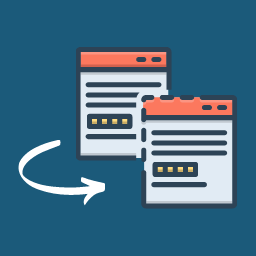
CloneKit – Post & Page Cloner 讓您能夠輕鬆一鍵複製文章、頁面及自訂文章類型,保留所有相關的分類、標籤、特色圖片及元資料,並與各種頁面建構器完全相容。
【主要功能】
• 一鍵複製文章與頁面
• 現代化控制台介面
• 實時互動預覽
• 自訂複製狀態
• 可配置的重定向選項
• 自訂標題後綴
外掛標籤
開發者團隊
② 後台搜尋「CloneKit – Post & Page Cloner」→ 直接安裝(推薦)
原文外掛簡介
CloneKit – Post & Page Cloner enables you to clone posts, pages, and custom post types effortlessly with a single click. Duplicated items preserve all terms, custom taxonomies, featured images, and metadata, including full compatibility with page builders like Elementor, Breakdance, and the Gutenberg Block Editor.
Features
One-Click Duplication: Instantly clone posts, pages, and custom post types from list tables, edit screens, or the top admin bar.
Modern Dashboard UI: A clean, card-based settings interface built with modern WordPress admin design principles.
Interactive Live Preview: Real-time visual preview displaying duplicate post titles, custom suffixes, status badges, and redirection targets as you edit settings.
Custom Duplication Status: Automatically assign cloned items to Draft, Published, Private, or Pending status.
Configurable Redirection: Stay on the current posts list for batch workflows or jump immediately into the editor of your new duplicate.
Custom Title Suffix: Automatically append custom suffixes such as “Copy” or “Clone” to duplicated titles.
Full Editor Compatibility: Seamlessly integrates with Gutenberg Block Editor, Classic Editor, Elementor, and Breakdance.