內容簡介
Duplicate Page 外掛讓使用者能夠輕鬆地複製頁面、文章及自訂文章類型,只需一鍵即可完成,並可根據選擇的狀態保存。
【主要功能】
• 一鍵複製頁面、文章及自訂文章
• 設定複製後的文章狀態(草稿、私密、公開等)
• 自訂複製連結的顯示位置
• 允許不同使用者角色訪問複製功能
• 可更改複製文章的標題
• 支援文章前綴和後綴設定
外掛標籤
開發者團隊
原文外掛簡介
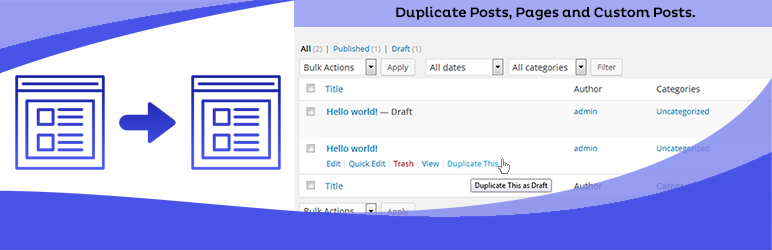
Duplicate Posts, Pages and Custom Posts easily using single click. You can duplicate your pages, posts and custom post by just one click and it will save as your selected options (draft, private, public, pending).
Key Features in Duplicate Page Pro Editions
User Roles: Allow User Roles To access Duplicate Page.
Post Types: Filter to show Duplicate Page link in post types.
Clone Link Location: Option where to show clone link.
Status: Option to select Duplicate Posts Status.
Redirection: Option to Redirect after click on clone link..
Clone Link Title: Option to change Duplicate Post Link Title.
Post Prefix: Option to add Post Prefix.
Post Suffix: Option to add Post Suffix.
Editor: And Many More Filters and Features.
Buy Pro Version with various features & support.
Contact us for Support Only Pro Version Users.
Upgrade to Pro Version
How to use
First Activate Plugin.
Go Select to Duplicate Page settings Menu from Settings Tab and savings settings.
Then Create New Post/Page or Use old.
After click on duplicate this link, then duplicate post/ page will be created and saved as draft,publish,pending,private depending upon settings.
Minimum requirements for Duplicate Page
WordPress 3.3+
PHP 5.x
MySQL 5.x