內容簡介
CheckoutBR 外掛專為巴西 WooCommerce 商店設計,提供 CPF、CNPJ、地址號碼及社區(bairro)等必要欄位,確保發票、支付閘道及運送標籤的正確性。支援新舊結帳方式,並確保資料的有效性與安全性。
【主要功能】
• 支援新舊結帳區塊,欄位一致性
• 驗證 alphanumeric CNPJ 和數字 CNPJ
• 根據個人類型要求正確文件
• 真實 CPF 驗證,拒絕無效序列
• 可選擇啟用、必填或選填欄位
• 自動填充地址功能(可選)
外掛標籤
開發者團隊
② 後台搜尋「CheckoutBR – CPF, CNPJ 2026 (com Letras), Número e Bairro for WooCommerce」→ 直接安裝(推薦)
原文外掛簡介
Works in the new Checkout block and in the classic checkout. Supports the new alphanumeric CNPJ.
Brazilian stores need CPF or CNPJ, the address number and the neighborhood (bairro) for invoices (NF-e), payment gateways and shipping labels. Most field plugins only work with the old shortcode checkout, so the fields simply disappear when the store switches to the Checkout block – and most still reject the alphanumeric CNPJ issued since July 2026.
CheckoutBR adds the Brazilian fields to both checkouts. In the Checkout block it uses the official WooCommerce Additional Checkout Fields API, so the fields are native, saved with the order and validated on the server.
Features
Checkout block + classic checkout with the same fields, settings and validation.
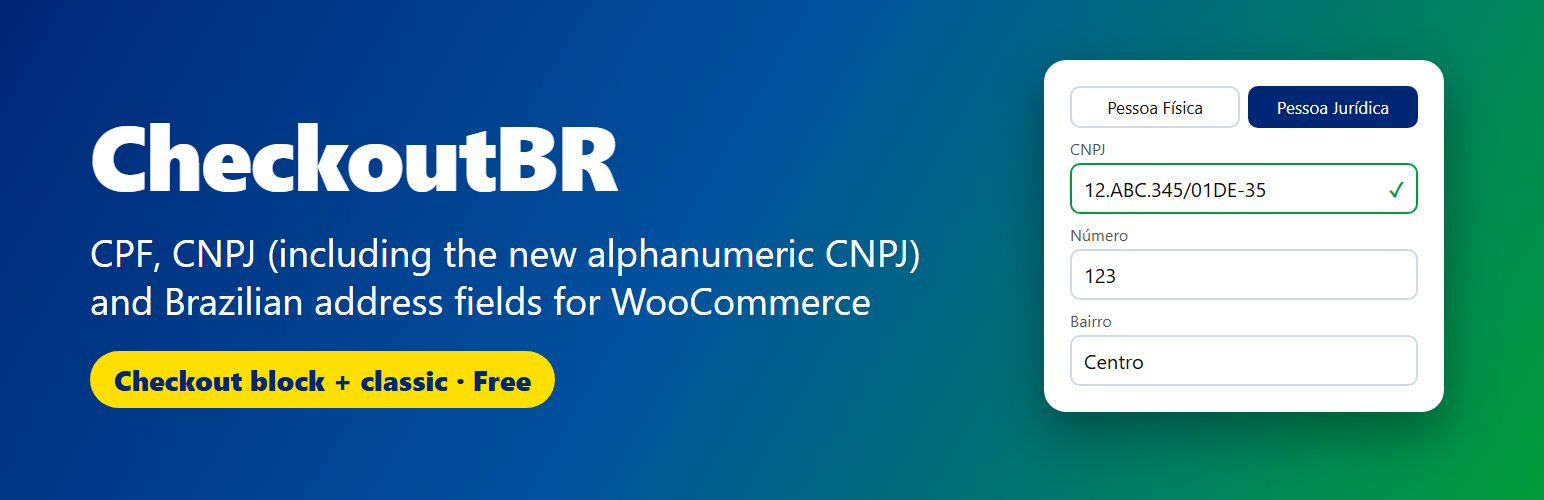
Alphanumeric CNPJ (e.g. 12.ABC.345/01DE-35) and the classic numeric CNPJ, validated with the official check-digit rule.
Person type: Individual (Pessoa Física) or Company (Pessoa Jurídica). You can also accept only individuals or only companies.
CPF for individuals and CNPJ plus company name (razão social) for companies. The right document is required depending on the person type – enforced on the server, not only in the browser.
Real CPF validation with check digits. Sequences such as 111.111.111-11 are rejected.
Address number and neighborhood (bairro) for billing and shipping addresses.
Optional birth date and mobile phone fields.
Choose which fields are enabled, required or optional.
Input masks in the classic checkout (CPF, CNPJ with letters, CEP, phone, date). Values are stored without punctuation, CNPJ in uppercase.
Optional CEP auto-fill with ViaCEP (off by default, see “External services”).
Compatibility mode (on by default): uses the same order and customer fields as the Brazilian Market on WooCommerce plugin, so stores can switch with zero data loss.
The fields appear only when the country is Brazil, so international customers are not affected.
Shows the data on the order edit screen, order emails, the thank-you page, My Account (addresses and account details) and adds the number and neighborhood to the formatted address.
Compatible with HPOS (High-Performance Order Storage) and the Cart/Checkout blocks.
Lightweight: one small vanilla JavaScript file, no jQuery plugins, no tracking.
Translation ready.
Where is the data saved?
Every order gets the same meta keys, whatever checkout was used. With compatibility mode on (default): _billing_persontype (1 = individual, 2 = company), _billing_cpf, _billing_cnpj, _billing_company, _billing_birthdate, _billing_cellphone, _billing_number, _billing_neighborhood, _shipping_number and _shipping_neighborhood (customer meta: billing_cpf, billing_number…). With compatibility mode off, the keys are prefixed: _billing_checkoutbr_cpf, _billing_checkoutbr_number… Block orders also keep the native Additional Checkout Fields data (_wc_other/checkoutbr/…, _wc_billing/checkoutbr/…).
External services
This plugin can connect to ViaCEP (https://viacep.com.br), a free public web service that returns a Brazilian address for a postal code (CEP). It is used only to auto-fill the street, neighborhood, city and state at checkout.
The feature is disabled by default. It runs only after the store owner enables “CEP auto-fill (ViaCEP)” in WooCommerce → CheckoutBR.
When enabled, the customer’s browser sends only the CEP typed in the postcode field (8 digits) to https://viacep.com.br/ws/{CEP}/json/ when the postcode field is changed and the country is Brazil. No name, document, email or other personal data is sent, and nothing is sent from your server.
ViaCEP website and terms of use: https://viacep.com.br/ – the service is provided “as is” by its maintainers; see the website for its usage terms and limits.
No other external service is used.
Em português
O CheckoutBR coloca tipo de pessoa (PF/PJ), CPF, CNPJ, número e bairro no checkout do WooCommerce, tanto no checkout em blocos (o novo) quanto no clássico. Valida os dígitos do CPF e do CNPJ, inclusive o novo CNPJ alfanumérico (com letras) em vigor desde julho de 2026, que a maioria dos plugins antigos recusa.
Usa os mesmos campos do Brazilian Market on WooCommerce: migre sem perder pedidos nem clientes.
Endereço automático pelo CEP (opcional).
Compatível com HPOS e com o checkout em blocos.
Não temos relação com a Receita Federal nem com o WooCommerce; é um plugin independente.
Support & free setup
CheckoutBR works fully on its own: every feature is free and nothing is locked or required.
If you want a hand, the plugin screen (WooCommerce → CheckoutBR) has a Help tab with quick tips and a Hire us tab. The “Talk to us on WhatsApp” and “Hire on WhatsApp” buttons are plain links: they open WhatsApp with a short message that contains only the plugin name and version (or the service you clicked). Nothing is sent automatically and no store or customer data is shared.
Free setup: we install and configure CheckoutBR on your store for free.
Custom work (optional): migration from Brazilian Market on WooCommerce, fixing checkout errors, NF-e / NFS-e invoice integration, custom checkout fields and validation. See our services.
Questions and bug reports: support forum.