內容簡介
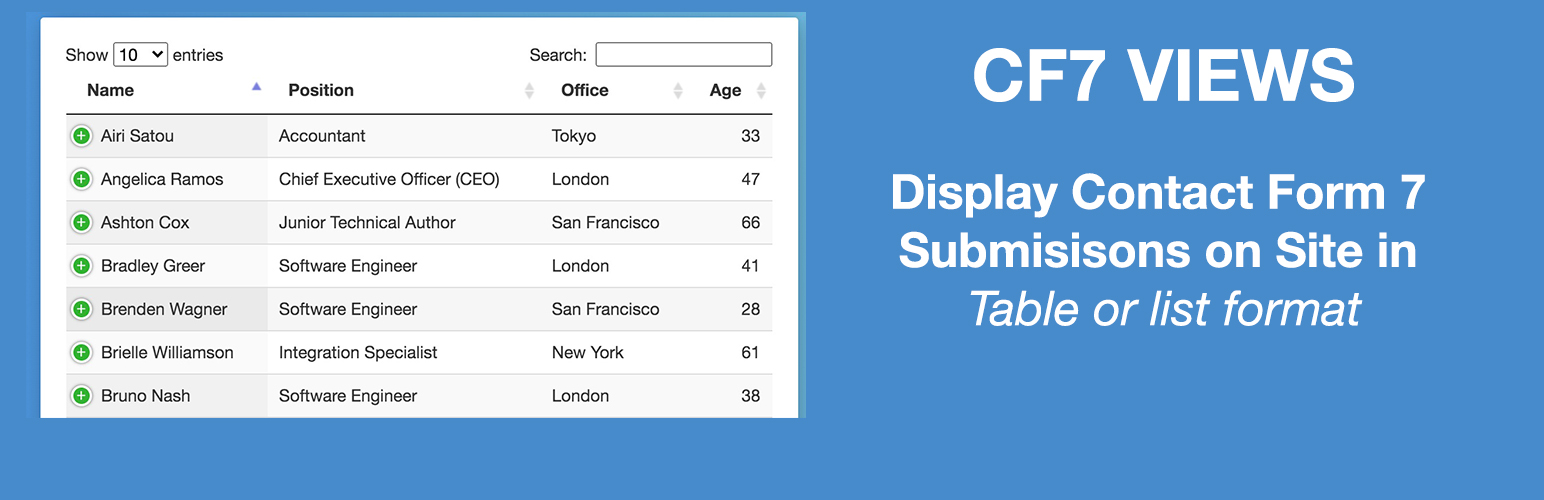
CF7 Views 是一款專為 Contact Form 7 設計的外掛,能夠讓使用者在網站前端以直覺式拖放的方式顯示聯絡表單的提交紀錄,並提供多種顯示格式,提升資料管理的便利性。
【主要功能】
• 直覺式使用者介面,易於操作
• 支援表格、列表及資料表格式顯示
• 可設定顯示的表單欄位及自訂標籤
• 提供分頁功能以顯示多筆資料
• 允許使用者編輯及刪除提交的紀錄
• 進階篩選及排序功能
外掛標籤
開發者團隊
② 後台搜尋「CF7 Views – Complete Entry Management for Contact Form 7」→ 直接安裝(推薦)
📦 歷史版本下載
原文外掛簡介
CF7 Views v3.1.7 now has inbuilt feature to saves your Contact Form entries.
CF7 Views Views is an addon for Contact Form 7 that lets you to display Contact Form 7 submissions/entries in your site frontend using intuitive drag & drop View builder.
It shows submissions saved by Flamingo plugin
You need the Flamingo plugin installed to be able to use this plugin.
You can create Table View, List View or DataTable View.
It allows you add content before & after the View.
You can set number of submissions to display on page.
Top Features
Intuitive user interface!
Easy to use – drag and drop!
Option to set form fields to show in View.
Option to set custom labels for table columns.
Option to set number of submissions to show on page.
Add pagination before or after the table.
Display Pagination Information.
Get more features in Pro version
* Edit Entries.
* List View Format.
* DataTable View Format.
* Single Entry View – Display Contact Form 7 Forms Entry details on Single Page.
* Add Search Form above or at View bottom to filter/search submissions by field values.
* Filter submissions by field values.
* Display only User submitted Contact Form 7 Submissions.
* Display only Approved Contact Form 7 Submissions.
* Sort contact form 7 submissions via field values.
Get Contact Form 7 Views PRO!
Pro Features
List & DataTable View Format
Display Contact Form 7 Entries in a multicolumn layout on your site frontend. Display data using dataTables including features like responsive layout, print, pdf, csv download entries options.
Edit Contact Form 7 Entries
Edit Contact Form 7 Entries from site frontend within your view.
Delete Contact Form 7 Entries
Allow users to delete their submitted entries from the site frontend. Logged-in users can delete their entries, administrators can delete any entry.
Search Contact Form 7 Entries
Display Search Form in your View to allow users to filter view data by any field value. Options also include searching by Entry Submission Date or Date Range e.g. Display entries submitted between two dates.
Advanced Filters
Set Filters to Filter Entries before displaying on the site frontend by using any Form field value, logged-in user meta, custom dates, etc.
E.g. Display all entries where the user selected Male as Gender field value while submitting the form.
Advance Sorting
Sort by any Field value in Ascending or Descending order. Allows you to add multiple sort conditions.
Entries Approval
Display only those entries that are approved by admin from the backend.
Calculations
Display Contact Form 7 field total or average in the table footer column.
Custom HTML
Add custom HTML within View data. Supports shortcode
Checkout our other plugins
* Views for WPForms
Display WPForms Entries anywhere on your site in a table or list view
* Views for Ninja Forms
Display Ninja Forms Submissions anywhere on your site in a table or list view
* Gravity Forms Sendy Addon
Add user to Sendy using Gravity Forms.