外掛標籤
開發者團隊
② 後台搜尋「Baksho Floating Cart for WooCommerce」→ 直接安裝(推薦)
原文外掛簡介
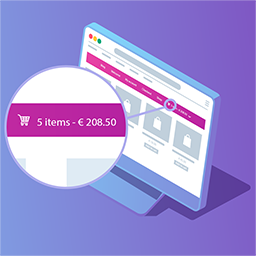
Baksho Floating Cart for WooCommerce is a lightweight, professional floating cart widget for WooCommerce stores. It displays a beautiful, animated floating cart button that follows your visitors as they browse your site.
Key Features
🎯 Customizable Position – Place your cart in 6 different positions (left/right × top/middle/bottom)
🎨 Custom Icon Upload – Upload your own icon (PNG, JPG, SVG) or use the default cart icon
🔴 Live Cart Count – Real-time cart item counter that updates instantly
🎁 Mini Cart Preview – Beautiful hover effect showing products, prices, and quantities
⚡ Lightweight – Only ~15KB, doesn’t slow down your site
📱 Mobile Responsive – Works perfectly on all devices and screen sizes
🔒 Security – Follows WordPress security best practices with sanitization and escaping
🎪 Smooth Animations – Professional hover transitions and effects
💛 WooCommerce Compatible – Works with WooCommerce 3.0+
How It Works
Once activated, a floating cart button appears on your website
The cart displays the current item count in a red badge
When visitors hover over the cart, a mini cart preview slides out
They can see all products, prices, remove items, or go to checkout
The cart count updates automatically as items are added/removed
Admin Settings
Control everything from WordPress admin:
* Enable/Disable – Turn the floating cart on or off
* Horizontal Position – Choose Left or Right side
* Vertical Position – Choose Top, Middle, or Bottom
* Icon Source – Use default cart icon or upload custom icon
* Icon Color – Pick any color for the default icon
* Icon Upload – Upload PNG, JPG, or SVG icons (recommended: 80×80px)
Technical Details
Language: PHP 7.2+ with WordPress hooks and filters
CSS: Custom CSS with smooth animations and responsive design
JavaScript: jQuery-based with AJAX for real-time updates
Database: Uses WordPress options table (no custom tables)
Performance: Minimal footprint, no external dependencies
Security: Input sanitization, output escaping, nonces for AJAX
Developer Information
Developed by: Tamjidul Azam
Website: https://www.techbaksho.com
Support: Visit our website for support and documentation
Requirements
WordPress 5.0 or higher
WooCommerce 3.0 or higher
PHP 7.2 or higher
jQuery (included with WordPress)
Configuration
After activation:
Go to WordPress Admin → Baksho Floating Cart for WooCommerce
Check Enable Floating Cart
Choose Horizontal Position (Left or Right)
Choose Vertical Position (Top, Middle, or Bottom)
Select Icon Source:
Default: Use the built-in shopping cart icon
Custom: Upload your own icon (PNG, JPG, SVG)
If using default icon, choose Icon Color
Click Save Settings
That’s it! Your floating cart is now live on your website.
Support
For support, documentation, and updates, visit:
https://www.facebook.com/techbaksho
License
Baksho Floating Cart for WooCommerce is licensed under the GPL v2 or later. You are free to use, modify, and distribute this plugin under the terms of the GPL.
Credits
Developed by: Tamjidul Azam
License: GPL v2 or later
Thank you for using Baksho Floating Cart for WooCommerce! We hope it helps improve your WooCommerce store experience.