外掛標籤
開發者團隊
② 後台搜尋「Caloplo Smart Cart for WooCommerce」→ 直接安裝(推薦)
原文外掛簡介
Caloplo Smart Cart for WooCommerce is a professional plugin that provides a complete, fully customizable shopping cart experience, including:
Key Features:
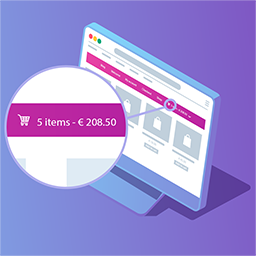
🛒 Floating Cart Icon — A professional cart icon with a dynamic counter that updates automatically via AJAX, with 24 built-in styles to choose from.
🔲 Slide-in Drawer (Mini Cart) — Slides in smoothly from the side with full RTL support.
📄 Full Cart Page — Available at /cart2/ with a professional, responsive design.
⚡ Instant Updates Without Reload — Change quantities and remove products via AJAX.
☑️ Selective Checkout — Buy only selected products while keeping the rest in the cart.
🏷️ Coupon Section — Apply and remove discount coupons interactively, with an option to hide it entirely.
🎨 24 Floating Icon Styles with Live Preview — Pick an icon design from the settings page and instantly preview the matching colors on a live mini cart mockup, with no need to check the live site.
⚙️ Full Admin Settings Page — Control every aspect of the cart from one screen: enable/disable the cart, choose the cart type (popup, full page, or both), auto-open the cart after “Add to Cart”, set icon visibility rules, icon size and content (count, subtotal, both, or icon only), and free-form or fixed-corner icon positioning.
🧩 Manual Placement Shortcode — Use [cart2_icon] to place the floating cart icon exactly where you want on any page or template.
🌐 Full RTL Support — Designed specifically for Arabic and right-to-left websites.
📱 Fully Responsive — Works on all devices and screen sizes.
🔒 Secure Checkout Badge — Displays common payment method logos and a security badge.
🔌 WooCommerce HPOS & Cart/Checkout Blocks Ready — Declares full compatibility with High-Performance Order Storage and the WooCommerce Cart/Checkout blocks.
Selective Checkout Strategy:
When specific products are selected for purchase, Caloplo Smart Cart:
1. Saves unselected products in the session.
2. Temporarily removes them from the cart.
3. Completes the checkout for the selected products.
4. Automatically restores the saved products after the order is placed.
Admin Settings at a Glance:
Go to Caloplo ▸ Cart in your WordPress dashboard to configure:
* General — enable/disable the cart, cart type, auto-open behavior, and icon visibility.
* Icon — choose from 24 icon styles with live preview, icon size, content, and position (free or fixed-corner).
* Advanced — shipping notice, coupon field, and order summary rows (subtotal/discount) visibility.
* About — plugin info, support links, and ways to contribute.
Support Development
If you find this plugin useful and would like to support future development, you can make a voluntary donation:
Donate via PayPal