
內容簡介
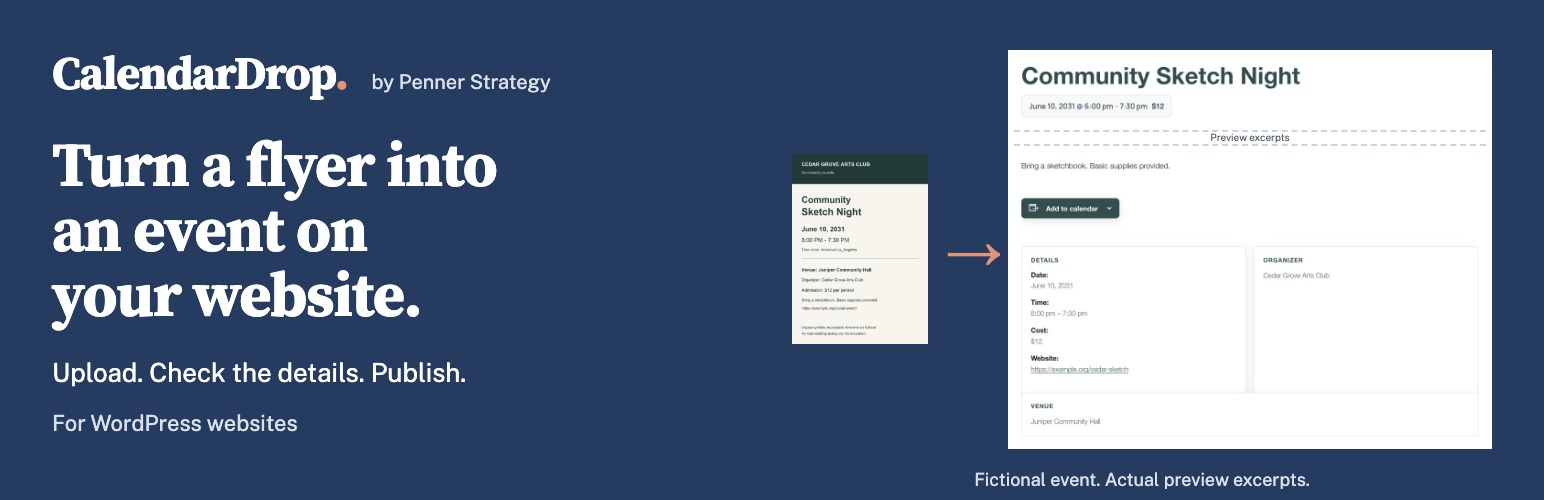
CalendarDrop 是一款方便的 WordPress 外掛,能讓用戶輕鬆上傳活動傳單,並自動填寫活動詳情。無需重複輸入,支持多種文件格式,適合各類型的網站。
【主要功能】
• 自動填寫活動詳情
• 支持 PDF 和 Word 文件上傳
• 可選擇 AI 提供者進行處理
• 支持多種活動管理外掛
• 每個導入事件默認為草稿
外掛標籤
開發者團隊
原文外掛簡介
Got an event flyer? Put it on your website without typing it all again.
Upload the flyer. CalendarDrop fills in the event details. Check them, then publish. It works on WordPress websites, with The Events Calendar, WP Event Manager, or ordinary posts. PDFs and Word documents work too.
Use your own AI provider key and pay that provider directly, or use optional CalendarDrop credits. The plugin is free either way.
Try your first import
CalendarDrop offers five event drafts to try, with no card and no separate AI key required. Install and activate the plugin, then follow the setup guide to connect your site. Installing or connecting does not start a paid subscription. Your CalendarDrop account shows current plans, availability and terms.
Choose where drafts go
Choose where drafts go: The Events Calendar, WP Event Manager, or ordinary WordPress posts. WP Event Manager supports individual timed events and must be selected in CalendarDrop settings. Existing sites keep their current Automatic routing. Both calendar plugins are separate products.
What you can import
Flyer images, PDFs and Word (.docx) documents.
Email text forwarded through a separately configured service such as Mailgun or Postmark.
Files submitted through an optional upload page for people you trust. This page is off by default.
Every imported event starts as a draft. Choose an existing category to apply it to new drafts from the file. Where available, CalendarDrop also uses the flyer as a featured image.
By default, CalendarDrop skips likely duplicates so you can review the existing event before making changes. If a skipped result is actually another session, eligible CalendarDrop-credit imports can create that session as a separate draft after confirmation. The original event stays unchanged.
Word imports read the main document text, not embedded images, headers or footers. Export designed Word flyers as PDF. CalendarDrop credits and Gemini process the complete PDF. Other BYO providers use its complete browser-extracted text; scanned PDFs need a provider that accepts native PDFs. CalendarDrop never substitutes a first-page thumbnail for the document.
Use your own AI provider
Choose OpenAI, Google Gemini or Anthropic Claude, or configure an OpenAI-compatible endpoint. Enter the API address and model supplied by your provider. Add a key if the server requires one, save your settings, then click Test Connection.
Custom endpoints must support the plugin’s chat-completions request format. A model that accepts text may not accept images. A successful connection test checks a short text request, not flyer accuracy or every file type. Local servers must be reachable from the computer hosting WordPress; an address on your laptop is not automatically reachable from your website.
Your provider key stays in your site’s WordPress database and goes only to the endpoint you configure. Review that provider’s terms and privacy policy before use. AI troubleshooting and AI edits use your own provider key. AI edits are available for ordinary posts and The Events Calendar events.
Third-Party Services / Privacy
Using your own AI key. File and authenticated email/webhook imports, connection tests, diagnostics and AI edits send relevant content or prompts to your chosen provider. This may include event text, images, complete PDFs or extracted PDF/Word text. Your key stays in your WordPress database and is sent only to your configured provider, never to CalendarDrop.
Optional CalendarDrop processing. Opening CalendarDrop > Subscription sends your site URL to https://calendardrop.pennerstrategy.com, operated by Joshua Penner, for status and plans. Connecting sends your connection code or license key and stores a private site token for account checks. Connecting does not change your processing mode.
When you select subscription mode, imports send submitted text, images, complete PDFs or Word document-body text, plus your site URL, timezone and date/time, to CalendarDrop. The service forwards the material to Google Gemini to extract event details. It uses its own AI key.
Payments. Polar receives account email, customer identity and license/site details for checkout, billing and license verification. Card details are handled by Polar, not this plugin. Polar privacy.
Storage. Your site retains uploads, drafts and import records; recovery records have no automatic cleanup. CalendarDrop retains account, usage and billing records, plus extracted results for recovery. See the data-use and retention policy and service terms.
Supported providers and their terms:
OpenAI: https://openai.com: Terms: https://openai.com/policies/terms-of-use: Privacy: https://openai.com/policies/privacy-policy
Google Gemini: https://ai.google.dev: Terms: https://ai.google.dev/gemini-api/terms: Privacy: https://policies.google.com/privacy
Anthropic Claude: https://www.anthropic.com: Terms: https://www.anthropic.com/legal/consumer-terms: Privacy: https://www.anthropic.com/legal/privacy
Google Places (optional). For The Events Calendar imports, if no local venue matches and you supply a Google Maps API key, CalendarDrop may send the venue name to Google Places to look up address details. This lookup does not run for ordinary posts or WP Event Manager drafts. Nothing is sent to Google Places unless you have configured a Google Maps key. Google Terms: https://cloud.google.com/maps-platform/terms: Privacy: https://policies.google.com/privacy














