內容簡介
**總結:**
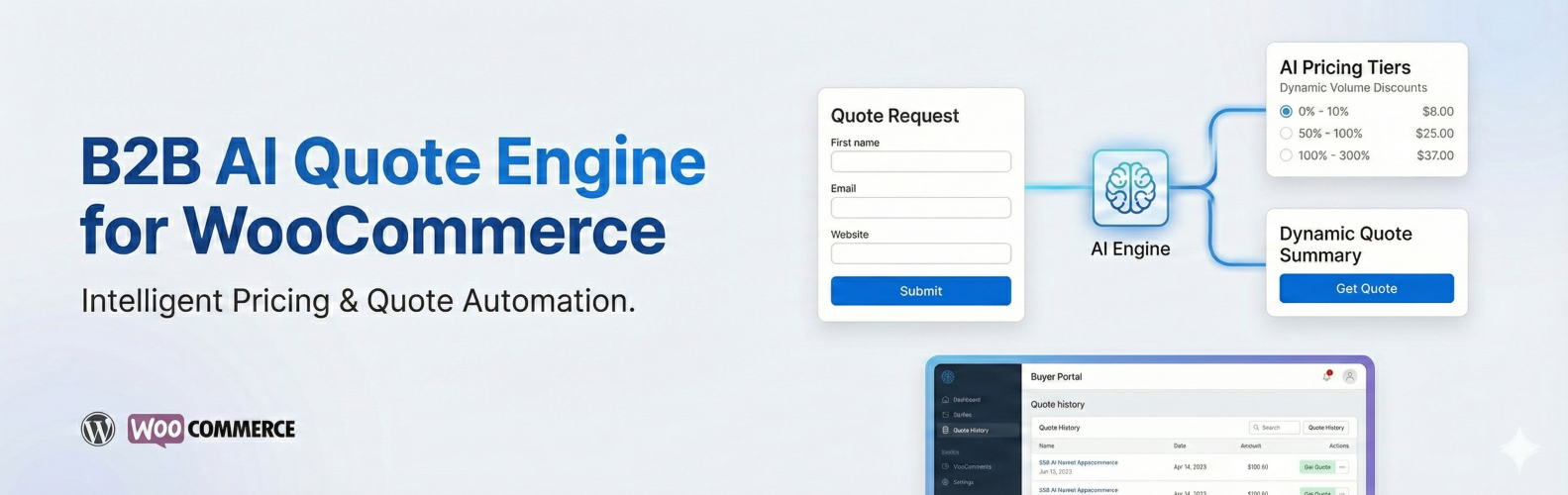
Buyience NovaCore B2B Quote Engine 是一個 WordPress 外掛,可擴展 WooCommerce 的 B2B 專注報價、定價規則和買家工作流程。這個外掛允許顧客請求報價,支持客戶特定定價和付款條款,並在 WordPress 內提供結構化的報價管理。對於選擇連接外部 Buyience 帳戶的使用者,外掛可以選擇性載入高級托管功能,例如 AI 助理報價建議和數位報價界面。這個外掛適用於批發商、分銷商、製造商和需要基於報價的銷售工作流程的企業。
**問題與答案:**
- 外掛的主要功能有哪些?
主要功能包括:
- 在任何產品上請求報價
- AI 助理報價建議
- 買家門戶
- 管理員儀表板整合
- 公共展示界面
- WooCommerce 整合
- 產品同步
- 導航欄整合
- 安全 API 授權
- 外部連結
- 外掛如何與 WordPress 進行整合?
外掛會使用安全的外部連結將 Buyience 托管的界面整合到 WordPress 中。核心報價請求和 WooCommerce 整合功能在 WordPress 內處理。當網站管理員啟用時,可選擇載入 Buyience 服務器的托管界面。
- 這個外掛的服務整合有哪些注意事項?
這個外掛可以選擇性連接到由 Buyience 提供的外部服務,以啟用托管報價界面和高級自動化功能。即使不啟用外部服務,核心 WooCommerce 报价功能仍然可用。當管理員啟動外掛時,會傳輸管理員的電子郵件地址以檢索帳戶信息,管理員的密碼會安全地先發送到 WordPress 站點,然後再安全地轉發給 Buyience 進行驗證。WordPress 不會存儲 Buyience 密碼,只會存儲由 Buyience 返回的存取令牌。
- 這個外掛如何處理憑證?
它需要管理員明確操作才能連接到 Buyience 服務。管理員選擇連接時,他們的 Buyience 電子郵件可能直接通過 HTTPS 發送給 Buyience 進行帳戶查找/連接设置。管理員的 Buyience 密碼首先提交給 WordPress 站點,然後安全地從 WordPress 通過 HTTPS 轉發給 Buyience 進行驗證。WordPress 不會存儲 Buyience 密碼,只會存儲由 Buyience 返回的存取令牌以進行驗證的 API 通信。
外掛標籤
開發者團隊
② 後台搜尋「Buyience NovaCore B2B Quote Engine」→ 直接安裝(推薦)
原文外掛簡介
Buyience NovaCore B2B Quote Engine is a WordPress plugin that extends WooCommerce with B2B-focused quoting, pricing rules, and buyer workflows. The plugin allows customers to request quotes, supports customer-specific pricing and payment terms, and provides structured quote management within WordPress. For users who choose to connect an external Buyience account, the plugin can optionally load advanced hosted features such as AI-assisted quote recommendations and a digital quoting interface.
This plugin is suitable for wholesalers, distributors, manufacturers, and businesses that require quote-based selling workflows.
Key Features
Request a Quote on Any Product: Replace the Add to Cart button or offer both.
AI-Assisted Quote Recommendations (optional Buyience integration): Generate smart quotes using AI-driven pricing, historical data, and buyer behavior. AI-assisted features provide recommendations only and do not make automated pricing decisions.
Buyer Portal:Buyers can view quotes, approve offers, manage orders, and download invoices.
Admin Dashboard Integration: Access all Buyience features directly from WordPress admin
Public Storefront: Display quote builder storefront on public-facing pages using shortcodes (no WordPress user session data is exposed).
WooCommerce Integration: Add “Request a Quote” buttons to WooCommerce product pages
Product Sync (Optional): Synchronize WooCommerce product data with an external Buyience service when enabled
Navbar Integration: Add Dashboard button directly to your site’s navigation menus
Secure API Authorization: Secure token-based API authorization between WordPress and Buyience services
External Links: Request Quote and Store Front open in new tabs for WordPress.org compliance
No WooCommerce core data is modified or removed by the plugin.
How It Works
The plugin integrates Buyience-hosted interfaces into WordPress using secure external links.
Core quote request and WooCommerce integration features are handled within WordPress.
Optional hosted interfaces are loaded from Buyience servers when enabled by the site administrator.
This approach allows advanced functionality to be delivered while maintaining security and isolation between systems.
Service Integration
This plugin can optionally connect to an external service provided by Buyience to enable hosted quoting interfaces and advanced automation features.
Core WooCommerce quoting functionality remains available without enabling the external service.
When the administrator connects the plugin:
The administrator’s email address may be transmitted directly to Buyience over HTTPS to retrieve account information.
The administrator’s password is transmitted securely to this WordPress site first, then forwarded securely to Buyience for authentication.
WordPress does NOT store the Buyience password.
Only an access token returned by Buyience is stored in WordPress.
No data is transmitted without explicit administrator action.
Service details:
Service Provider: Buyience
Service URL: https://app.buyience.com
Privacy Policy: https://buyience.com/privacy-policy
Terms of Service: https://buyience.com/terms-and-conditions
Credential Handling
This plugin requires explicit administrator action before connecting to the Buyience service.
When the administrator chooses to connect:
The administrator’s Buyience email may be sent directly over HTTPS to Buyience for account lookup/connection setup.
The administrator’s Buyience password is submitted to the WordPress site first, then securely forwarded over HTTPS from WordPress to Buyience for authentication.
WordPress does NOT store the Buyience password.
Only the access token returned by Buyience is stored in WordPress for authenticated API communication.
The access token is used solely for API communication.
No credentials are transmitted automatically.
No data is sent without explicit administrator consent.
Privacy
This plugin stores quote and configuration data within WordPress by default. Limited user data is transmitted only after explicit admin action to enable the Buyience integration; when enabled, limited user information (such as name and email) may be transmitted securely for API authorization and quote processing purposes.
The plugin itself does not perform tracking or analytics.
Authorization & Security
This plugin follows WordPress security best practices and does NOT create, modify, or programmatically access WordPress user sessions:
WordPress Access Only: All plugin features require an active WordPress admin session using standard WordPress access flows
No User Creation: The plugin does not create WordPress user accounts or modify existing user credentials
No Session Bypass: The plugin does not use wp_set_current_user() or similar functions to bypass WordPress session checks
Capability Checks: All administrative endpoints require the manage_options capability via current_user_can()
External API Authorization: The “Buyience API authorization” feature stores API credentials for the external Buyience service only – these are not WordPress user credentials
Token-Based API Access: Internal API authorization tokens are used for secure communication between WordPress and Buyience services, not for WordPress user sessions
Permission Callbacks: All REST API endpoints include proper permission_callback functions that validate WordPress user permissions
The plugin relies entirely on WordPress’s standard access control system. Users must access WordPress through the standard admin session flow before using any plugin features.
Privacy Policy
This plugin integrates with the Buyience service. When you use this plugin:
WordPress Access: The plugin does not create or modify WordPress users. All users must access WordPress using standard WordPress access flows.
Buyience API Credentials: When connecting to the external Buyience service, the administrator manually initiates authorization. The email may be sent directly to Buyience over HTTPS for account lookup/connection setup. The password is sent to WordPress first, then securely forwarded to Buyience for authentication, and is NOT stored in WordPress. Only the access token and API key returned by Buyience are stored securely in WordPress options for API communication.
Internal Session Tokens: Secure session tokens may be used for API communication when the site administrator connects to the Buyience service. The plugin uses external links to Buyience; content is not embedded in WordPress.
Data Transmission: No credentials or user data are transmitted automatically. Data is sent only after explicit administrator action (e.g., clicking “Connect to Buyience Account”). When enabled, limited user information (email, name, WordPress user ID) is securely transmitted to Buyience for quote processing purposes only.
Data Security: Sensitive data is stored securely using WordPress best practices.
No Tracking: The plugin does not collect or store any additional user data. No tracking or analytics are performed by the plugin itself.
For information about how Buyience handles your data, please refer to the Buyience Privacy Policy and Terms of Use.